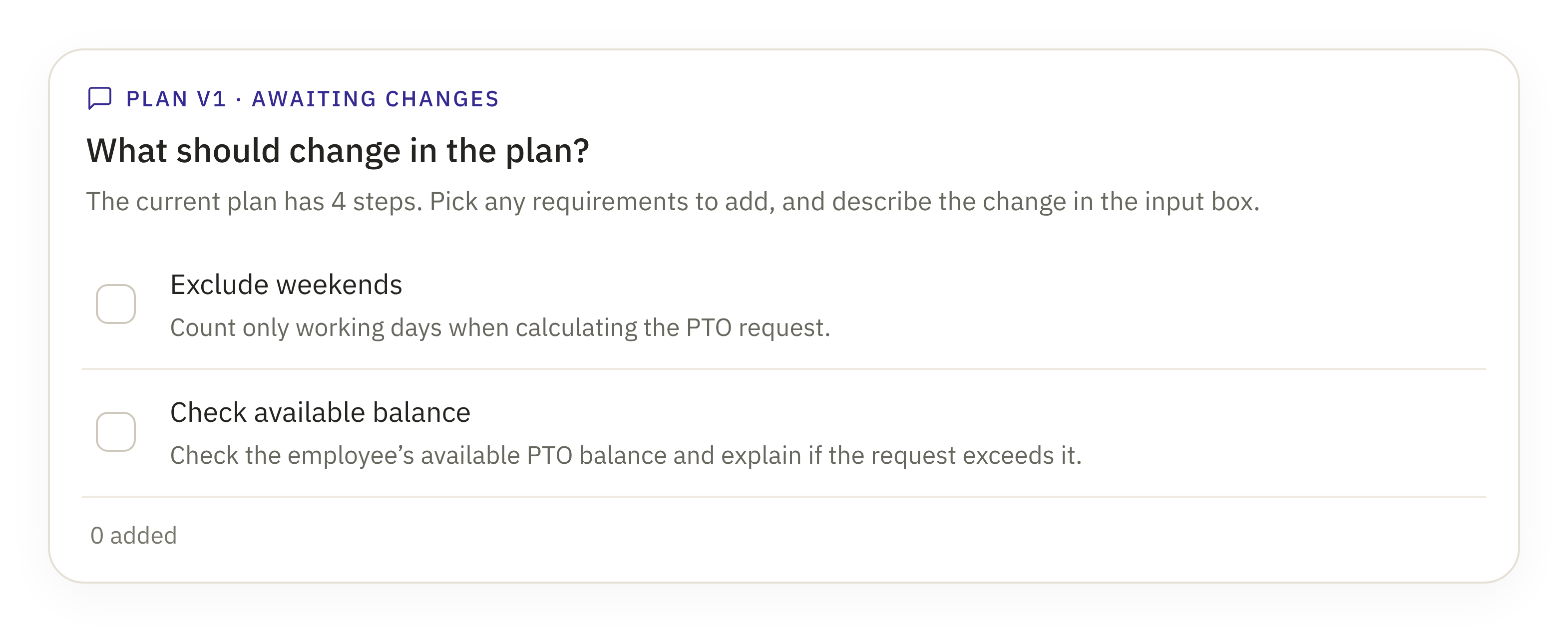
An AI builder for creating plugins through conversation. I designed every run to stay visible and controllable: the plan adapts to feedback, approvals match the level of risk, and a stalled or failed step recovers without losing work.
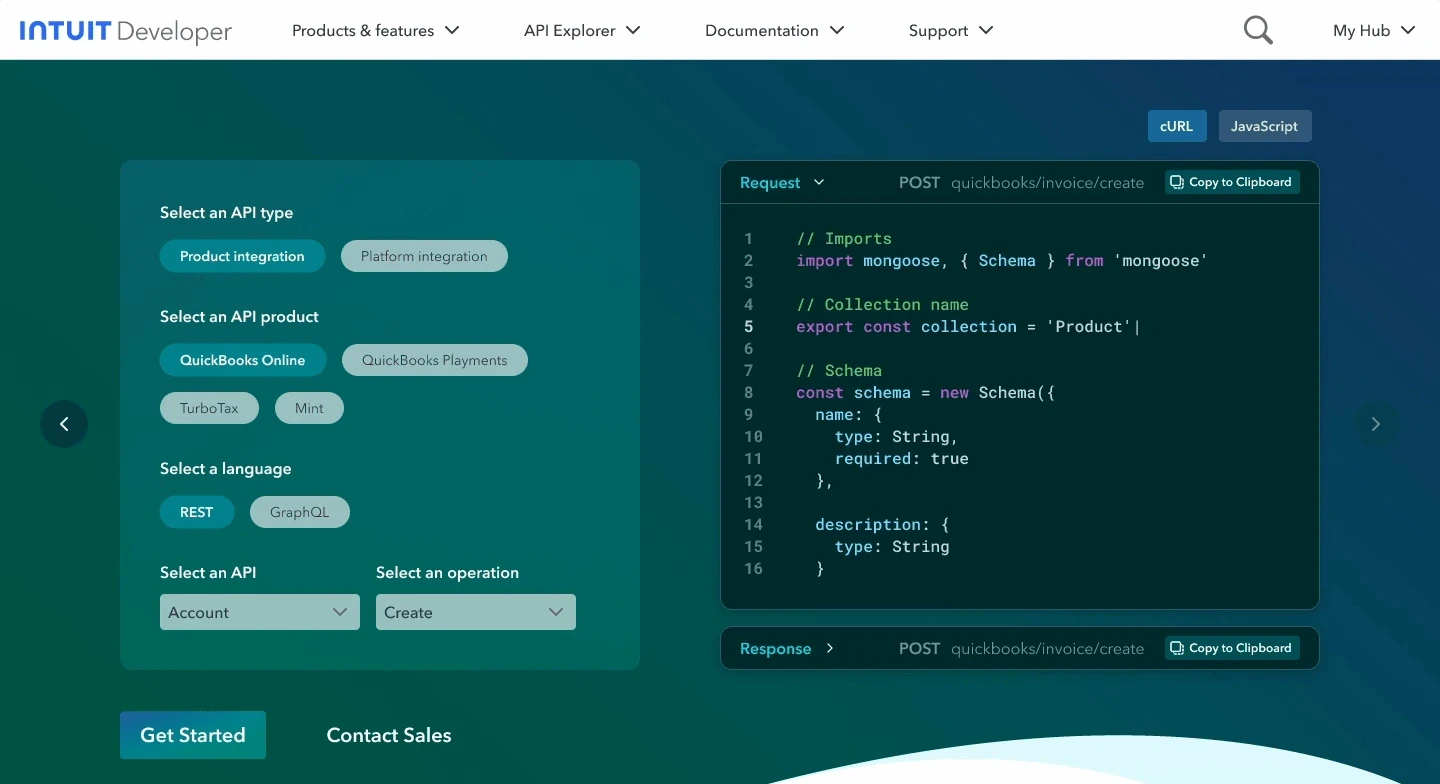
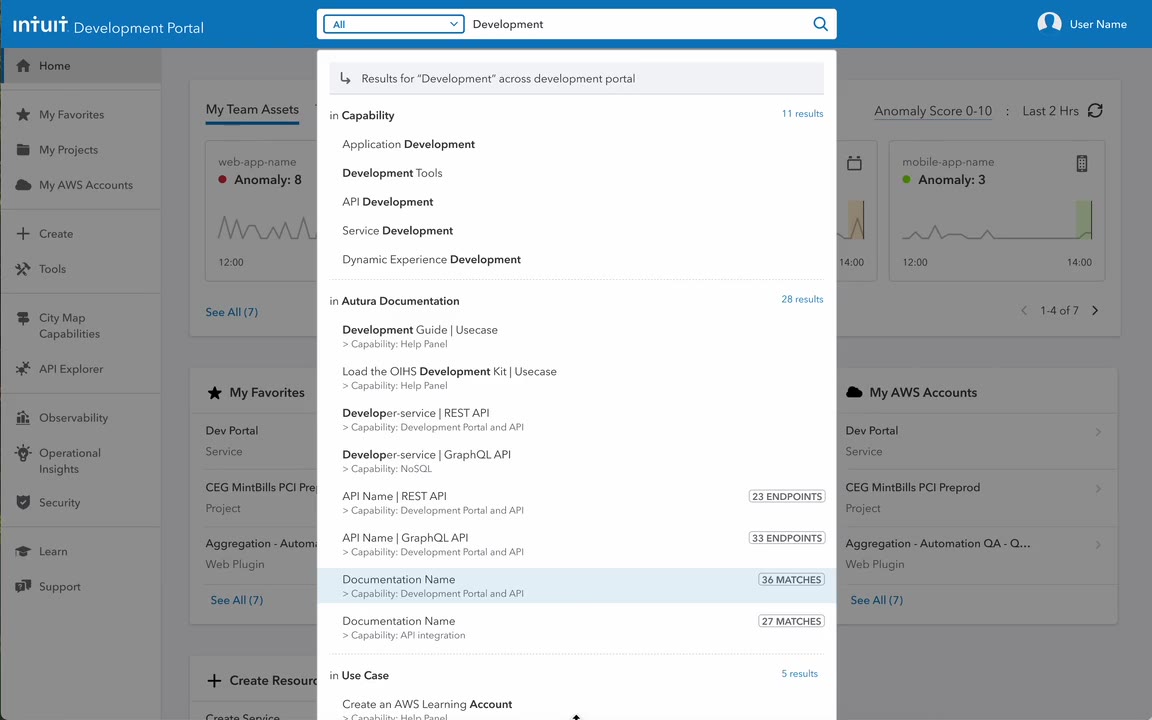
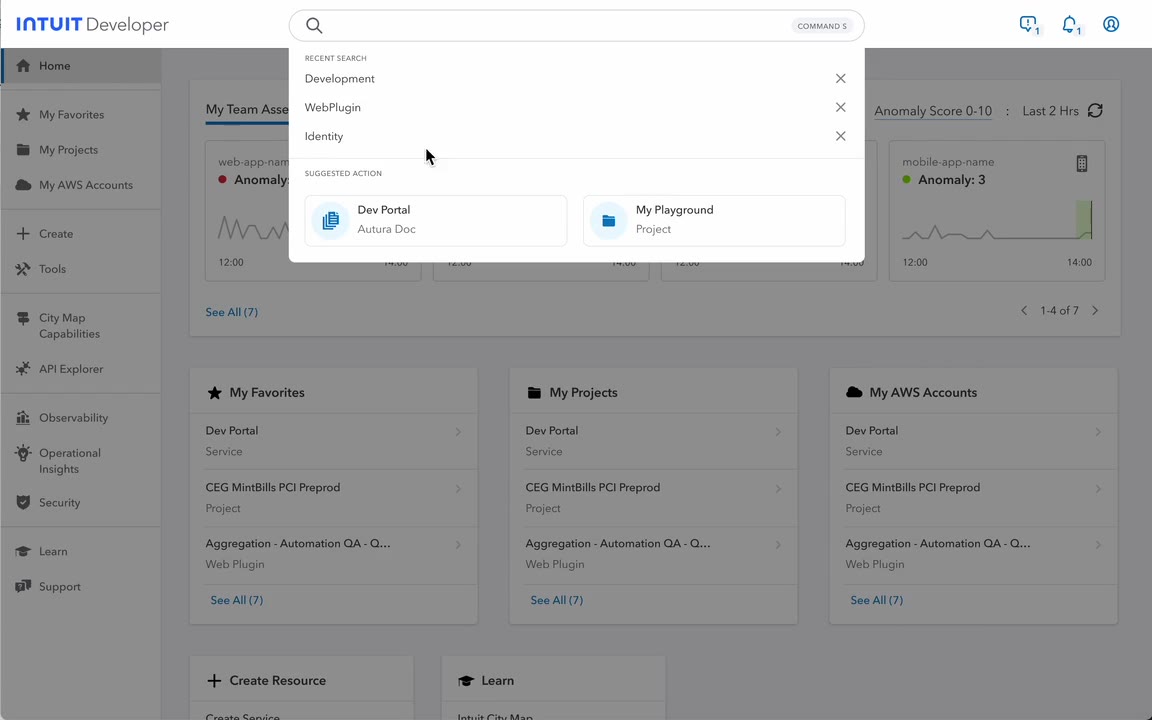
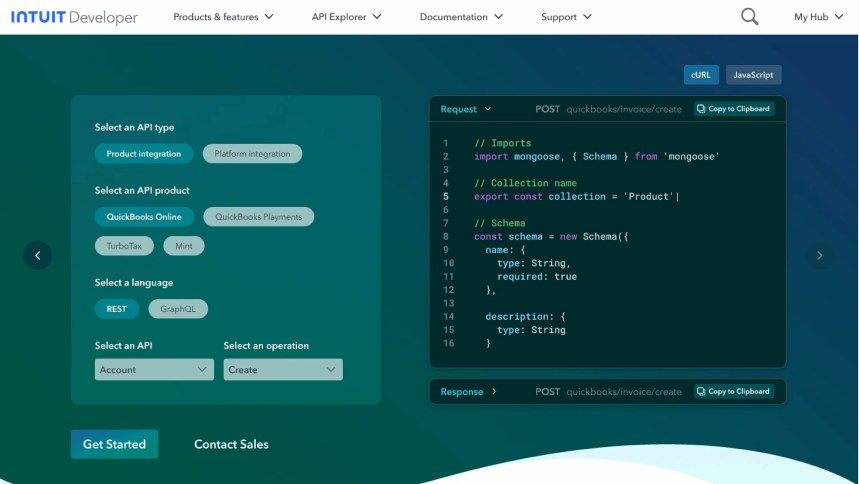
GenAI search for Intuit's developer portal. It reads what developers mean, not just the keywords, so the right API or doc shows up on the first page. Built from 200,000 real queries, sorted by intent with an LLM.
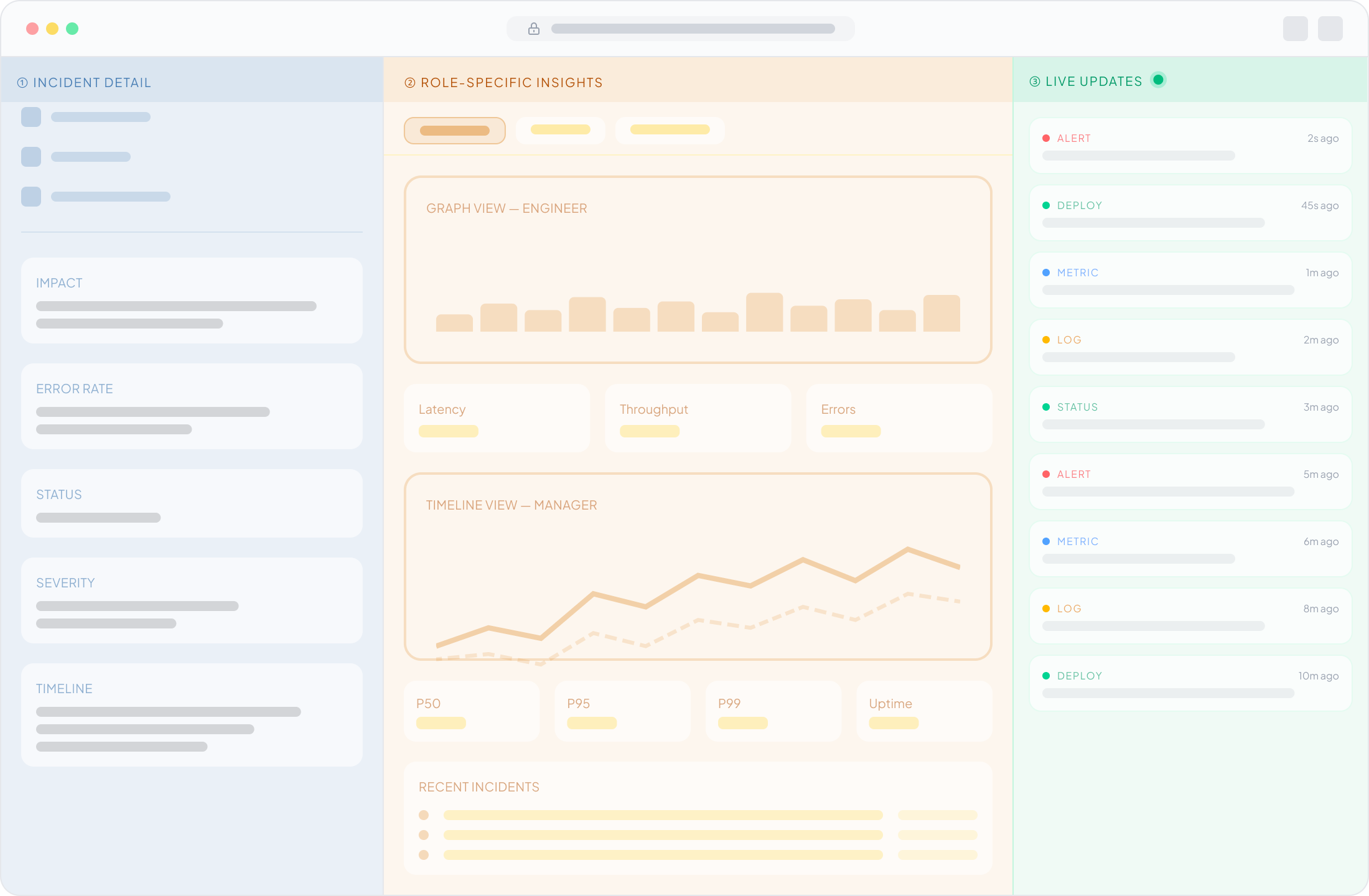
A vision for incident recovery. Leadership asked for dashboards, but responders needed help, so I led the shift to AI agents that page owners, rank likely causes and recommend fixes. People approve every change.
Engineers relied on tribal knowledge and had to seek help from others. I made the path self-serve, then used GenAI to guide them from idea to working code.
ToolSmith · AI plugin builder · ServiceNow / Moveworks, 2026
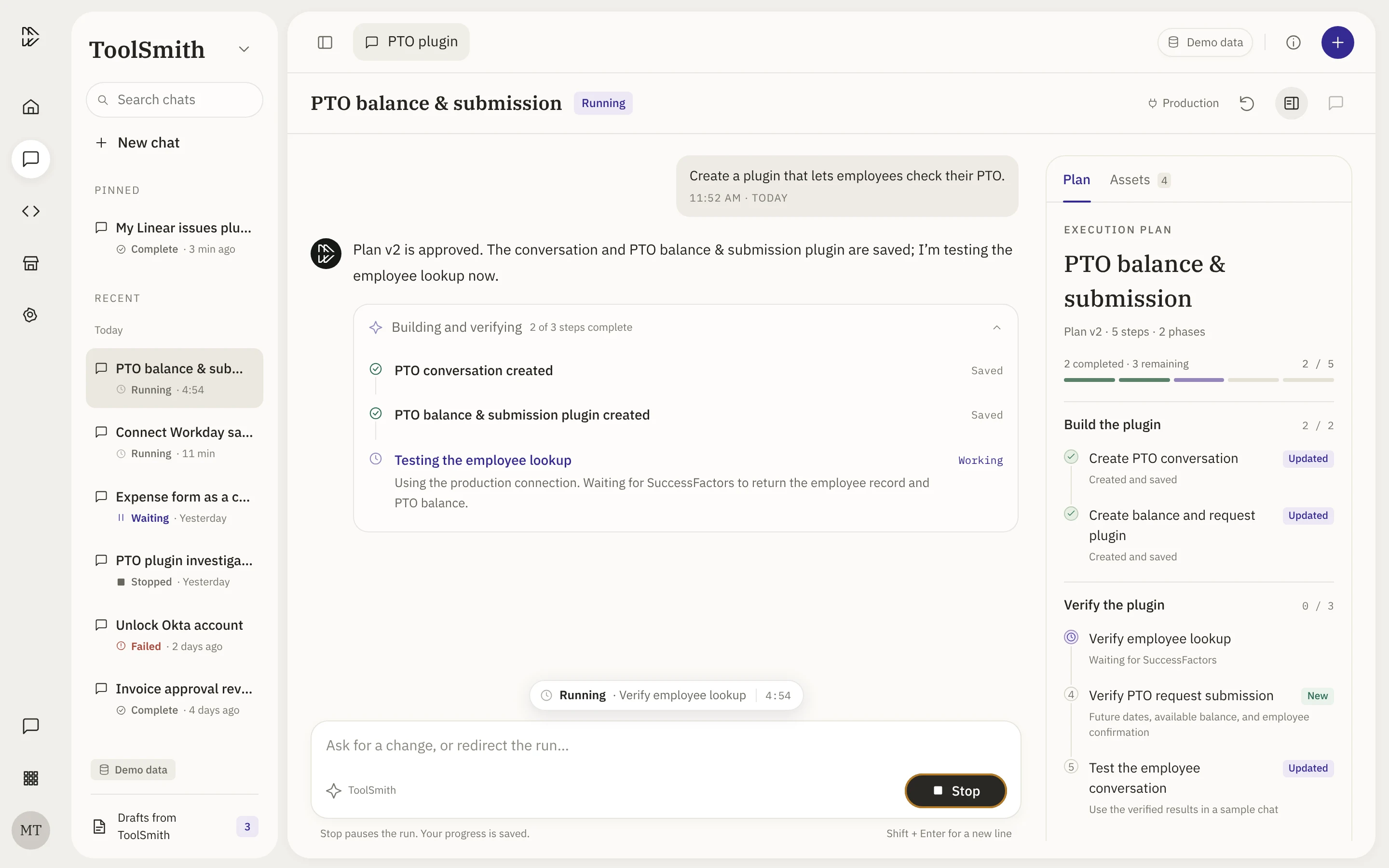
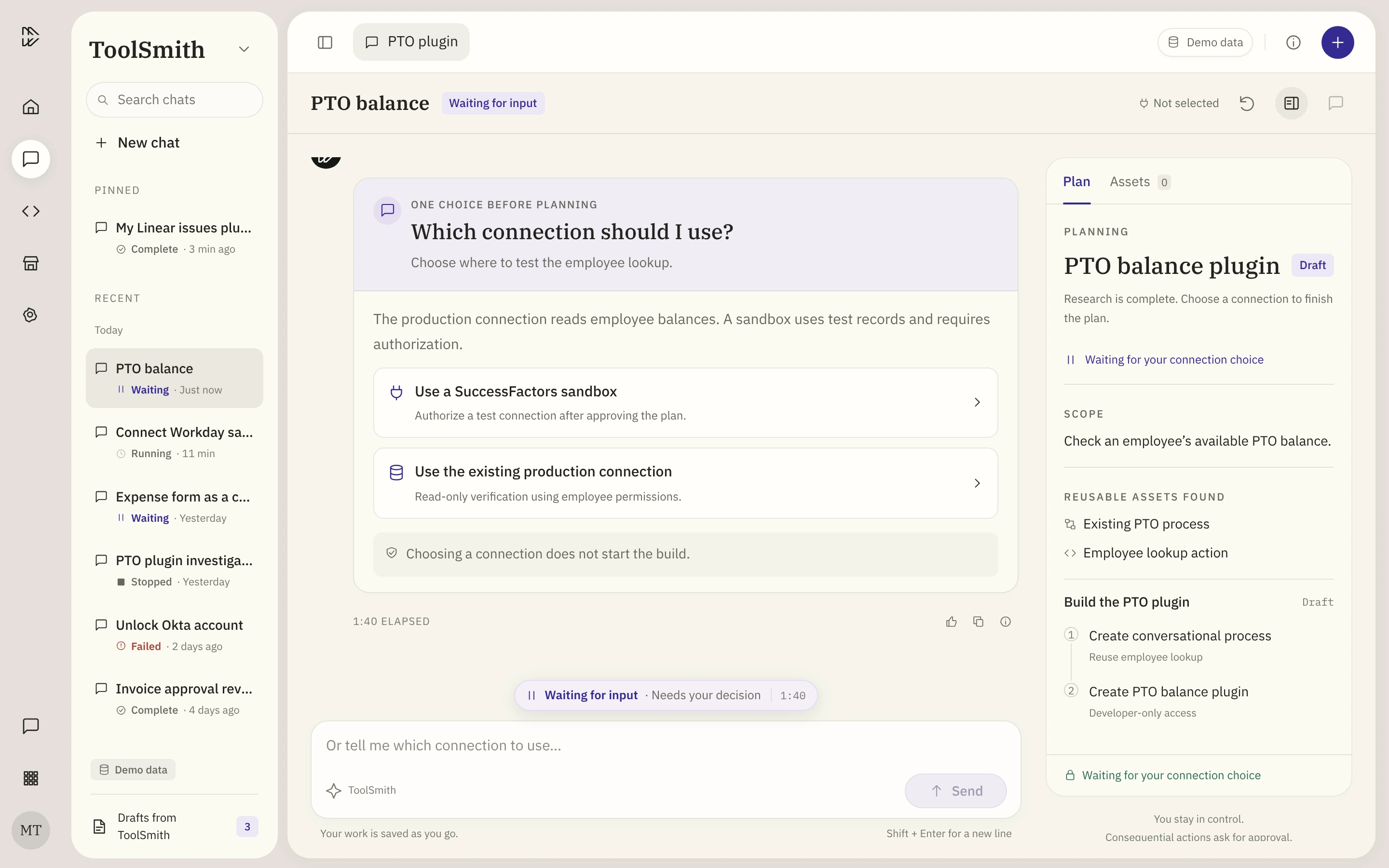
An AI agent that builds plugins. No run is a black box.
ToolSmith builds the plugins behind Otto, ServiceNow's AI assistant. Runs took 8.5 to 20+ minutes, and builders couldn't tell if a run was working, stuck or waiting on them.
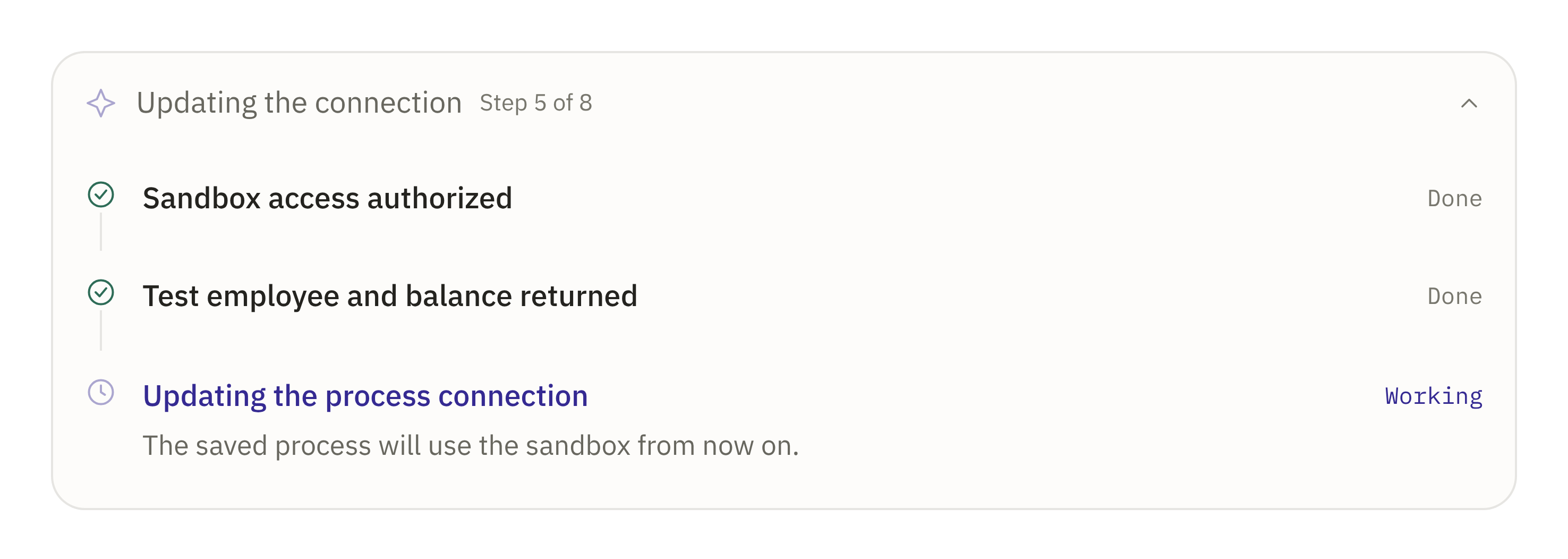
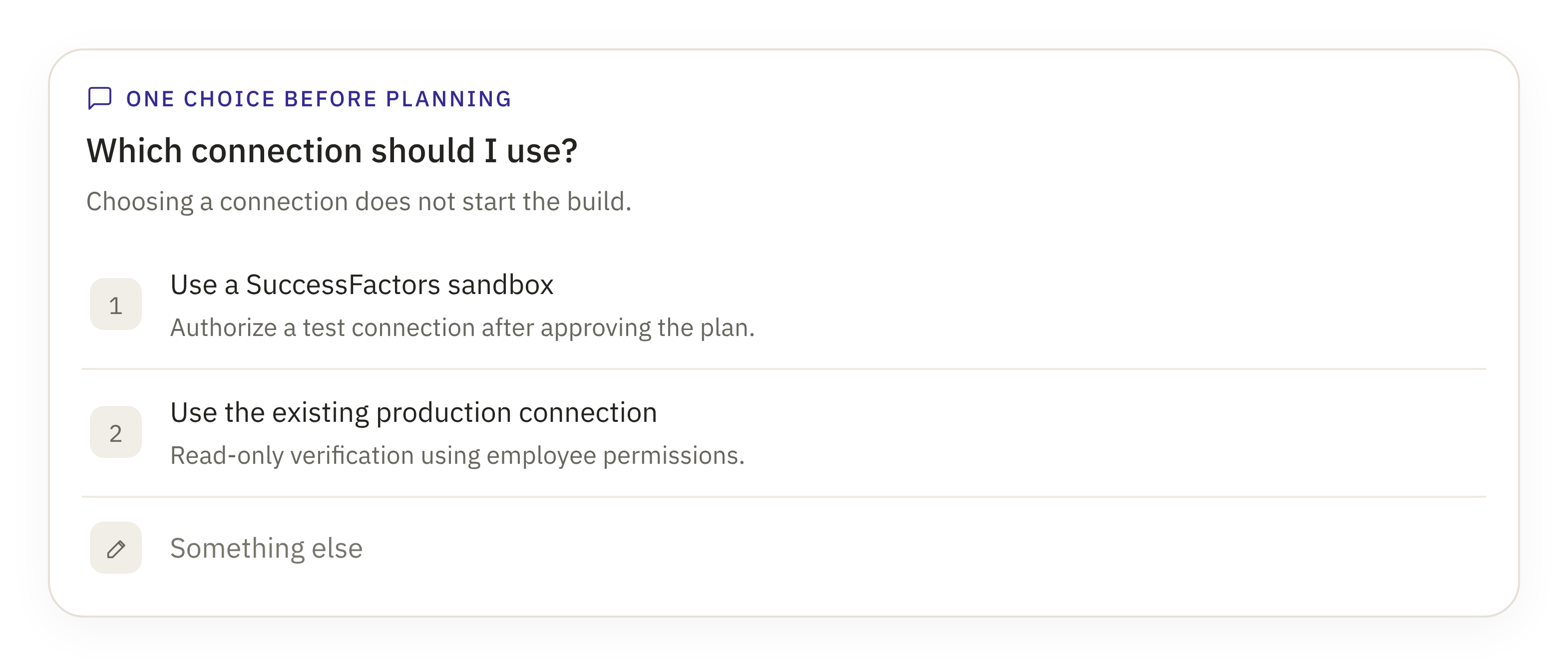
From 50 research observations, I designed a run state model where no state is a dead end: each one shows what's happening and what you can do next.
Design lead: research synthesis, prioritization, prototyping and components
Partners
[Product, engineering, design systems]
Timeline
[Timeline]
Status
Five components in Storybook · GA [date]
74%Runs that reach a tested pluginNorth star · up from 48%
83%Interrupted runs resumed, not restartedup from 35%
2 wksConcept to buildcomponents, not screens
5Storybook componentshanded off to engineering
01Context
Every plugin becomes something Otto can do.
Otto is ServiceNow's AI assistant. Employees ask for what they need, and Otto gets it done across any system. Everything Otto can do comes from tools built in Tool Studio, and ToolSmith is the agent inside it: describe a workflow, review its plan, and it builds the plugin.
Wherever employees already work
Virtual AgentServiceNow chat
EmployeeWorksEmployee portal
Microsoft TeamsChat app
SlackChat app
Google ChatChat app
Plus web, mobile and voice
OttoServiceNow AI assistant
Understands the ask, picks the plugin and finishes the work.
Talk
Chat
Search
Browse
Analyze
Build
Plugins, built in Tool Studio
PTO balanceSAP SuccessFactors
Account unlockOkta
Expense reportSAP Concur
My Linear issuesLinear
Invoice approvalCoupa
ToolSmith builds these from a plain-language description
Asked in Microsoft Teams“How much PTO do I have left?”
→
Otto runs the pluginPTO balance
→
Otto answersYou have 12.5 days. Want to book time off?
Example requests. Since April 2026, AI ships with every ServiceNow product, at every tier.
20+ minLongest runs
Chat answer · secondsToolSmith run · 8.5 to 20+ min
0510152025 min
Real API calls, so trust has to be earned.
A slow or opaque build slows down the whole assistant.
3Kinds of builders
BuilderWants
GuidedGuidance
ExpertSpeed and control
DeliveryReliability
02The problem
Alive, stuck, or waiting on me?
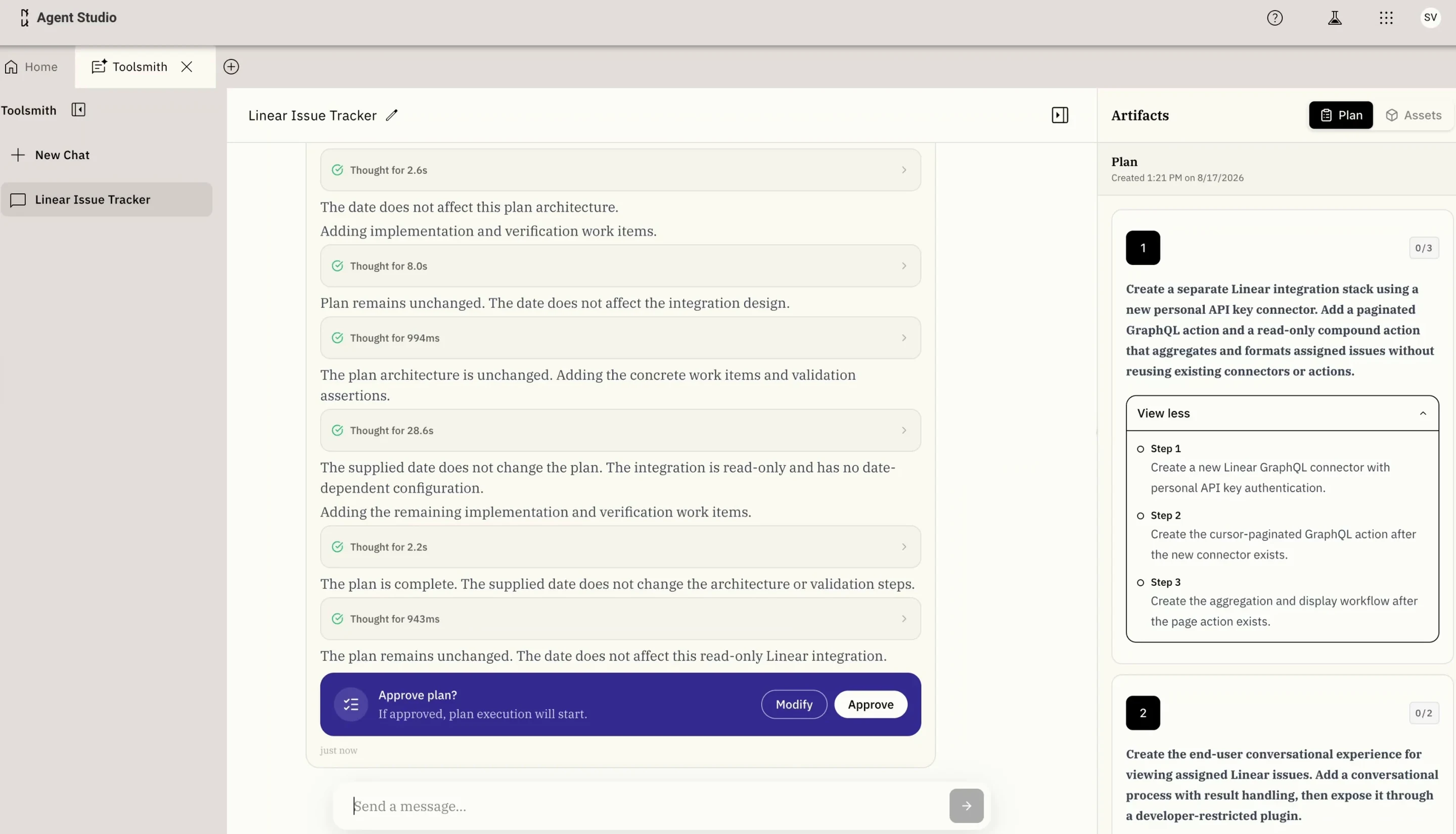
For most of a long run, the interface gave almost no signal. Three problems stood out, with 11 quotes between them.
Current stateToolSmith today
One Linear plugin in the current product, end to end: prompt, plan approval, credentials, build, then a test in the assistant. Real speed, 1:52.
Visibility
Is it alive or stuck?
Since yesterday, it has only displayed: 'I've kicked off some work and I'm waiting on it to complete.'
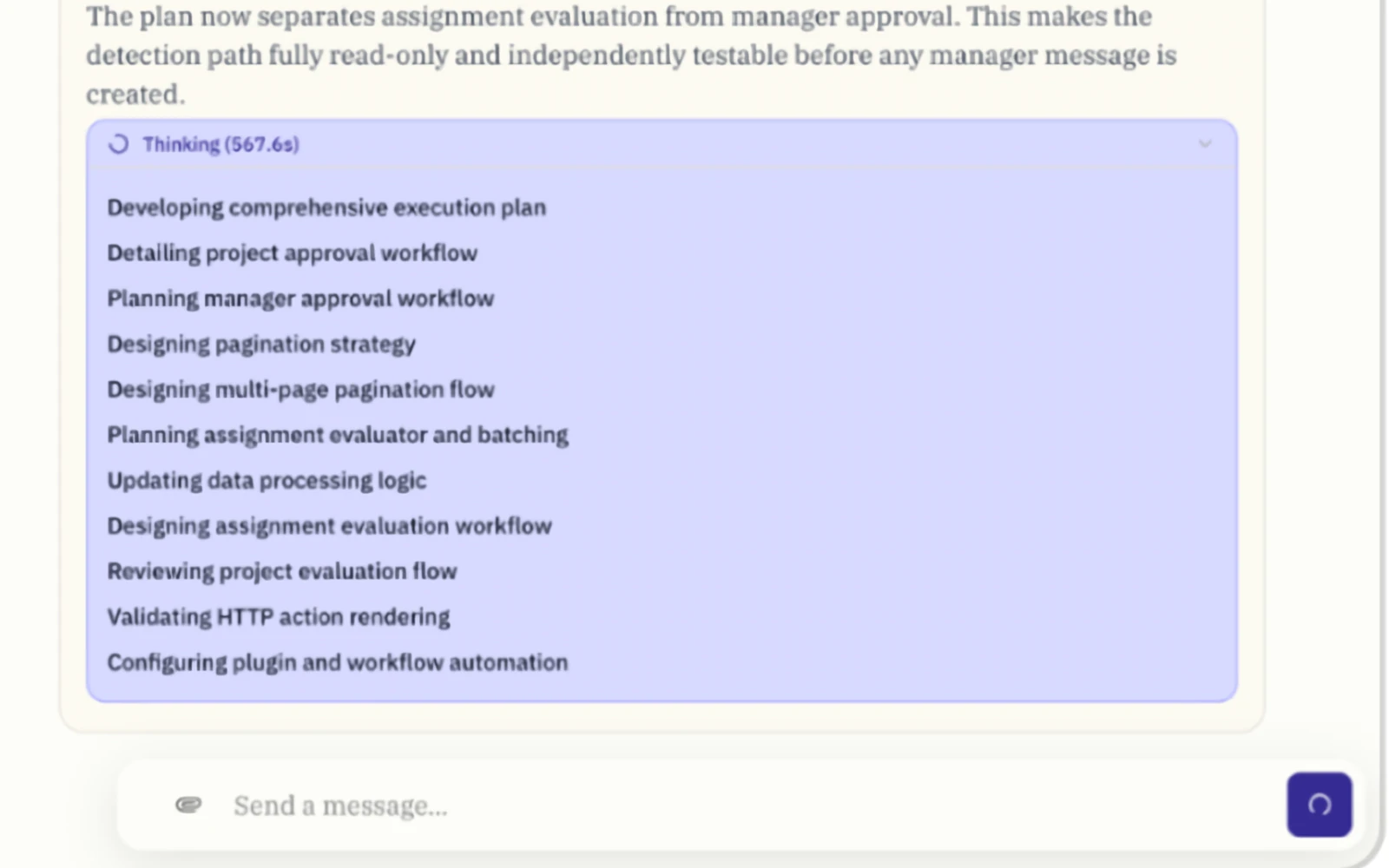
Thinking for 567 seconds. Nothing says whether it’s working or stuck.Attention
Is it waiting on me?
User questions need to be bolded so it's apparent that ToolSmith is waiting for me to keep moving forward.
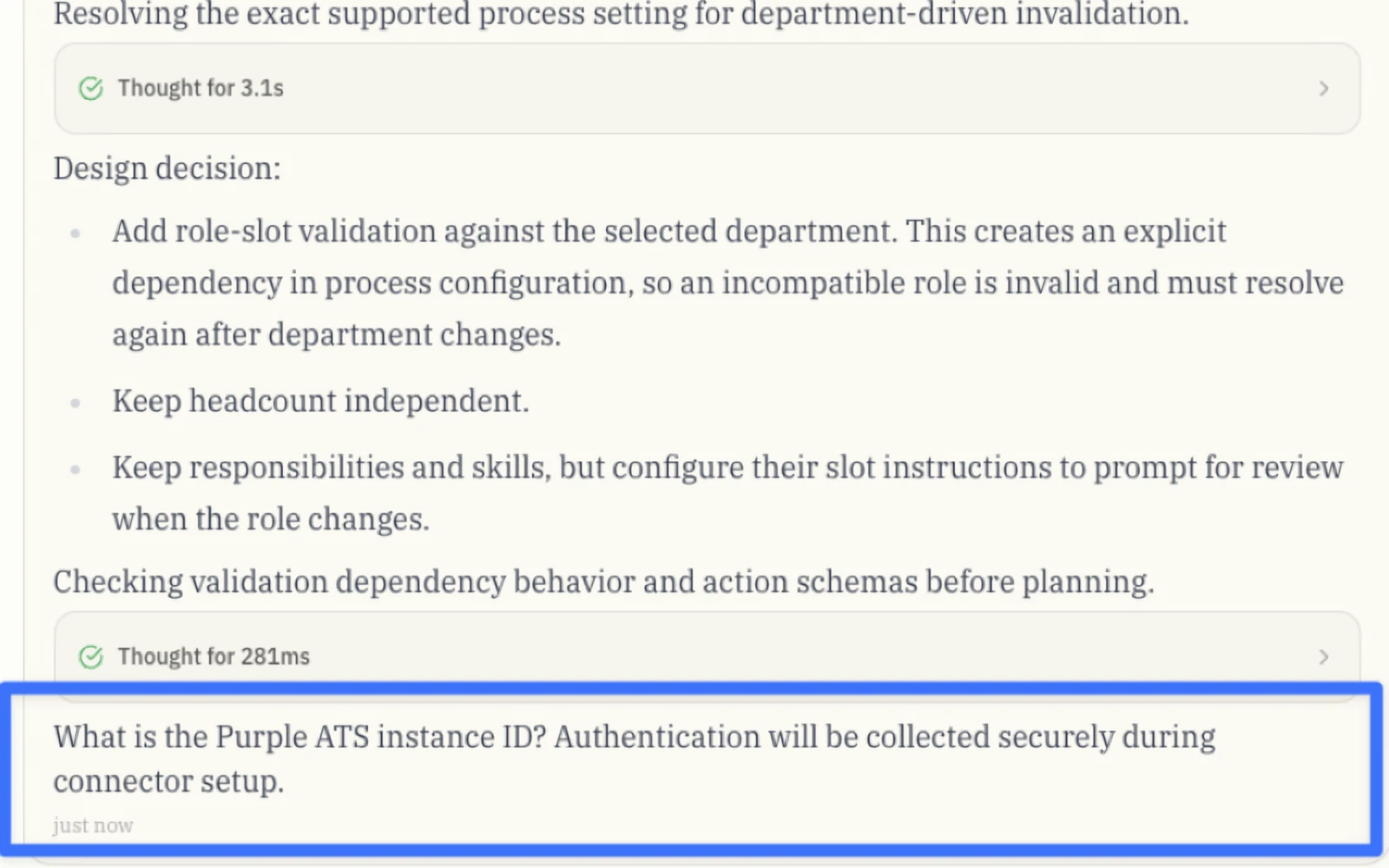
The question that needs an answer sits inside the thinking stream.Control
Can I stop it?
I tried typing the correction but the send button was disabled.
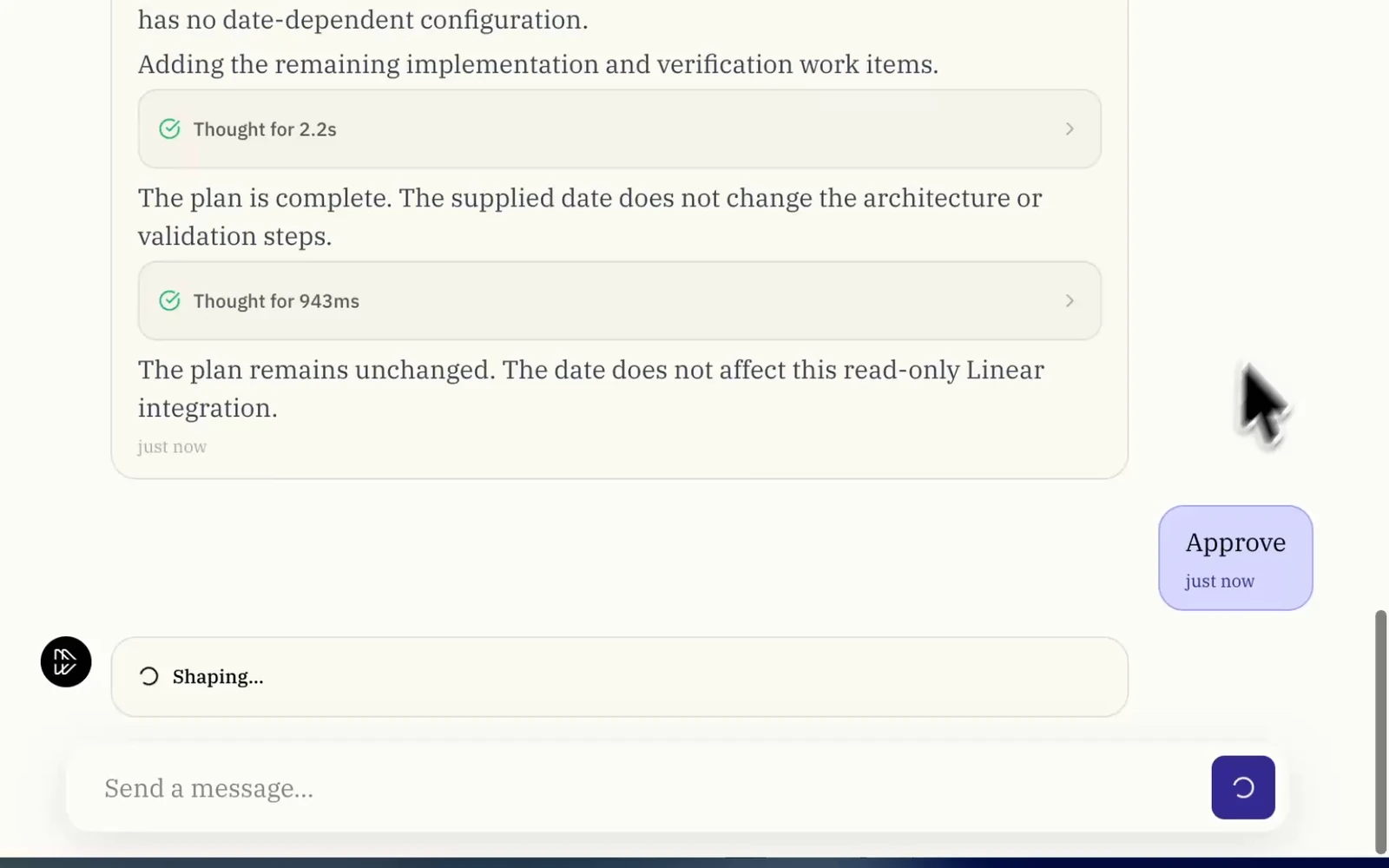
Once a run starts, Send turns into a spinner. A correction has nowhere to go.
The first two screenshots are from the ToolSmith user research memo, the third from the current product. Names and links removed.
What it cost: Some technical users switched to manual tools. Others didn't know whether to wait, step in or retry.
03Synthesis
From 50 observations to one first priority: runs you can see, control and recover.
I pulled 50 observations from user feedback and my own heuristic review, 23 of them outright failures, and turned them into 23 problems. I placed each one on the journey of a build and scored them all the same way. Run control came out on top: it was the most-reported problem, with 11 user quotes.
Clear goal“ToolSmith understands what I want to build.”
3 pain points in the way
Long prompts are hard to review and changeP2
ToolSmith plans before it understands the requestP2
The plan can fail before it can be reviewedP2
Phase 2 · Confirm readiness · P1 Next
Constraints and access arrive too late.
What the builder needs
02
Viable path“I know it can be built with the tools I have.”
03
Agreed approach“I’ve reviewed the plan and agreed to it.”
04
Secured access“Access is set up before the run needs it.”
6 pain points in the way
Credential entry is confusing and pushes secrets into chatP0
The plan is hard to read and doesn’t reflect revisionsP1
Plan approval is one-size-fits-allP1
Existing connections aren’t recognizedP1
Required access is found mid-run instead of up frontP1
ToolSmith proposes things the platform can’t doP1
Phase 3 · Run the build · P0 Fix first
Users can’t see, control or recover runs.
What the builder needs
05
Controlled build“I can see, steer and recover every run.”
4 pain points in the way
Users can’t tell whether a run is alive, stuck or failedP0
Requests for input are easy to missP0
Users can’t stop, redirect or recover a runP0
ToolSmith asks for consent at the wrong momentsP0
Phase 4 · Validate and test · P1 Next
Outputs may be invalid or untested.
What the builder needs
06
Valid output“What it built works, and fits how my org works.”
07
Proven solution“I’ve tested it before anyone relies on it.”
5 pain points in the way
Assets are invalid or can’t be saved on the first tryP1
Output looks valid but breaks how the org worksP1
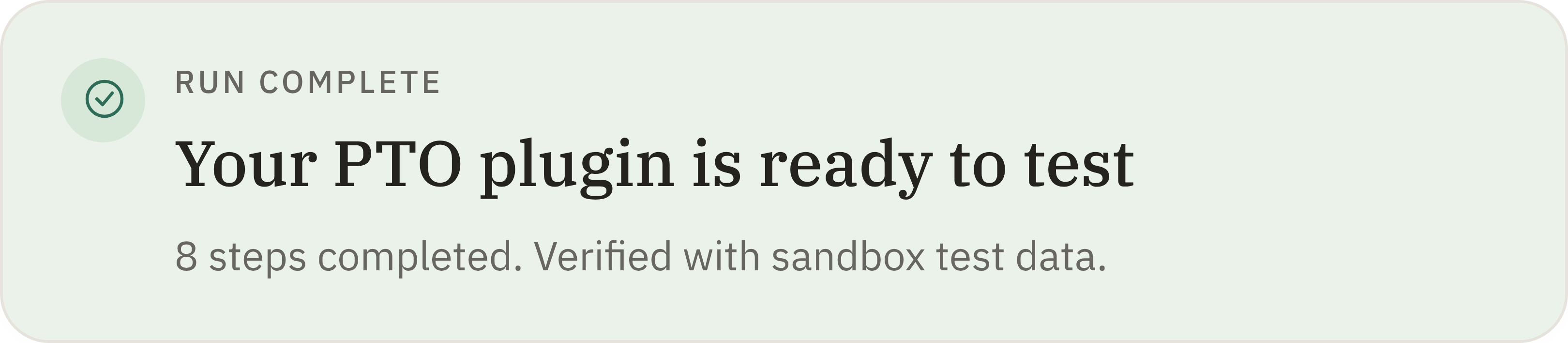
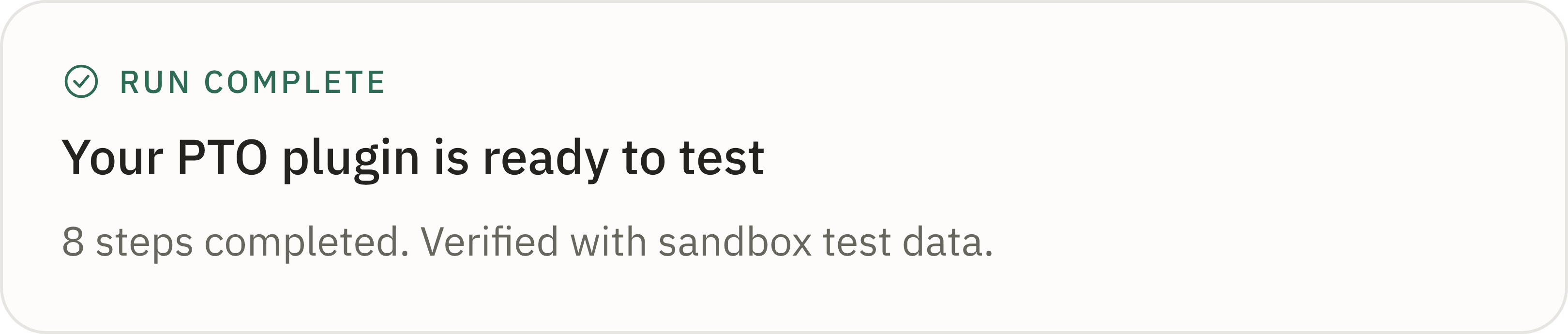
The run ends without saying what was made or if it’s ready to testP1
ToolSmith promises validation, then hands it to the userP1
Testing leaves the build contextP1
Phase 5 · Maintain the solution · P1 Next
Assets are hard to find and manage.
What the builder needs
08
Maintained solution“I can find, change and remove what it built.”
3 pain points in the way
Assets can’t be found outside the chat that made themP1
Artifacts have no stable identityP1
Deletion is missing or leaves ghostsP1
+2 everywhere: ToolSmith is buried under “Other links”, and accessibility and component consistency break across screens.
How every problem was scored
Four questions. Each answer is worth 0, 1 or 2 points.
Harm
How bad can it get?
0No harm
1Loses work or time
2Security or data risk
Blocks the outcome
Can the builder still finish?
0Yes, just annoying
1Only with a workaround
2No, they’re stuck
Evidence
How often did we see it?
0Once
12–3 times
24+ times
Leverage
What does fixing it unlock?
0Just this issue
1A nearby step
2Prevents later failures
How a score becomes a priority
Harm first, then the total.
01
Check harm firstA harm score of 2 goes straight to P0.2HarmP0 · Fix first
02
Otherwise, add up the four scoresThe total, from 0 to 8, sets the priority.
P2 · Later0–3P1 · Next4–5P0 · Fix first6–8
Sequence by risk. Run control and safety came first. Adaptive planning waited, on purpose.
04The run state model
Every state identified, each paired with what you can do.
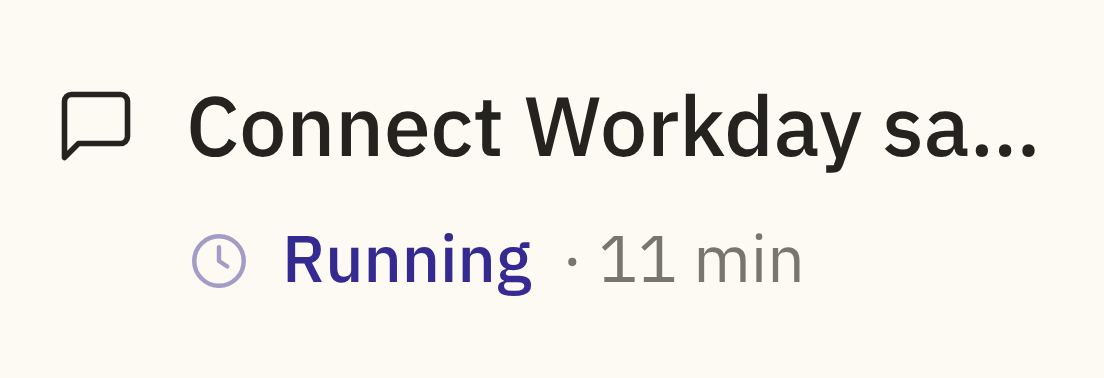
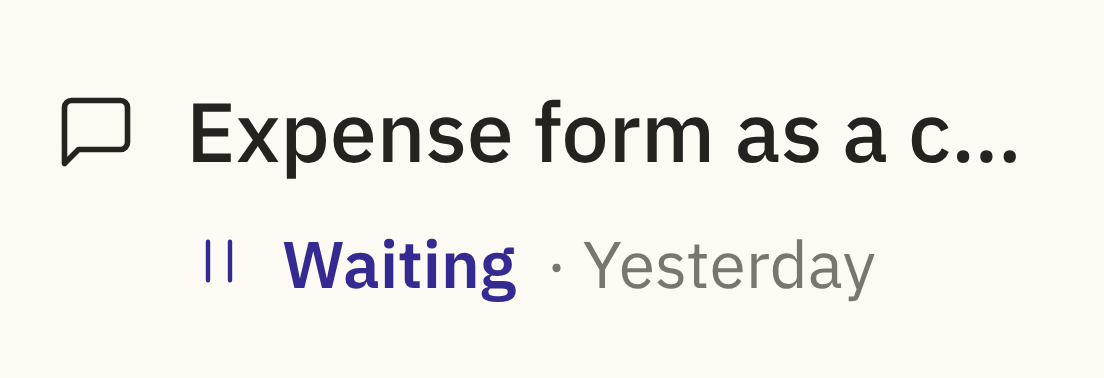
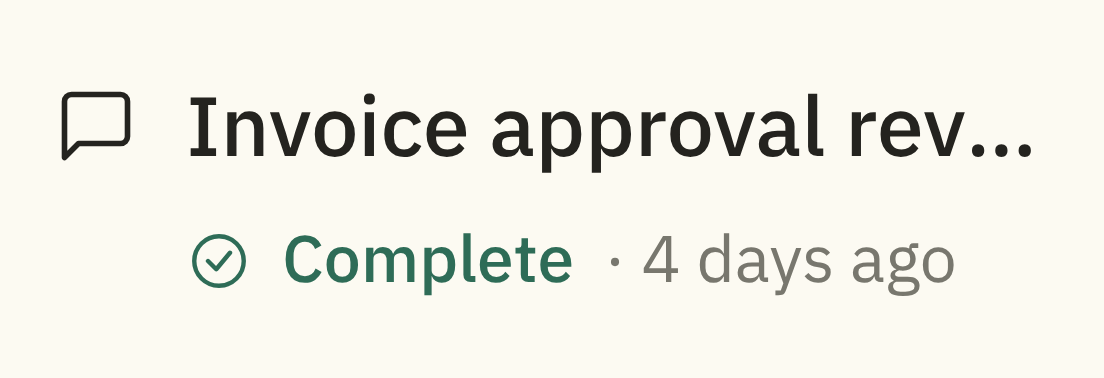
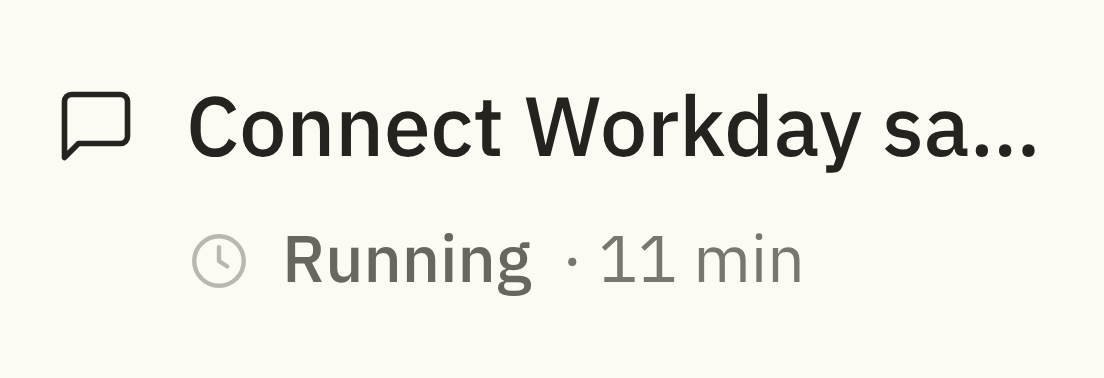
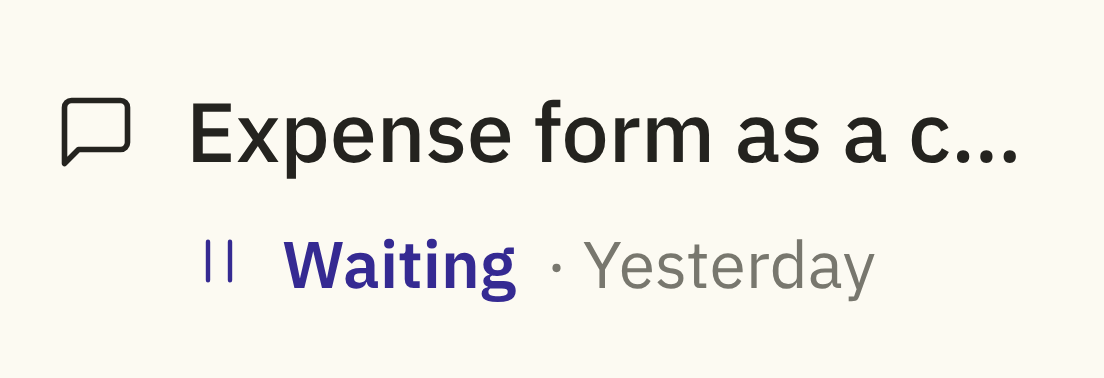
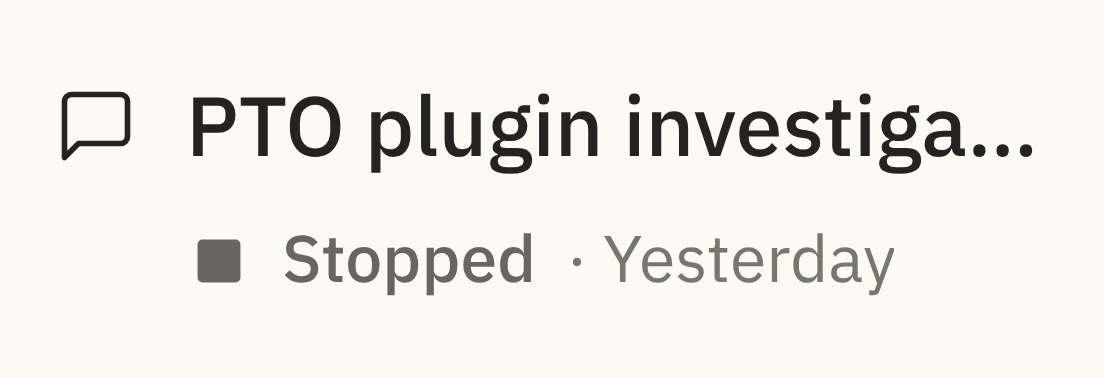
Before, a run looked the same whether it was working, waiting on you, stuck or already failed. Now every run is in one named state, and each state tells you two things: what’s happening, and what you can do about it.
Happy pathNeeds youEdge caseUnhappy path
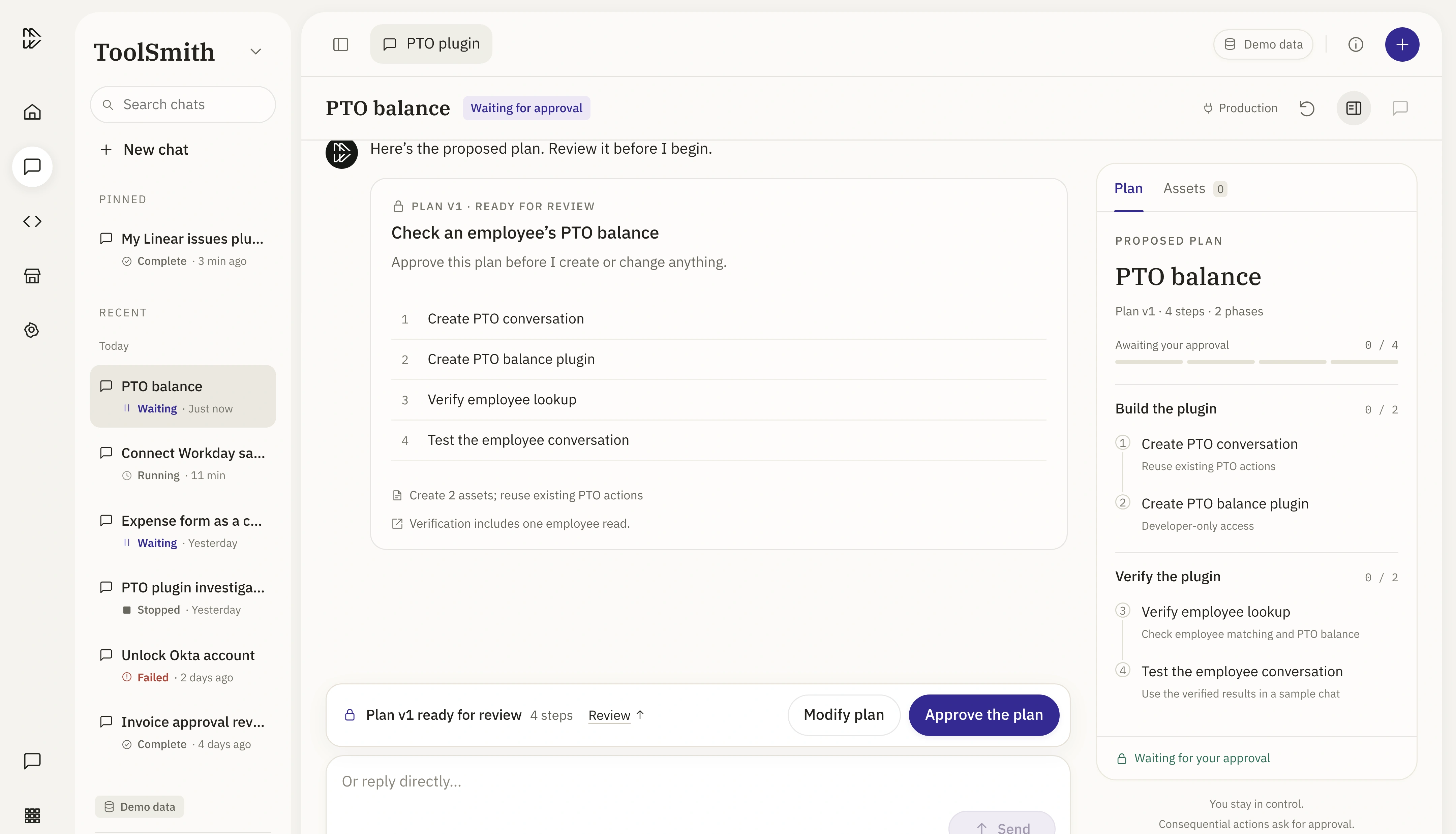
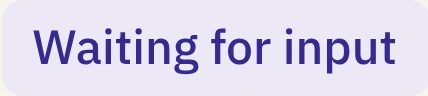
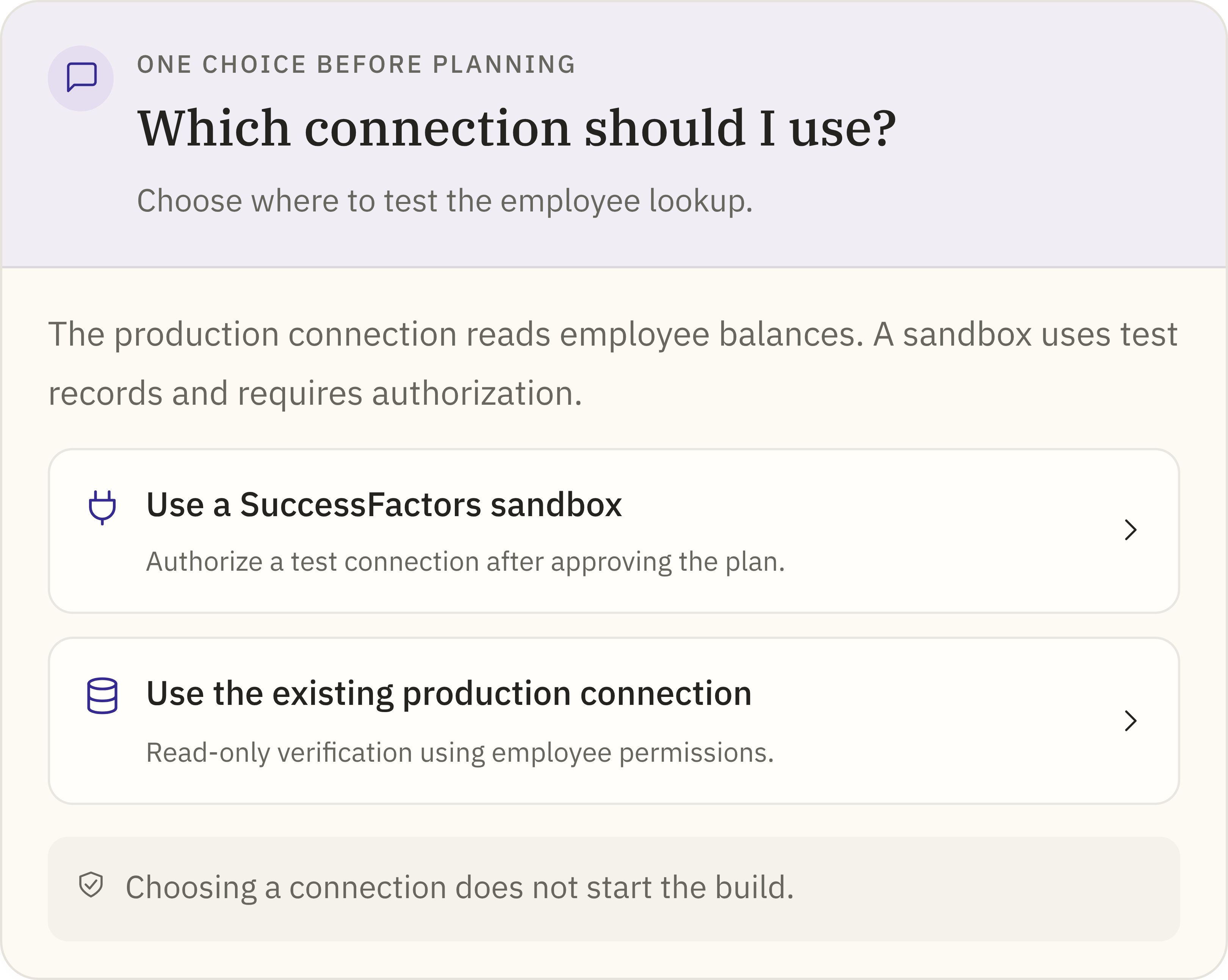
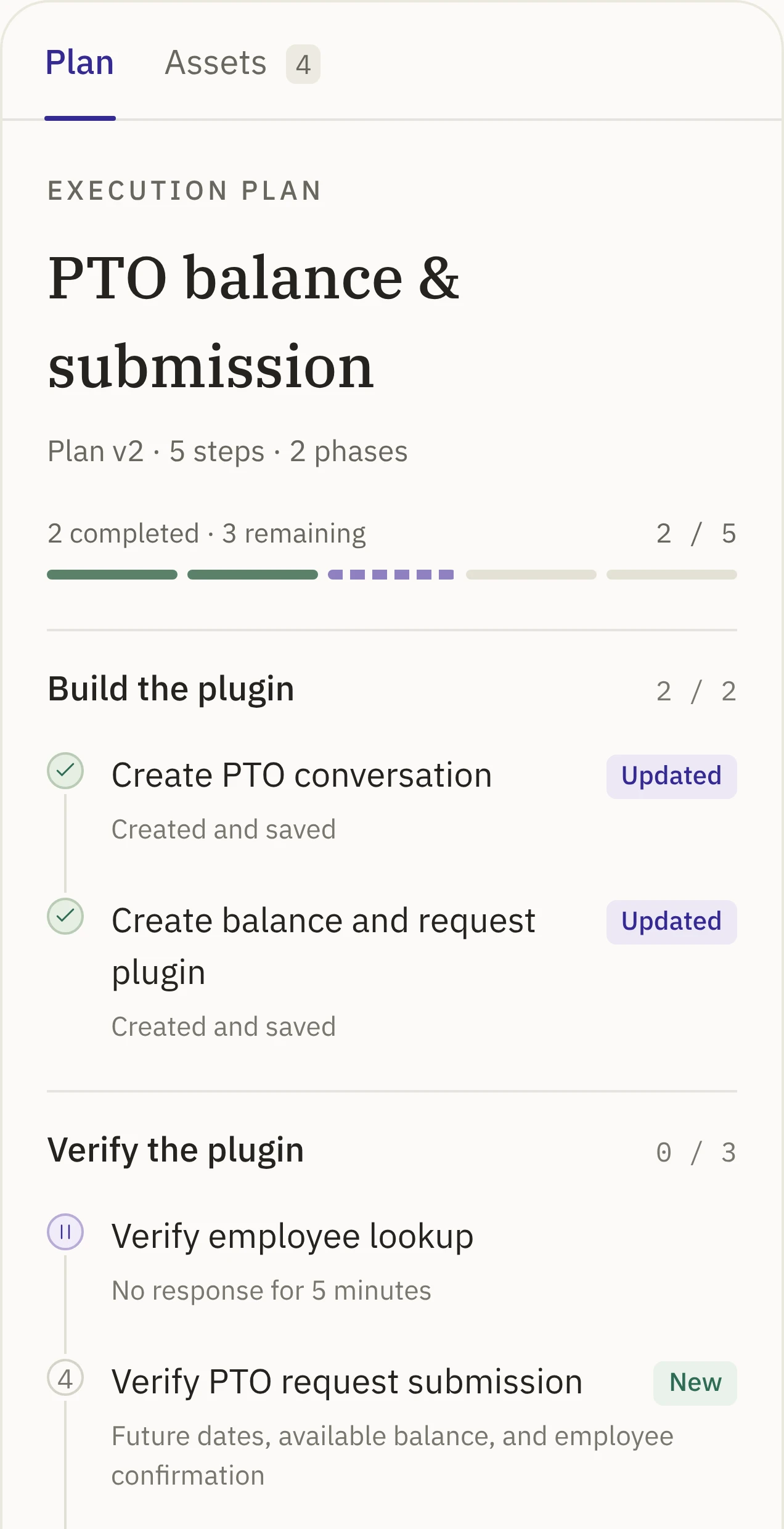
Waiting for inputNeeds you
ToolSmith asked you a question. Nothing moves until you answer.
You can
Pick an answer
Type your own
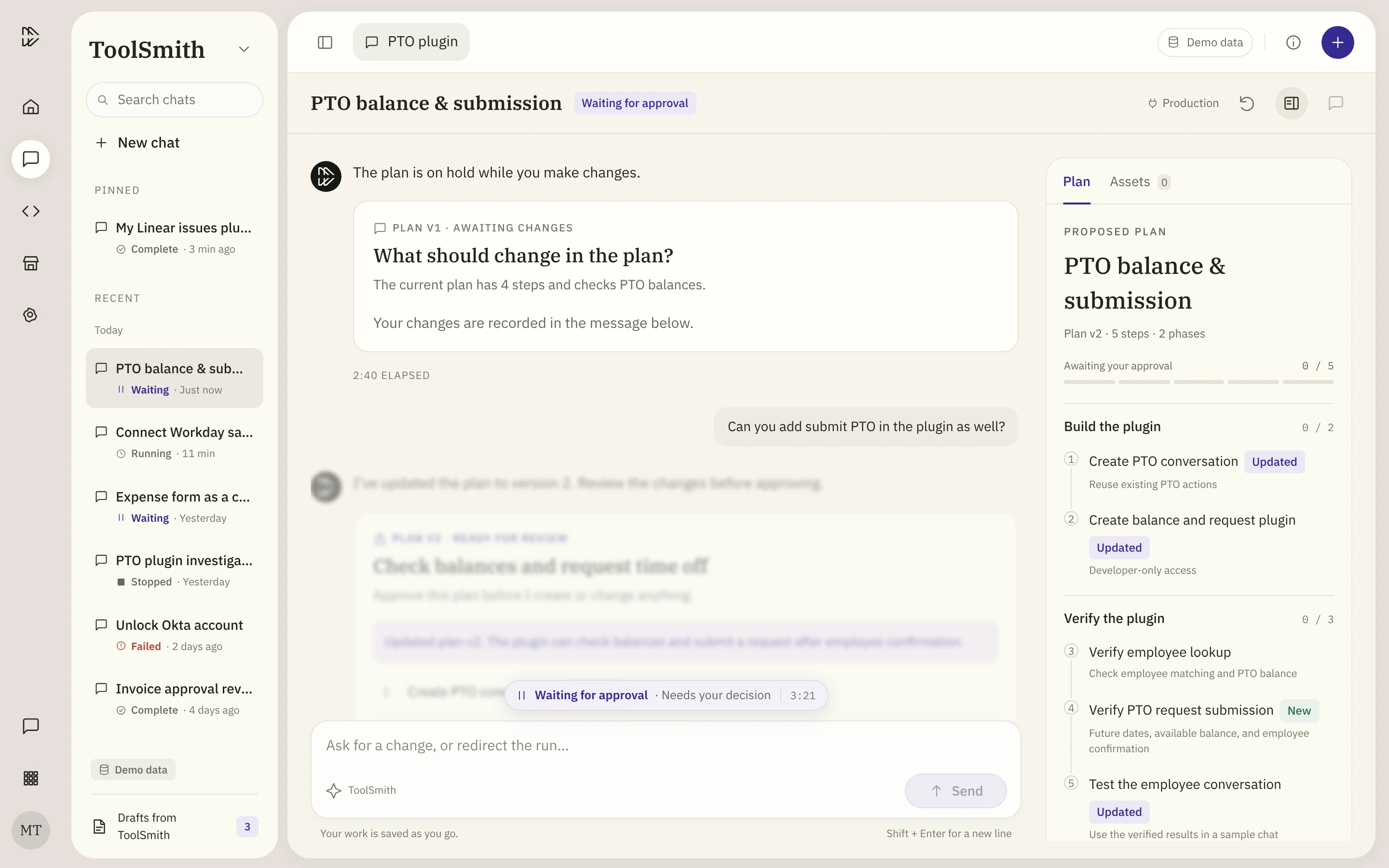
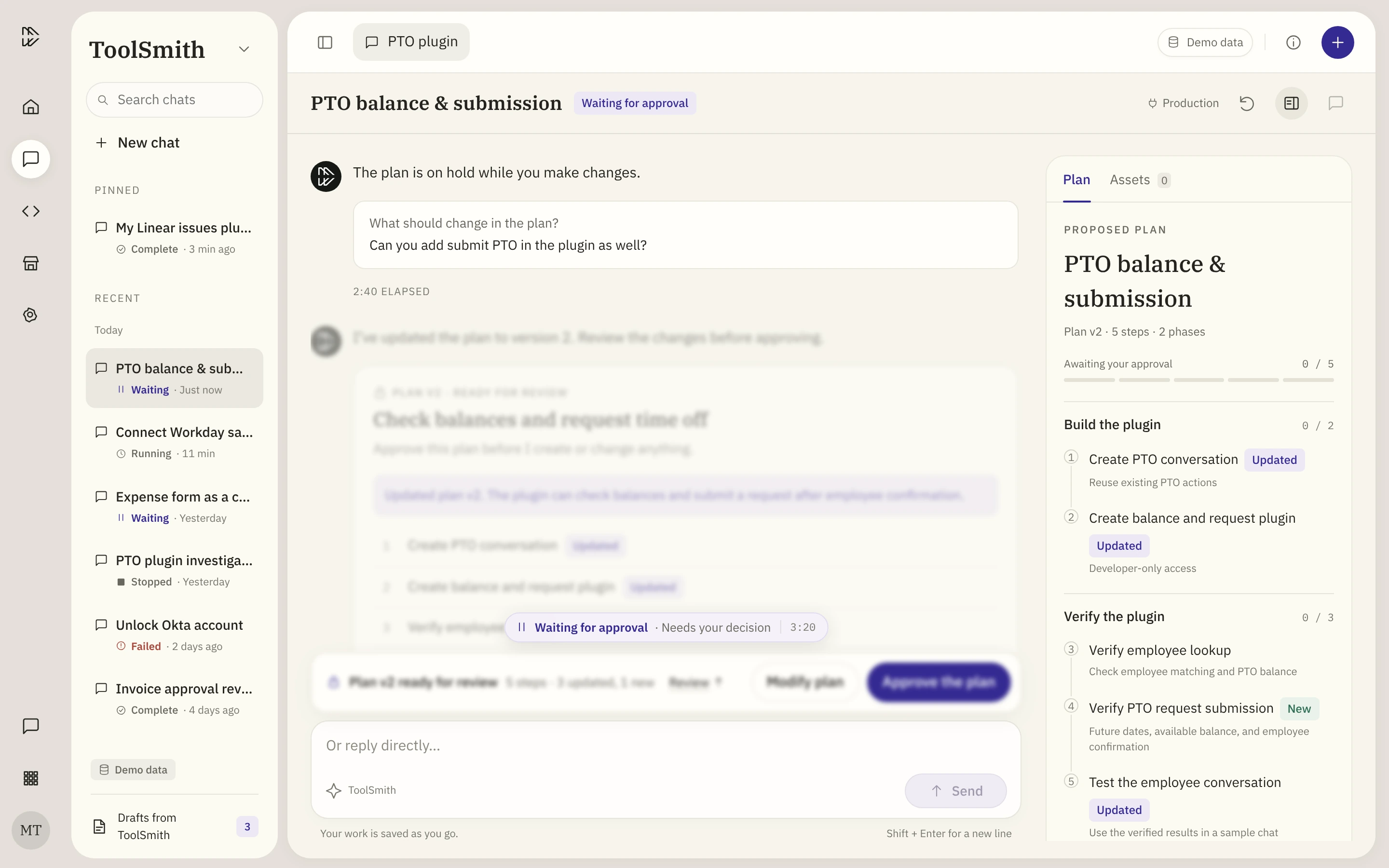
↩ Back to the runWaiting for approvalNeeds you
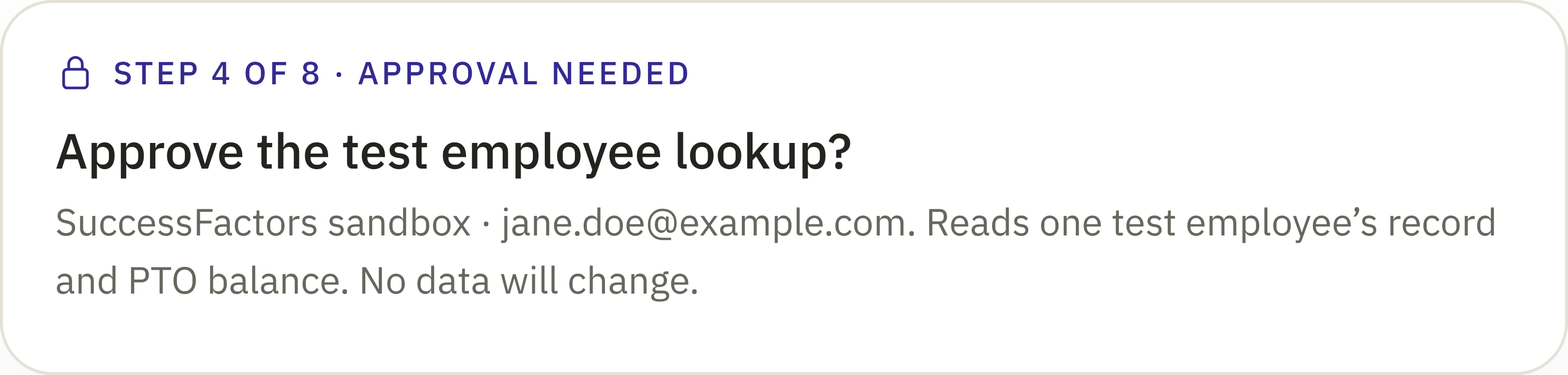
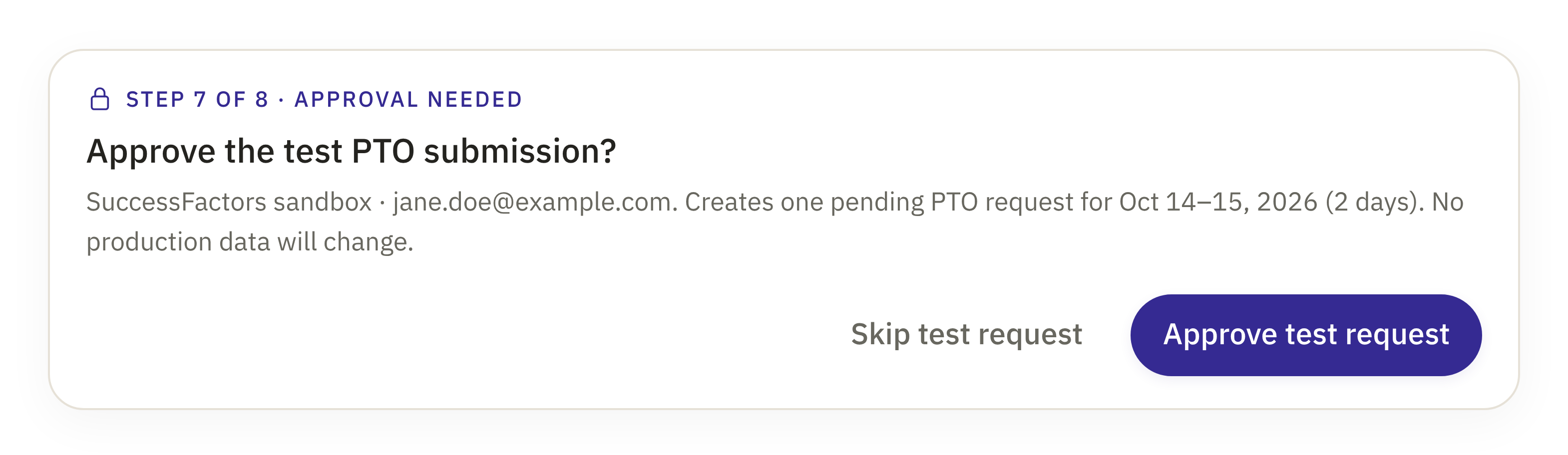
The next step touches a real system, like reading or writing data.
You can
Approve
Decline
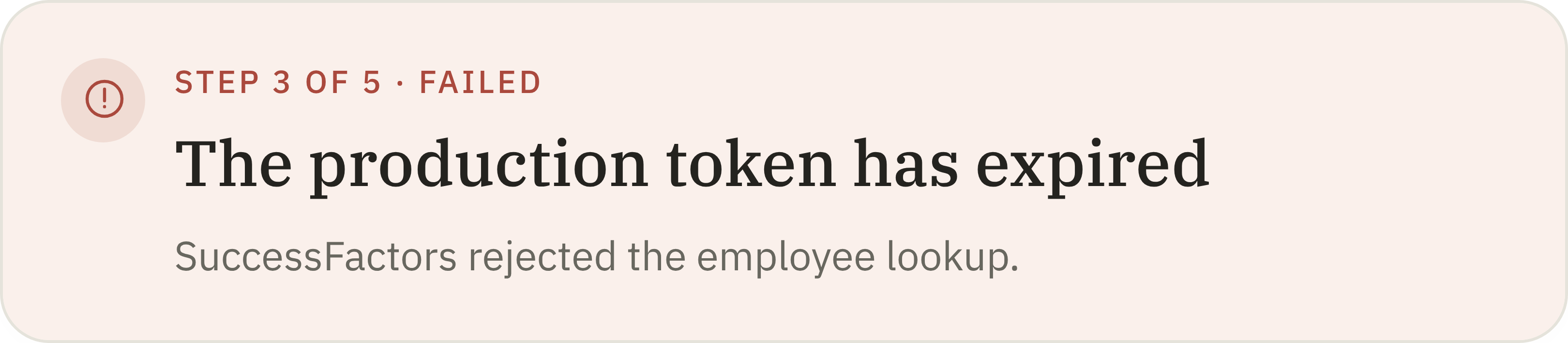
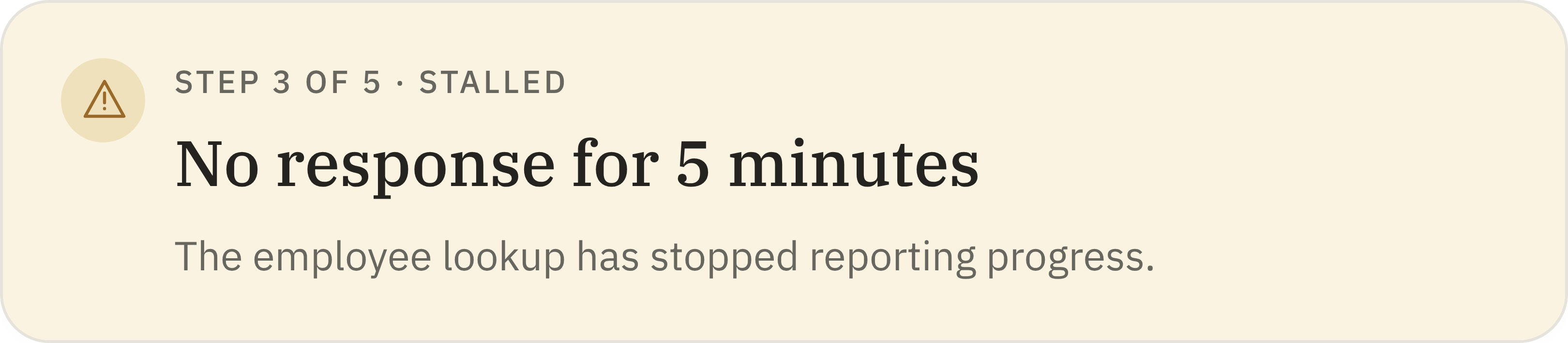
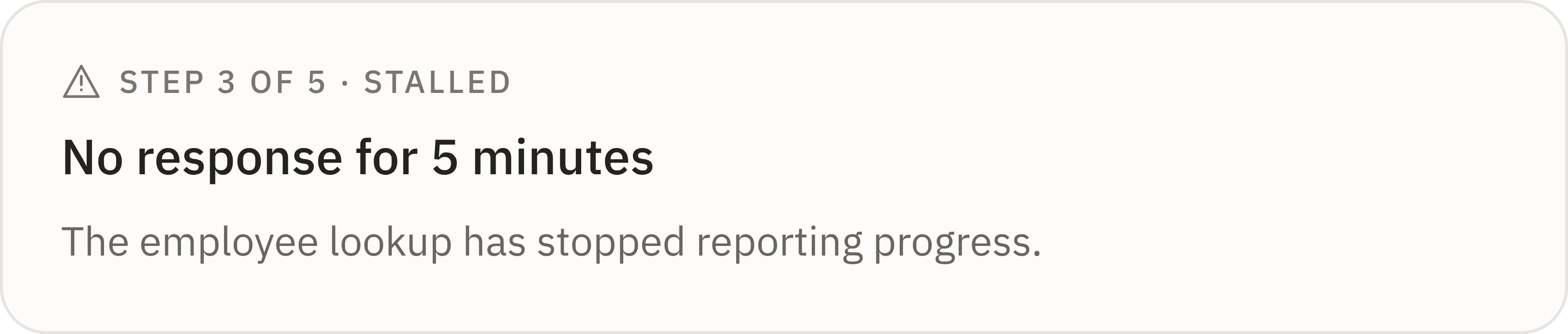
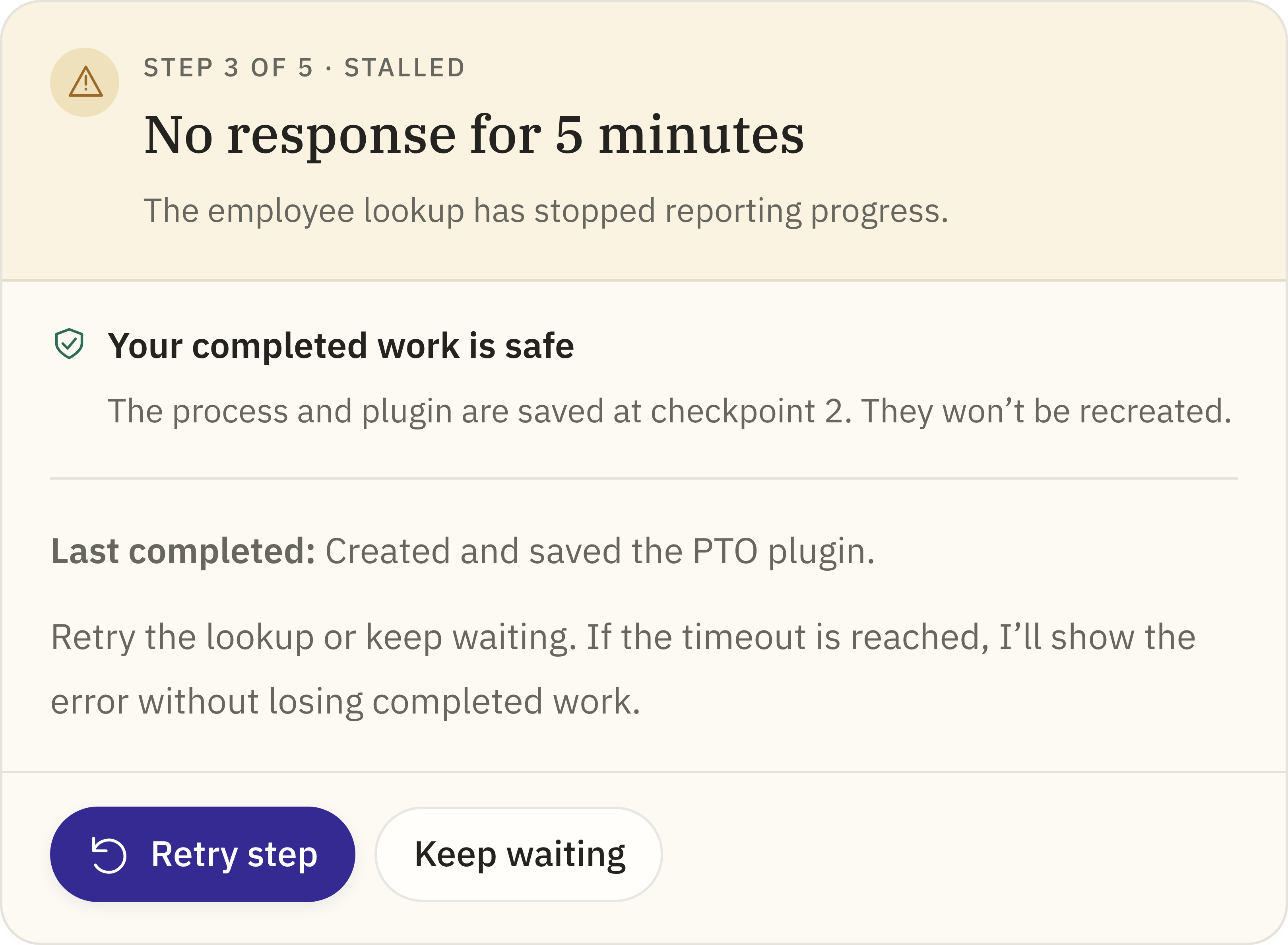
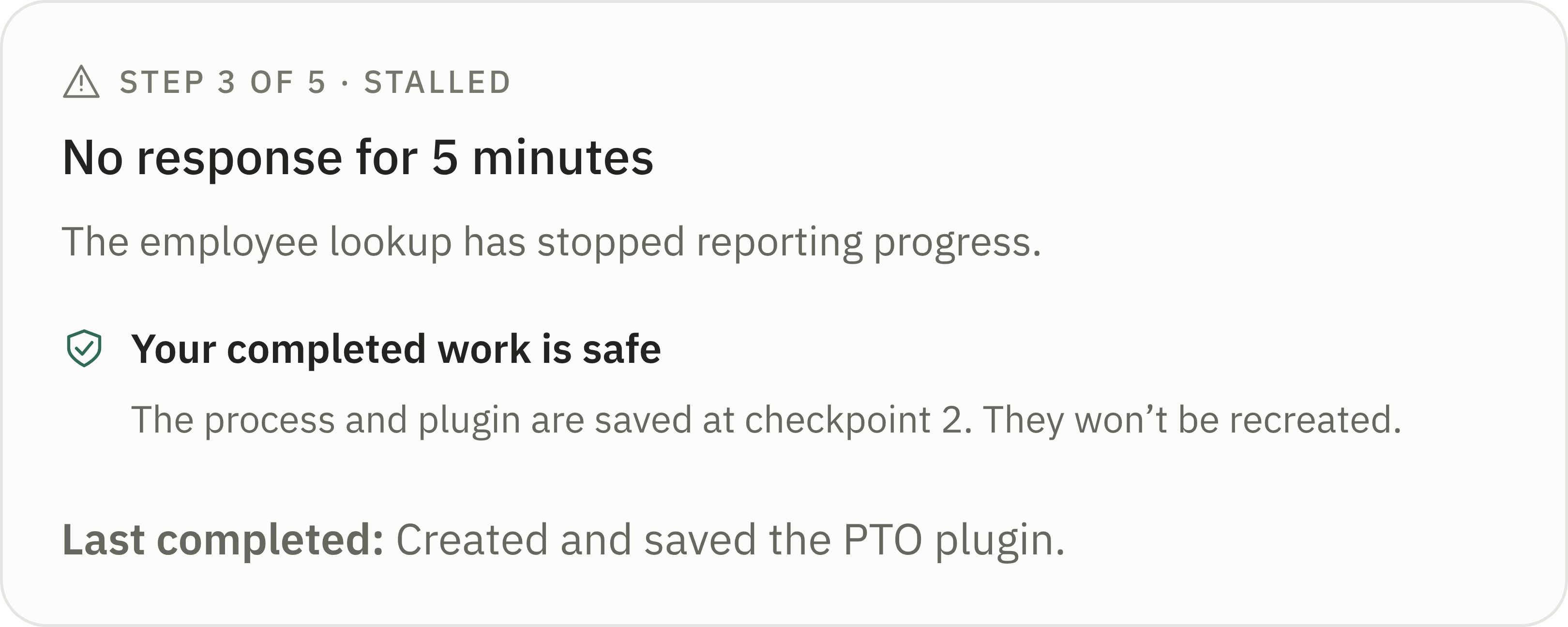
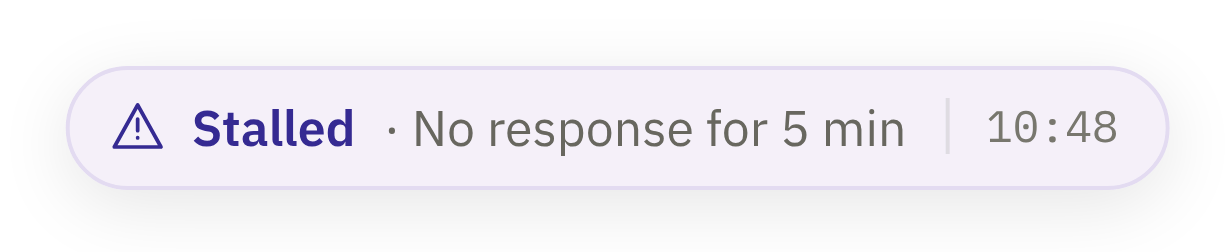
↩ Back to RunningStalledEdge case
No progress for 5 minutes. Finished steps are safe.
You can
Retry step
Keep waiting
↩ Back to Running · timeout → Failed
SubmittedYou describe the plugin.
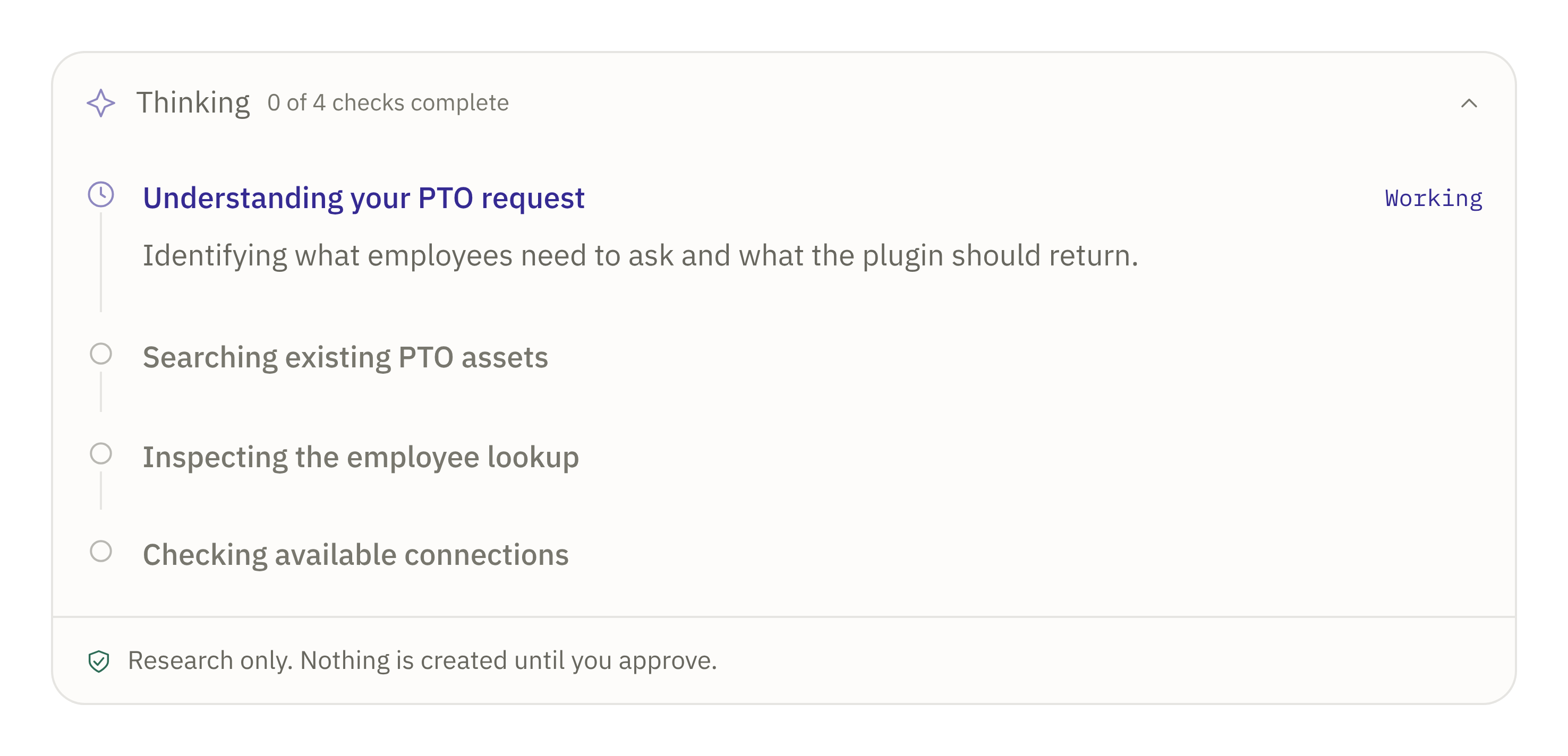
PlanningChecks your tools and drafts a plan.Stop
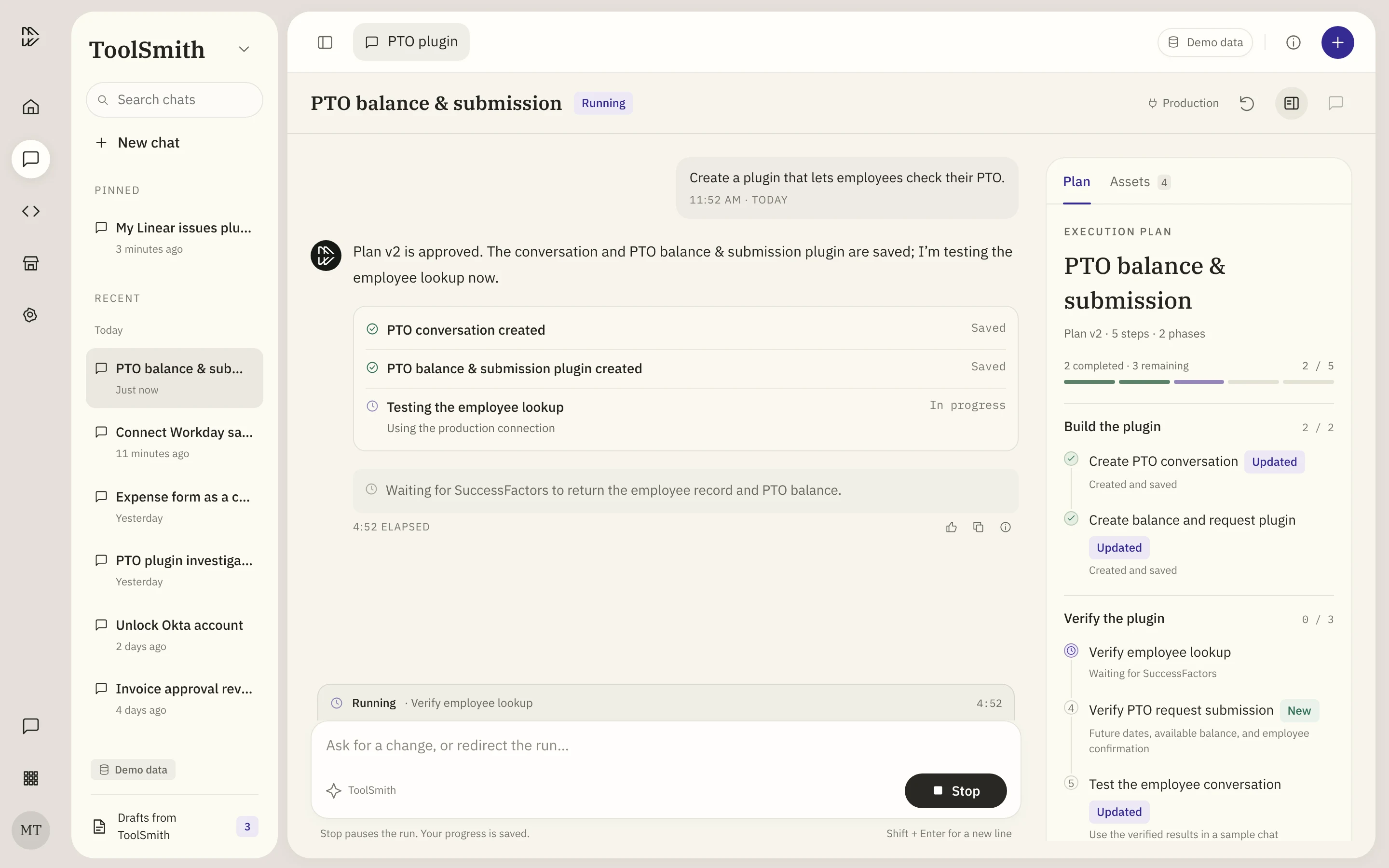
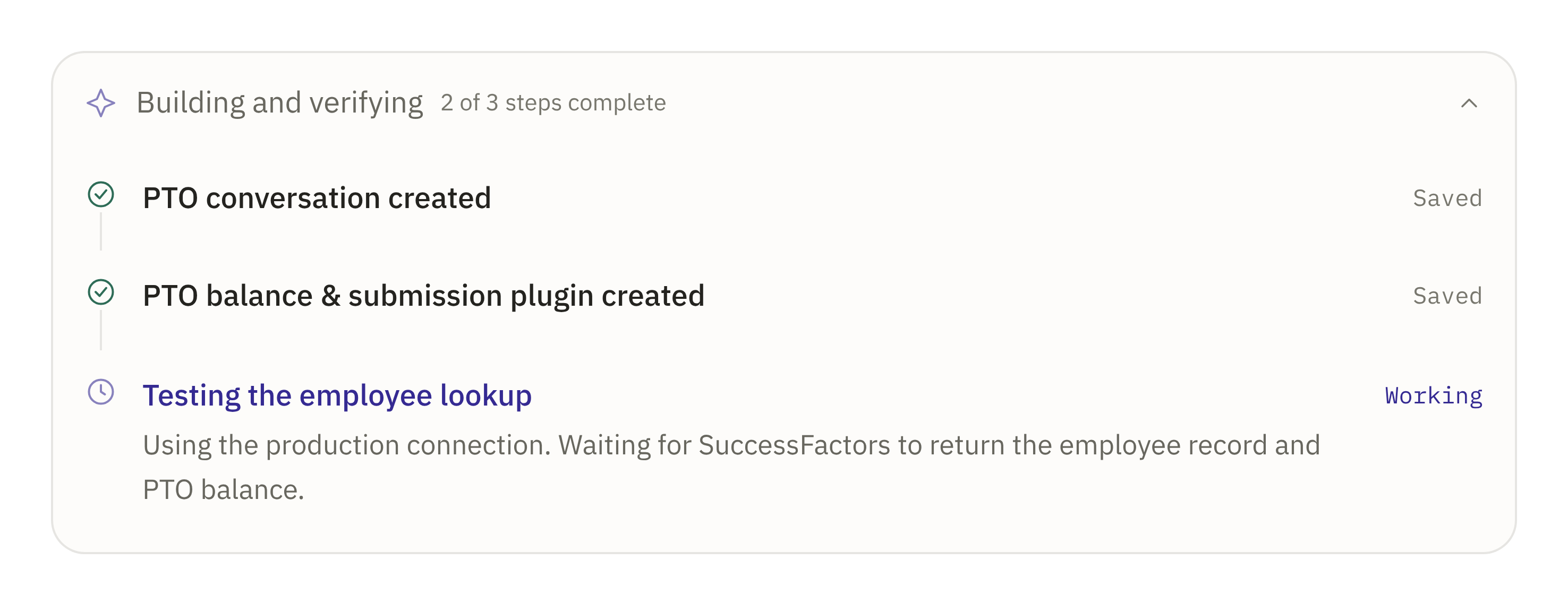
RunningBuilds and tests, one step at a time.StopRedirect
all steps pass
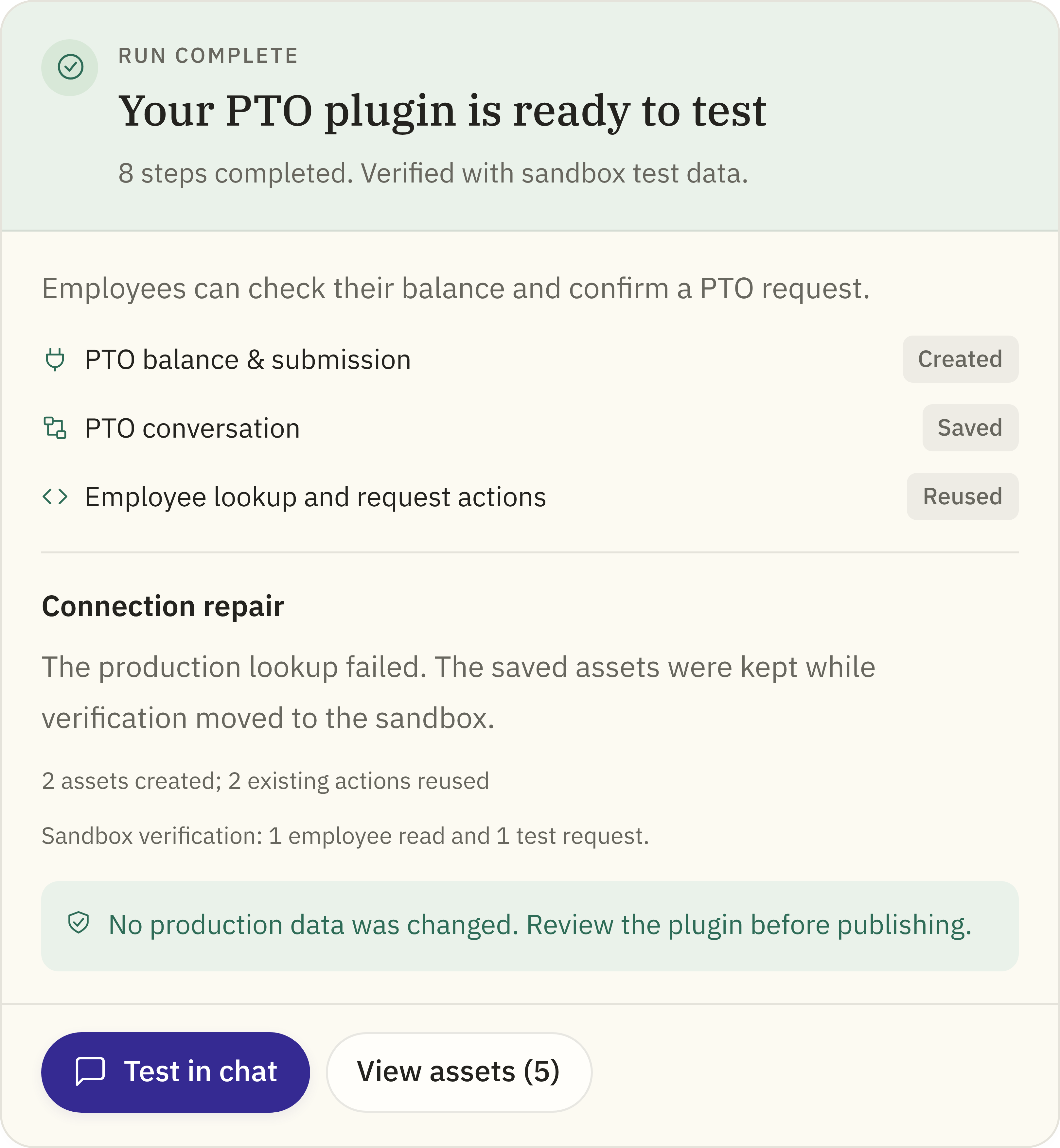
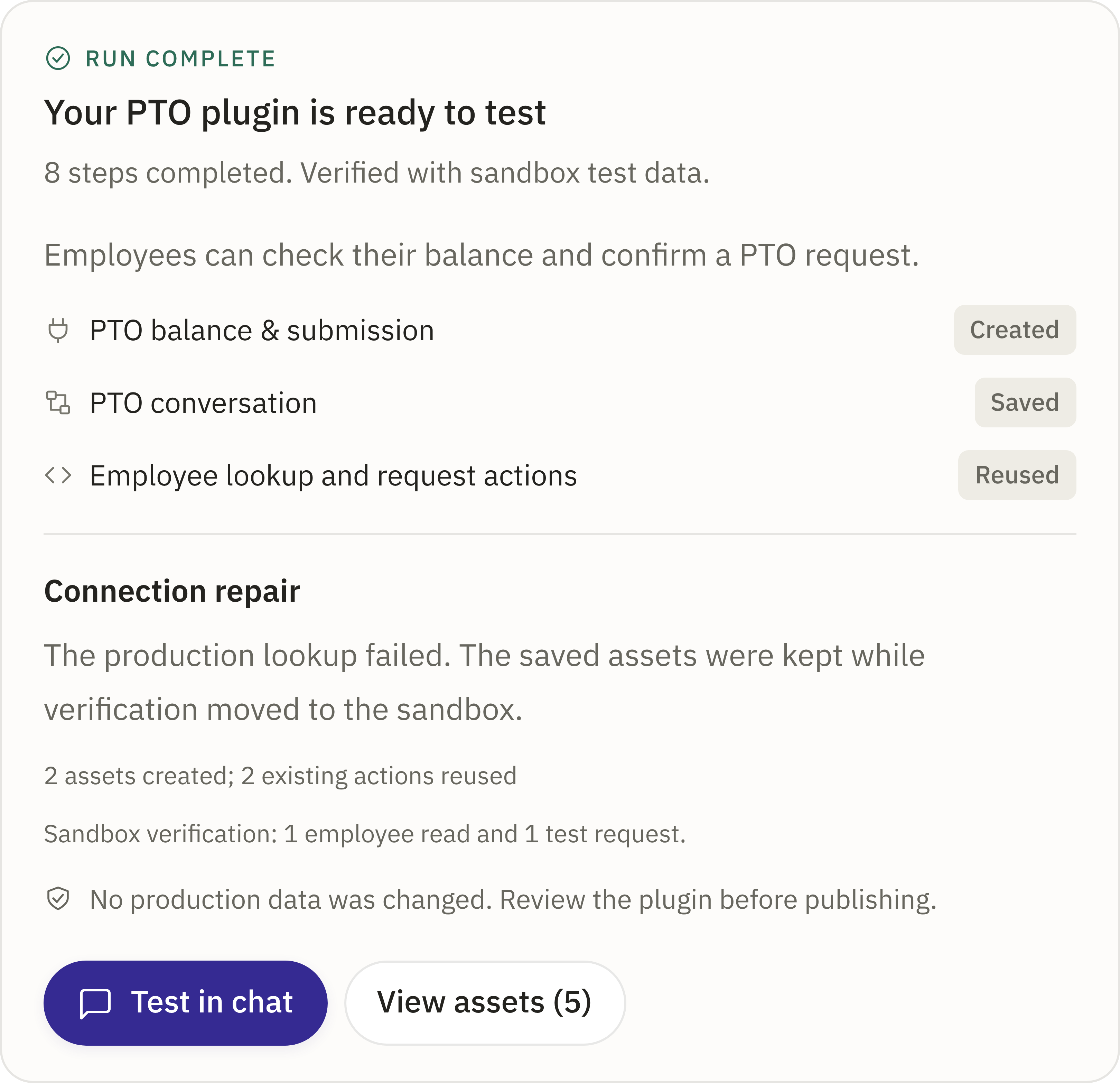
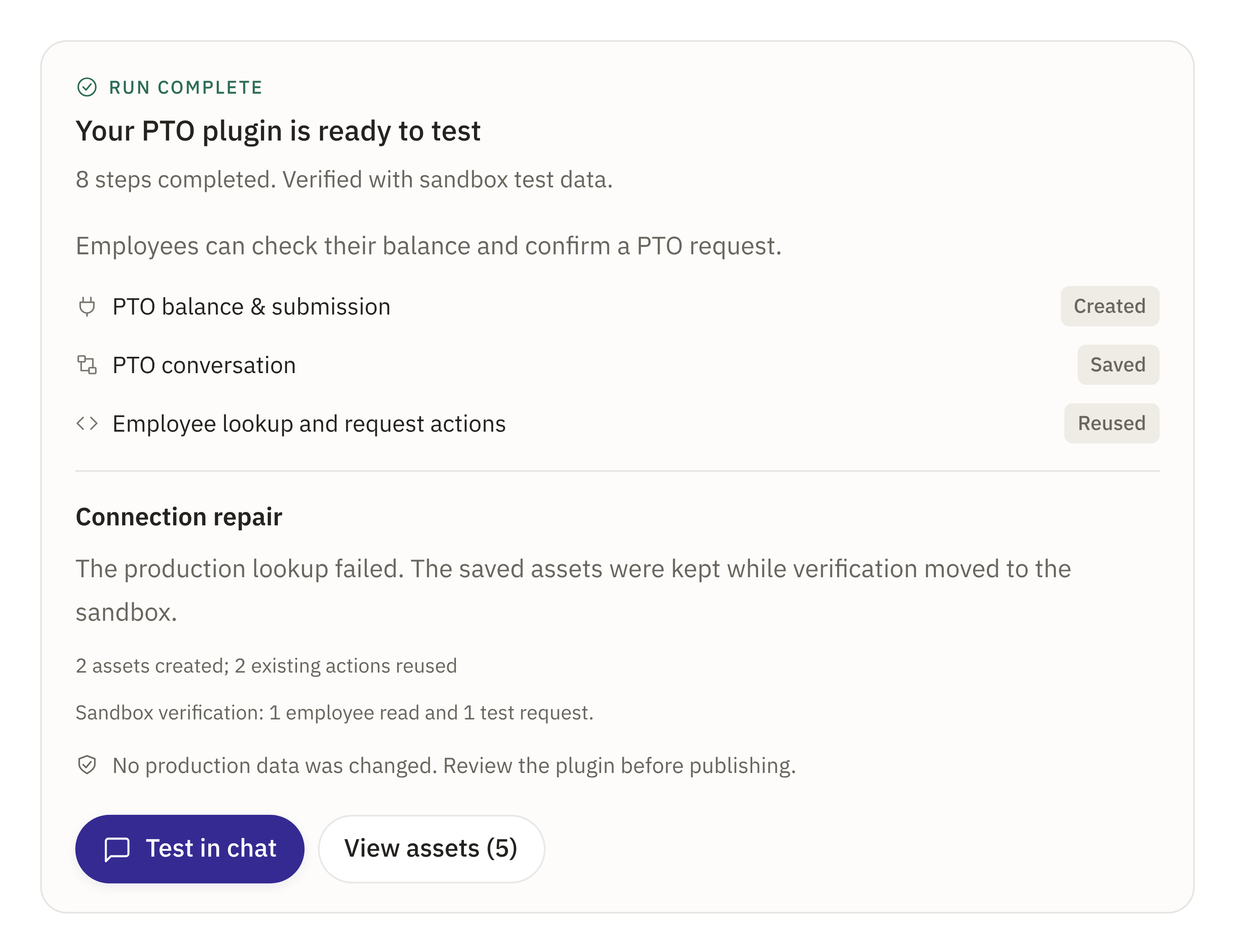
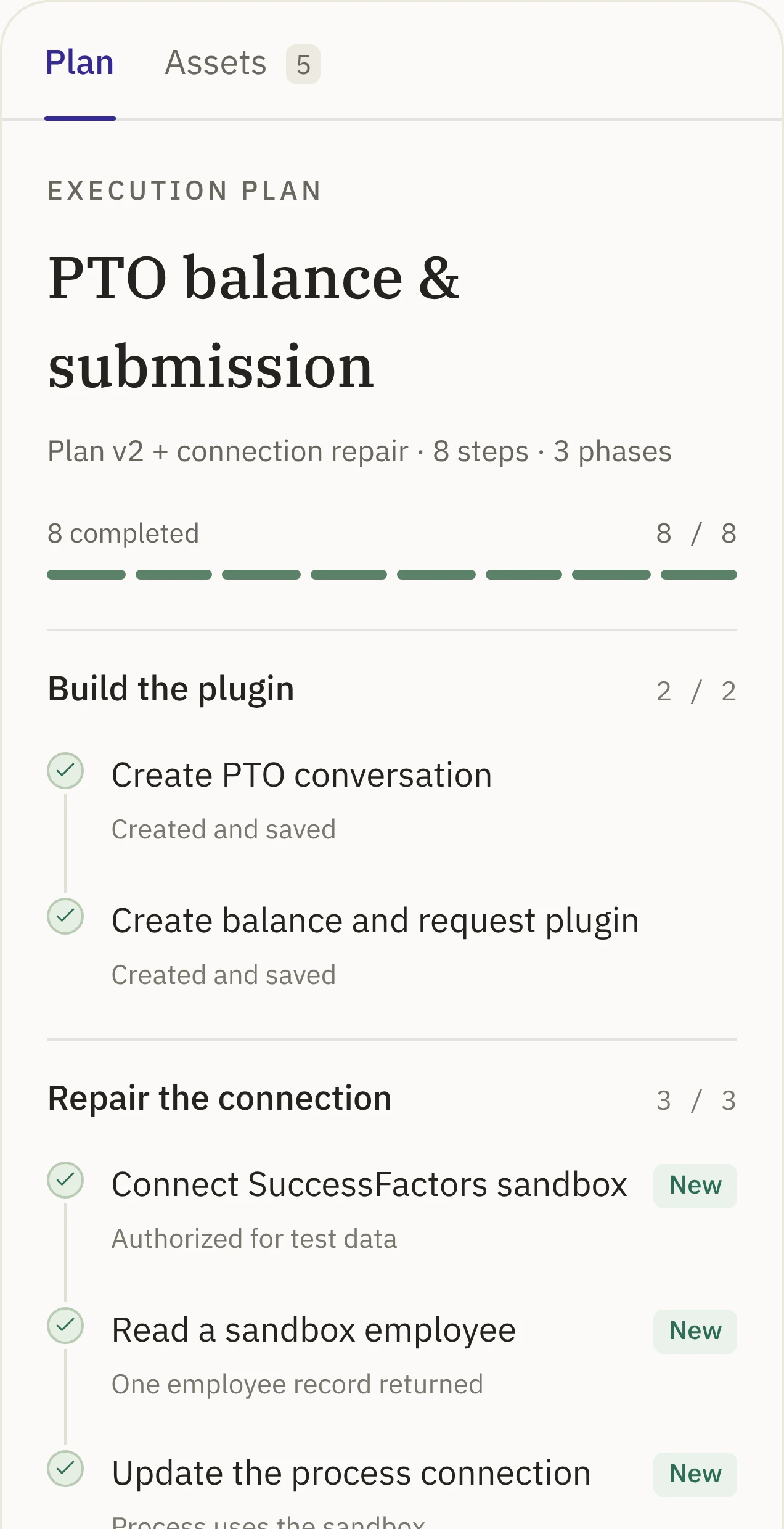
CompleteBuilt and checked.Test in chat
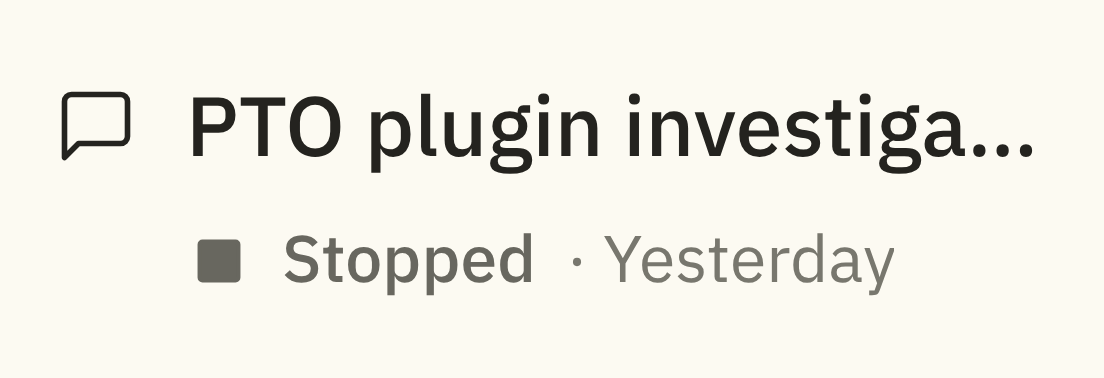
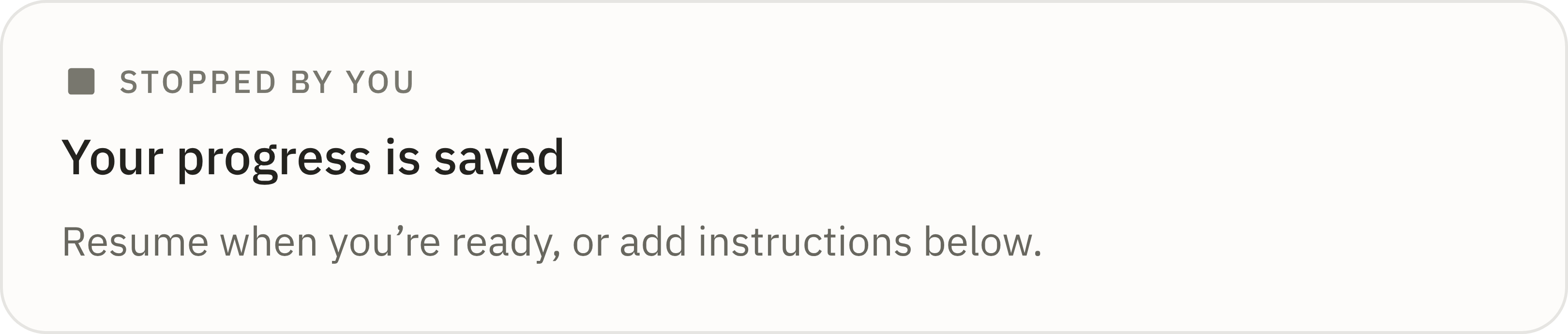
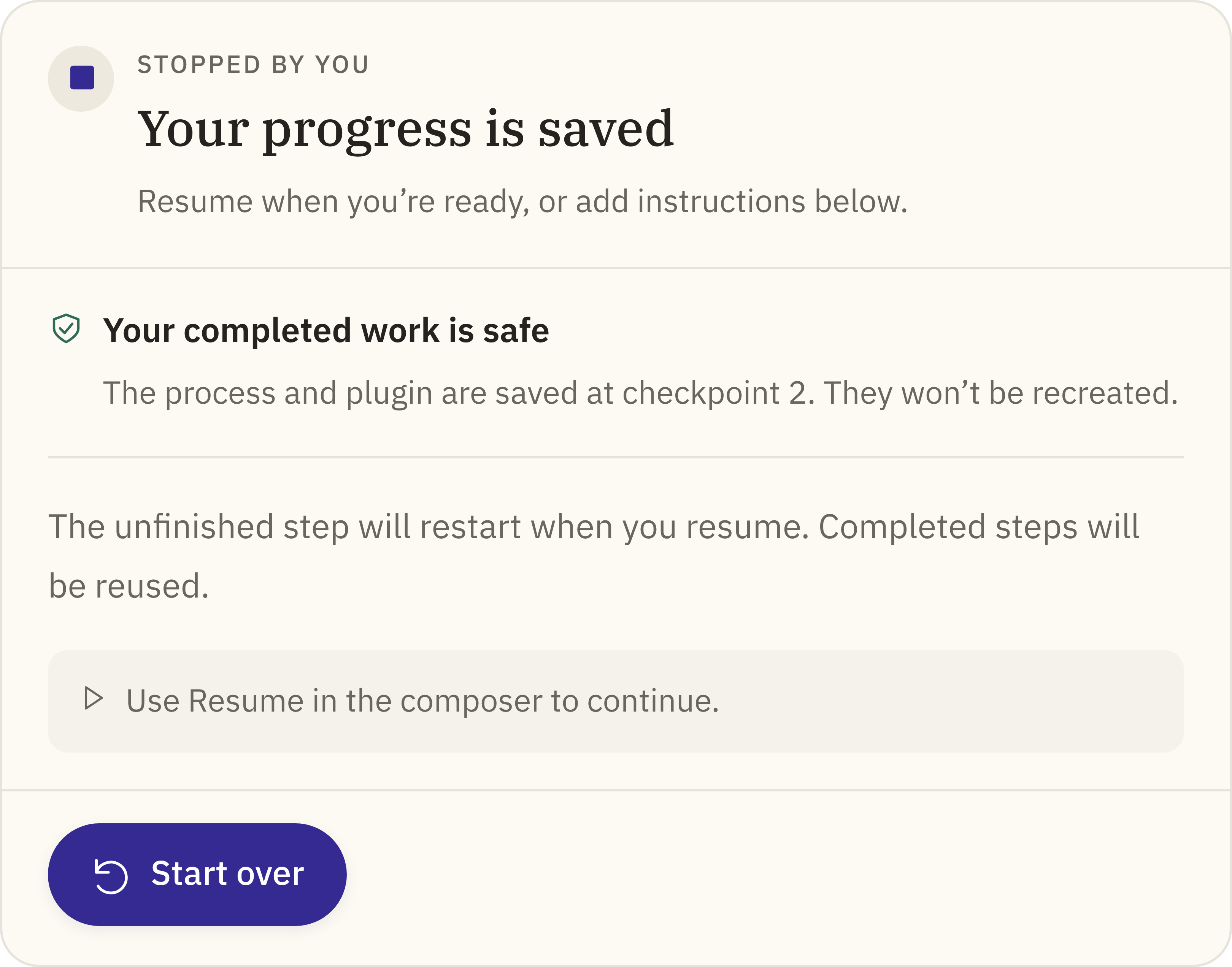
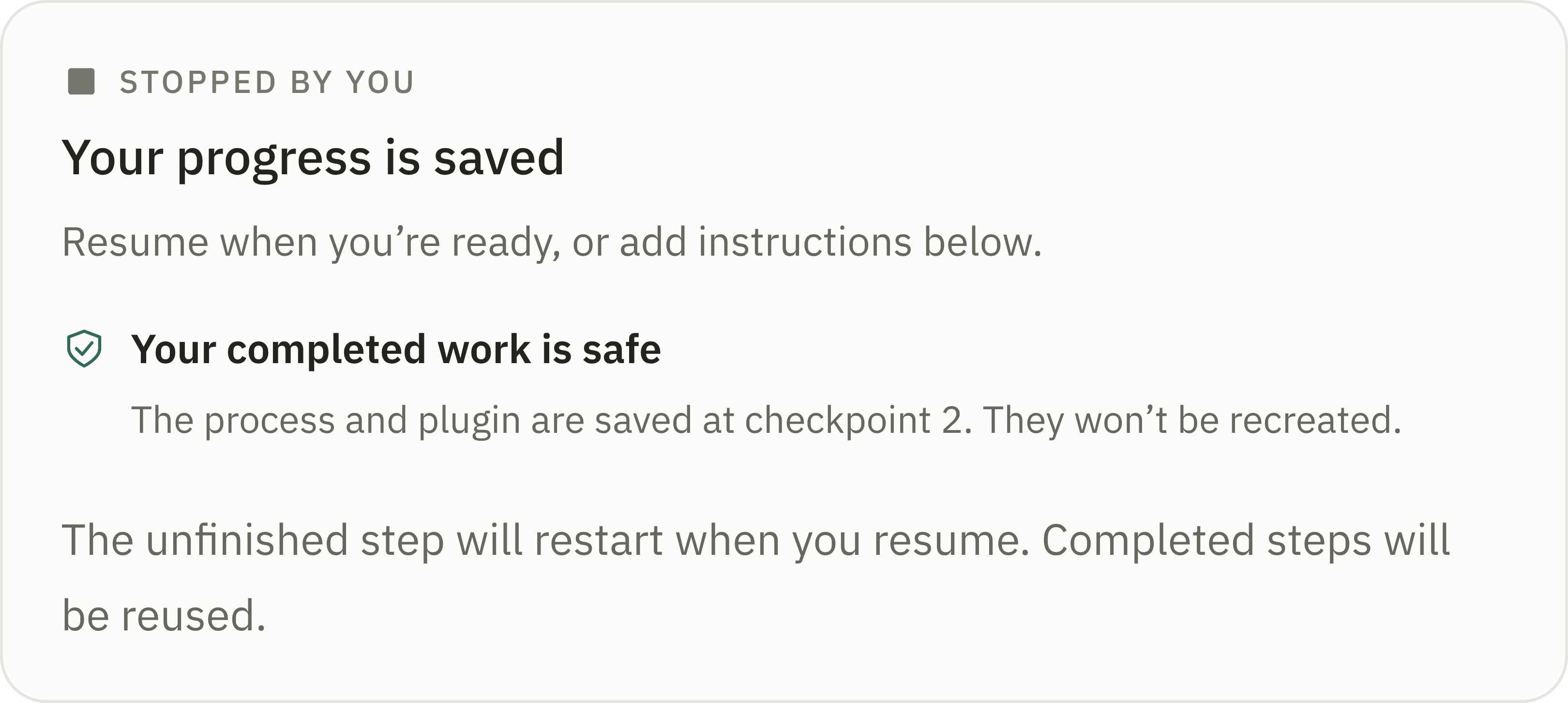
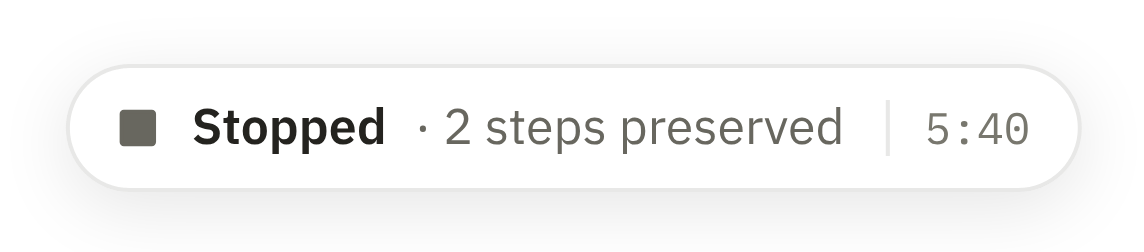
StoppedEdge case
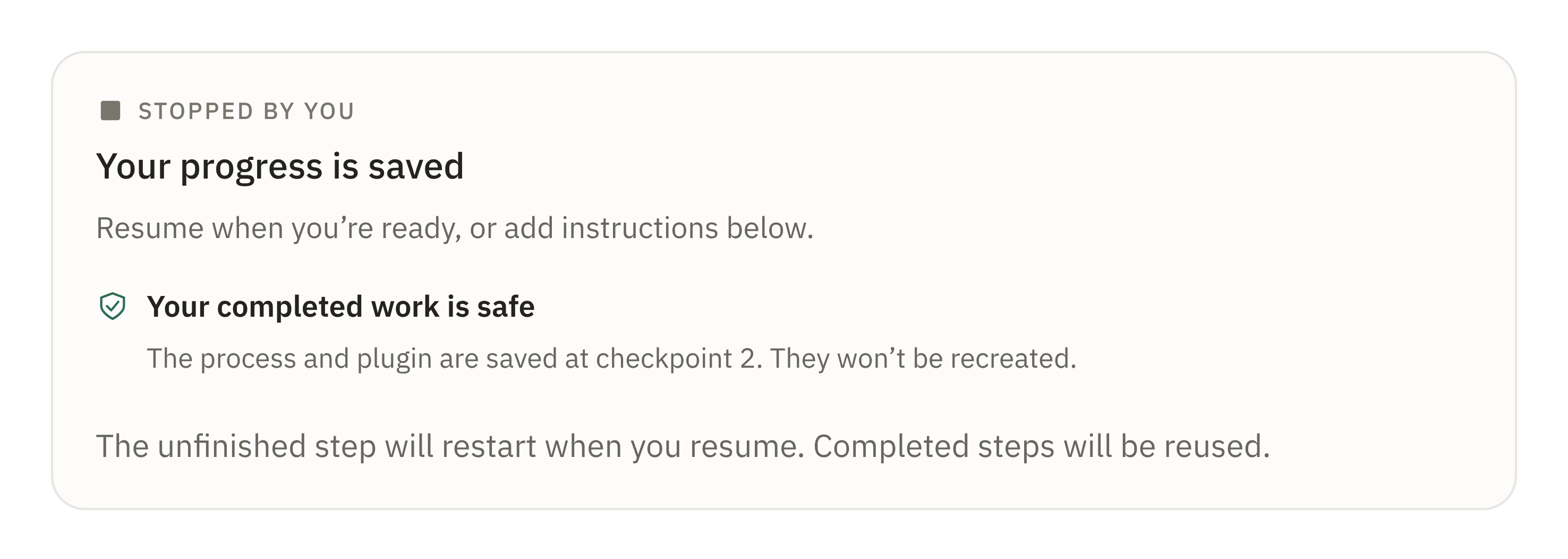
You stopped the run. Everything finished so far is kept.
You can
Resume
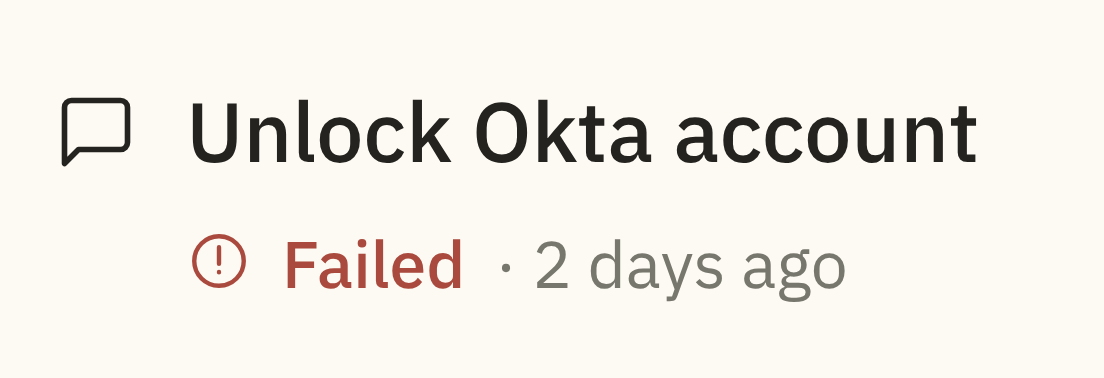
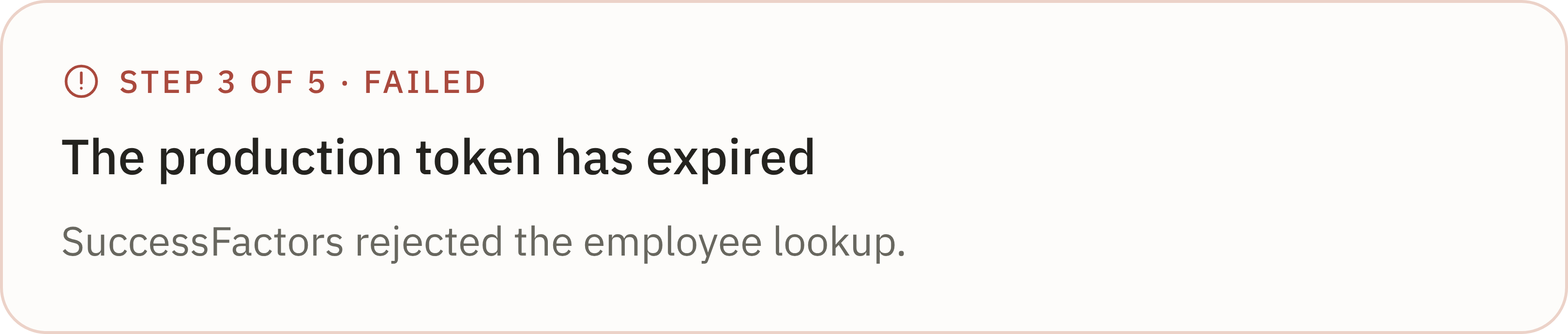
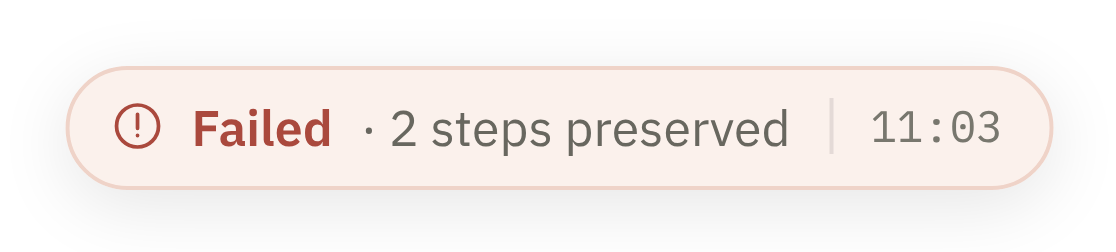
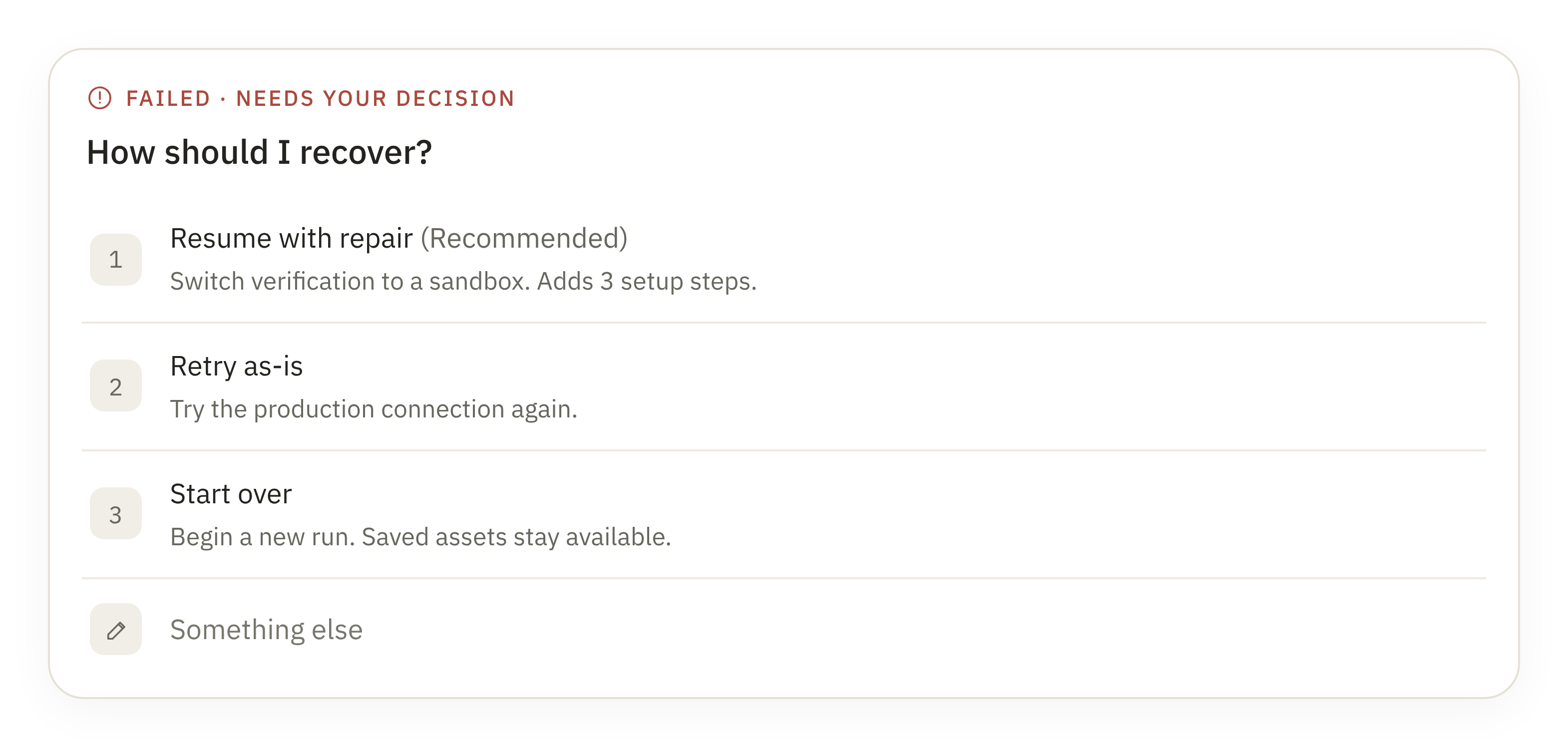
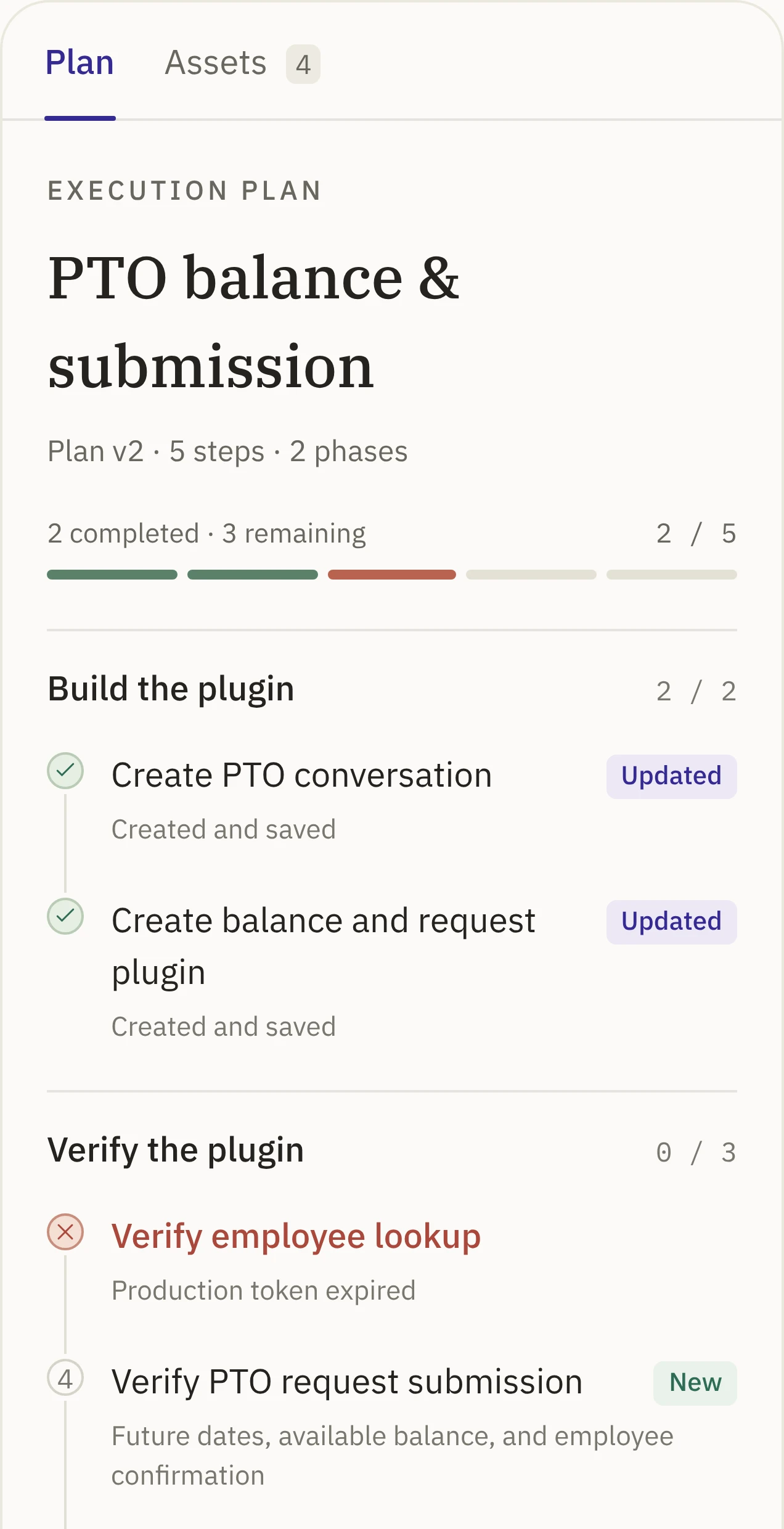
↩ Picks up where it stoppedFailedUnhappy path
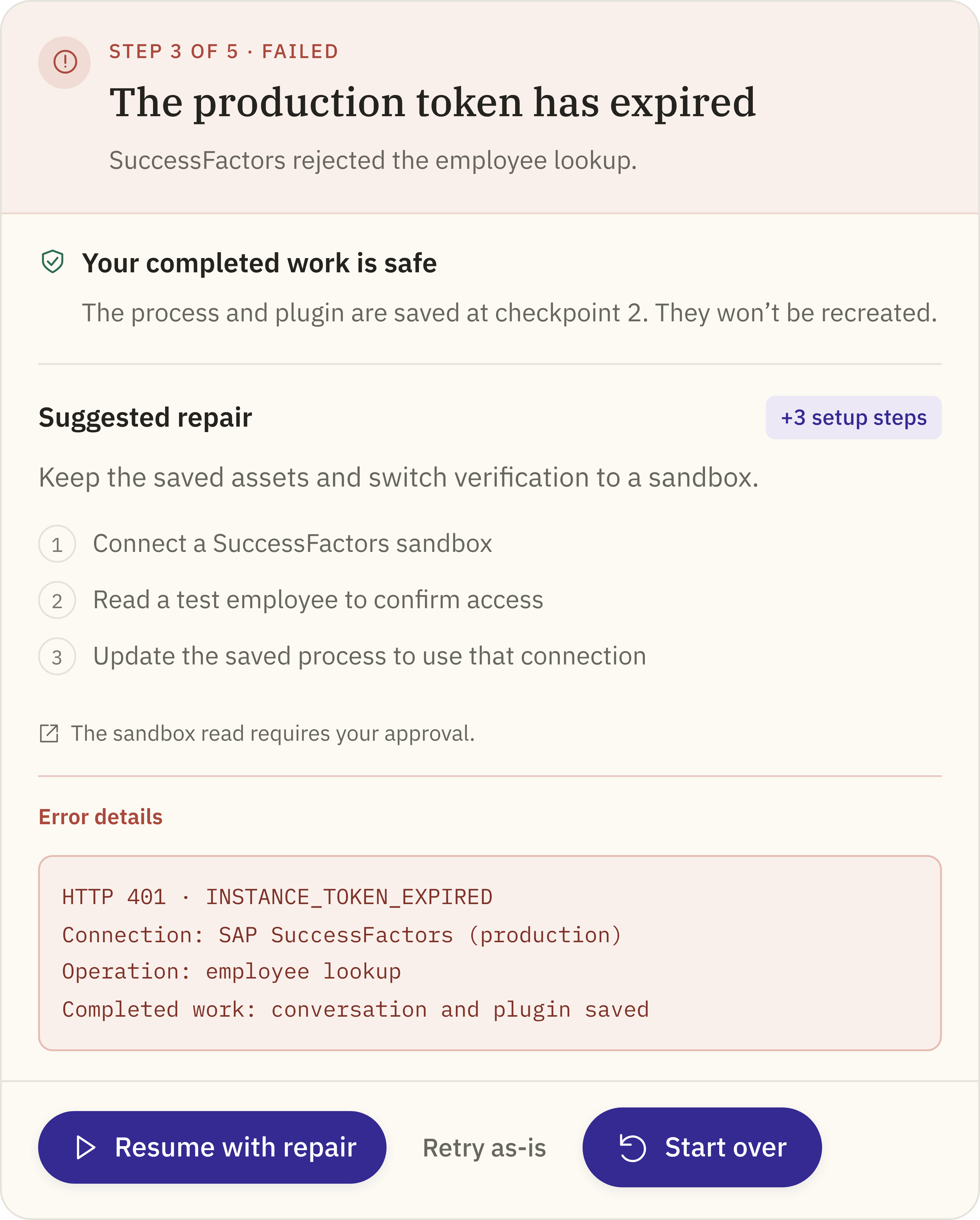
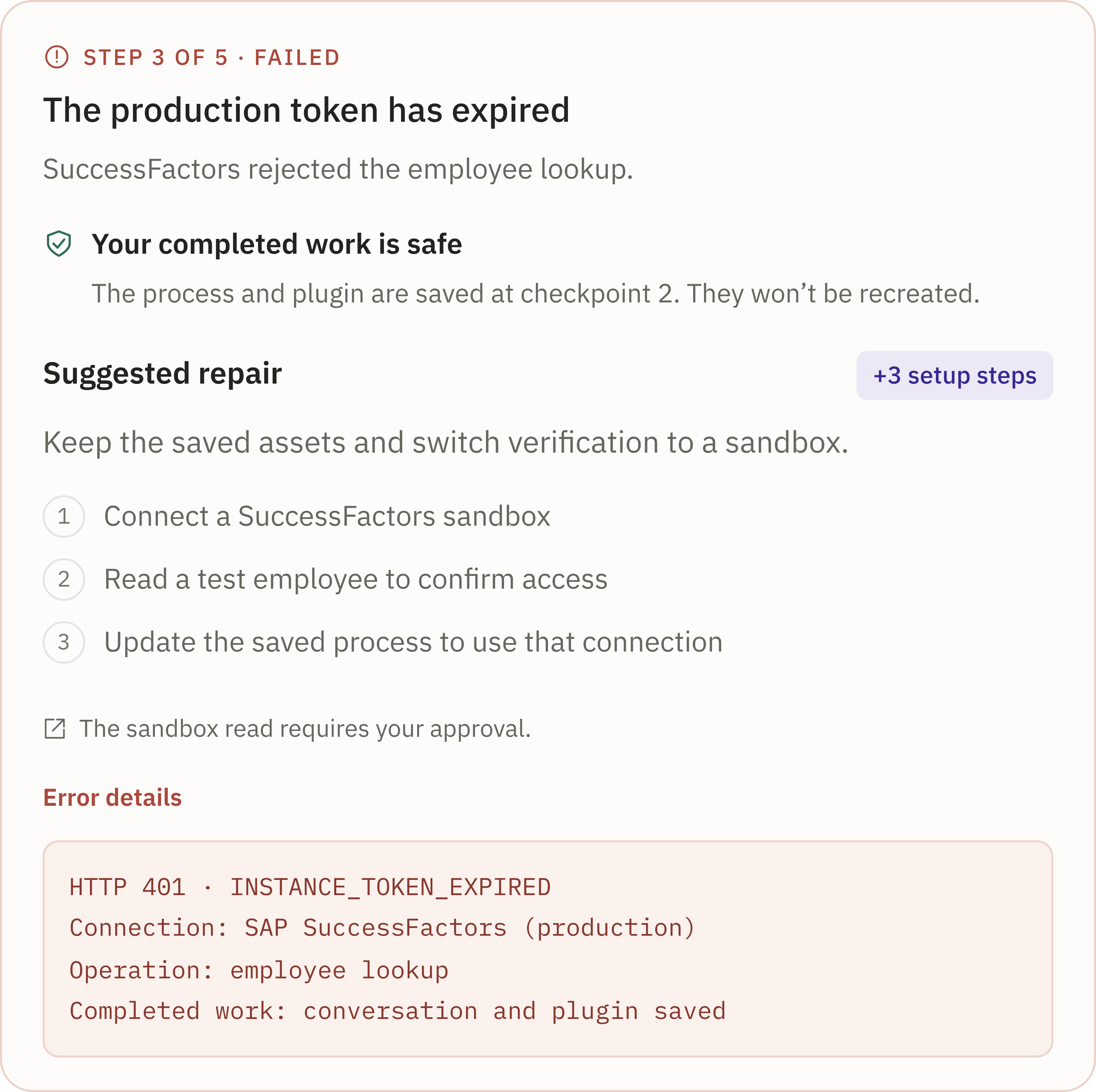
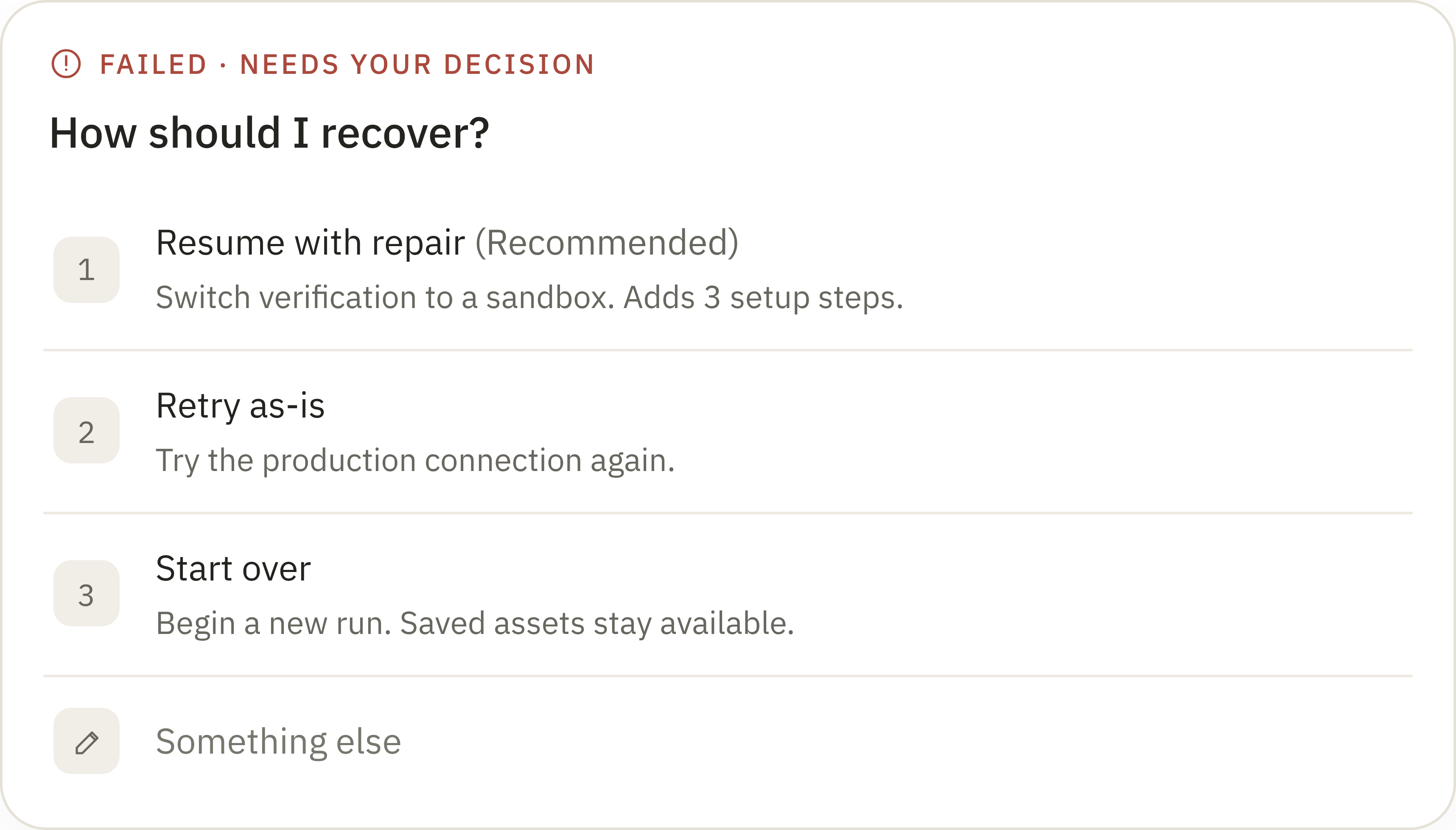
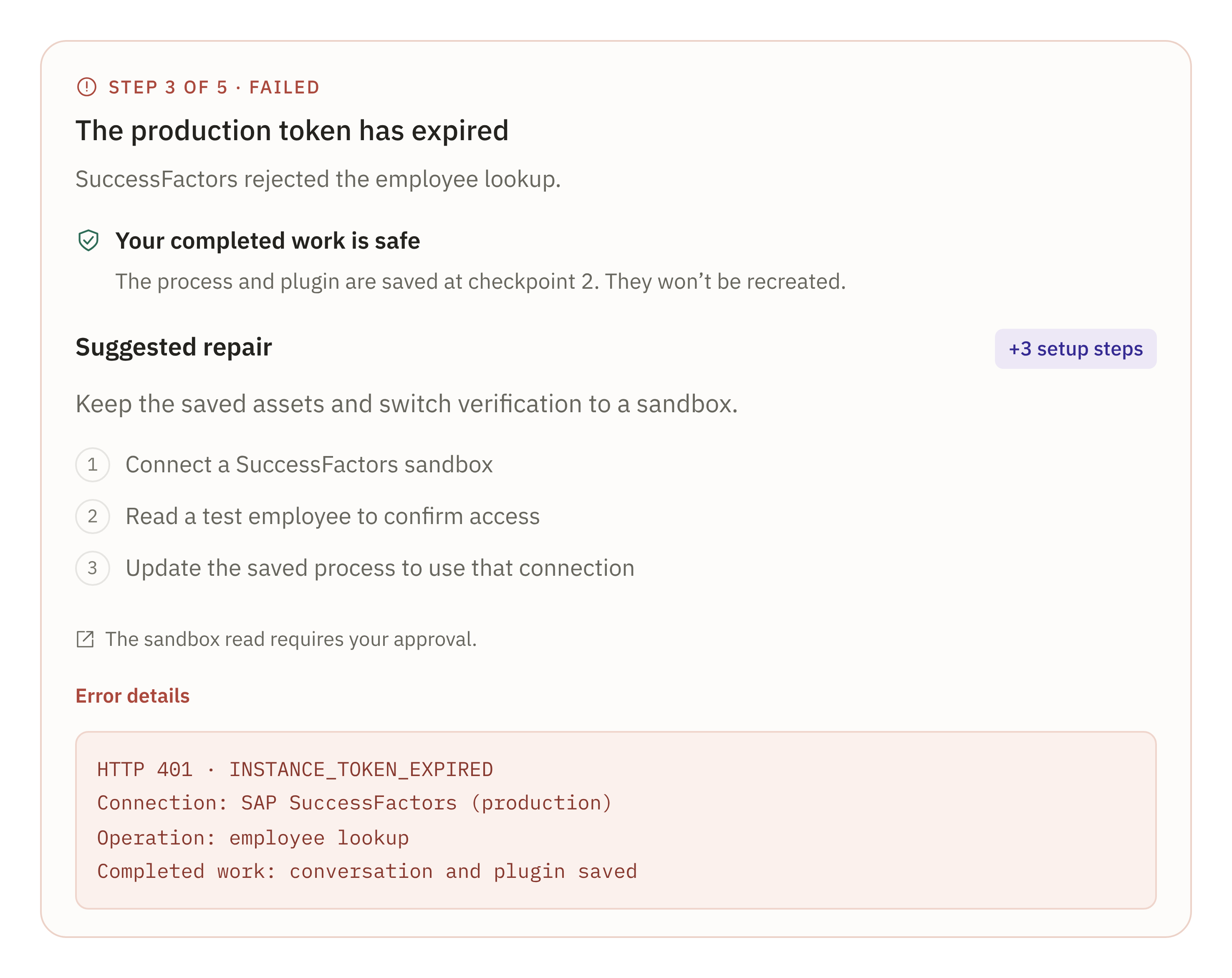
A step broke. You see why, and a suggested fix.
You can
Resume with repair
Retry as-is
↩ Back to Running from the last finished step
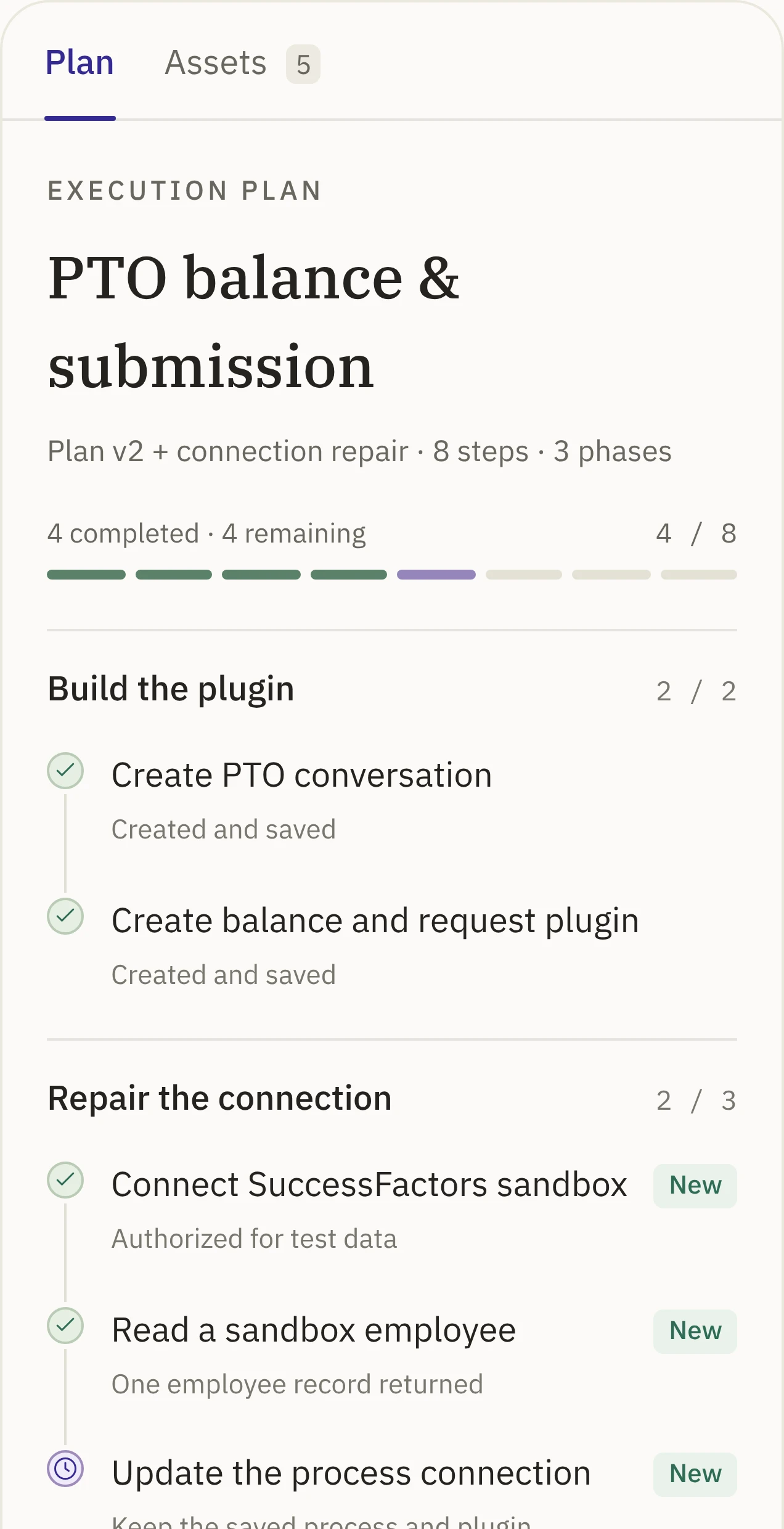
Running sits in the middle. Every pause and every early ending is one action away from Running again, and Resume picks up from the last finished step, so builders never start over to get unstuck.
05Principles
A run you can follow, answer, steer and trust.
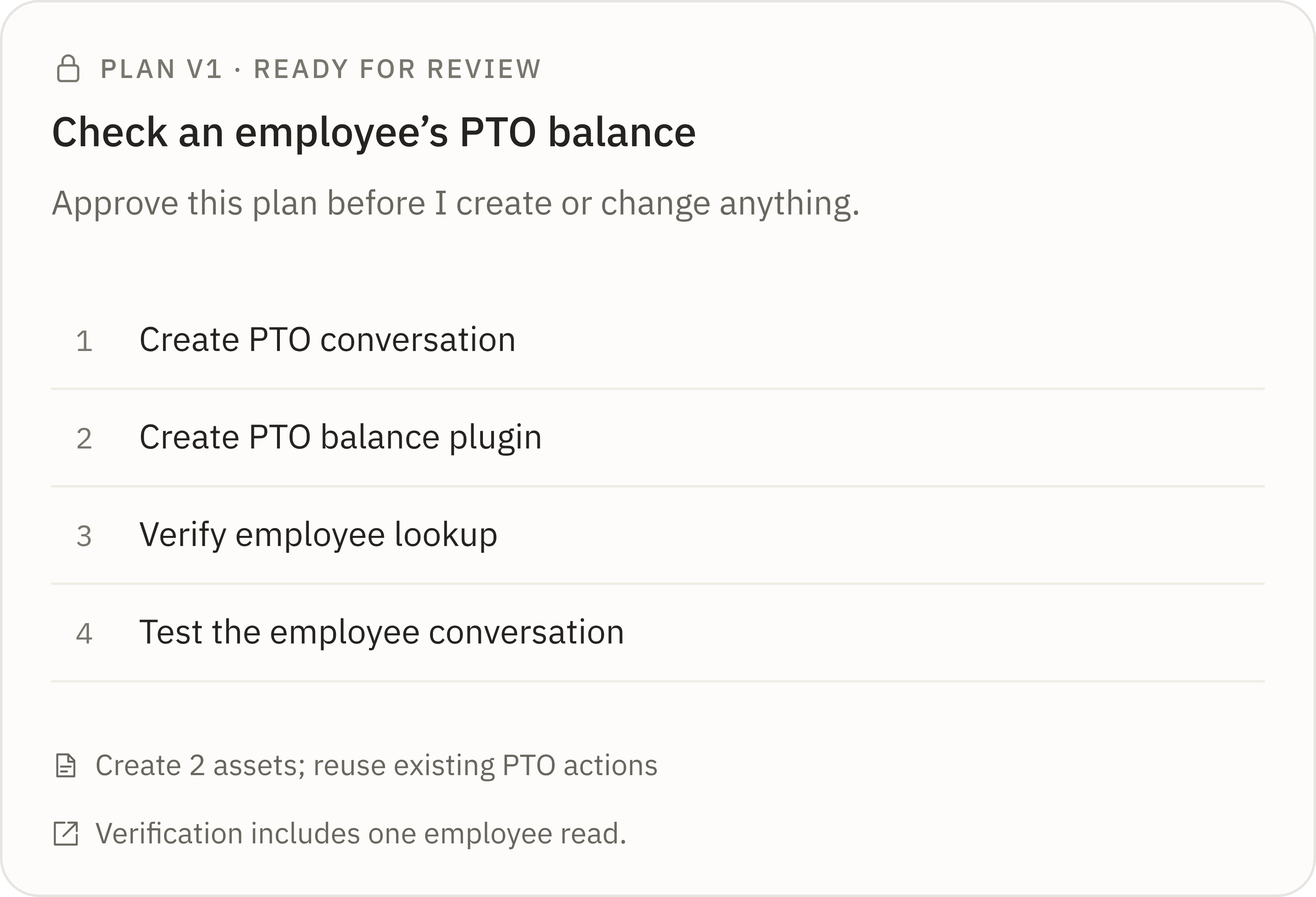
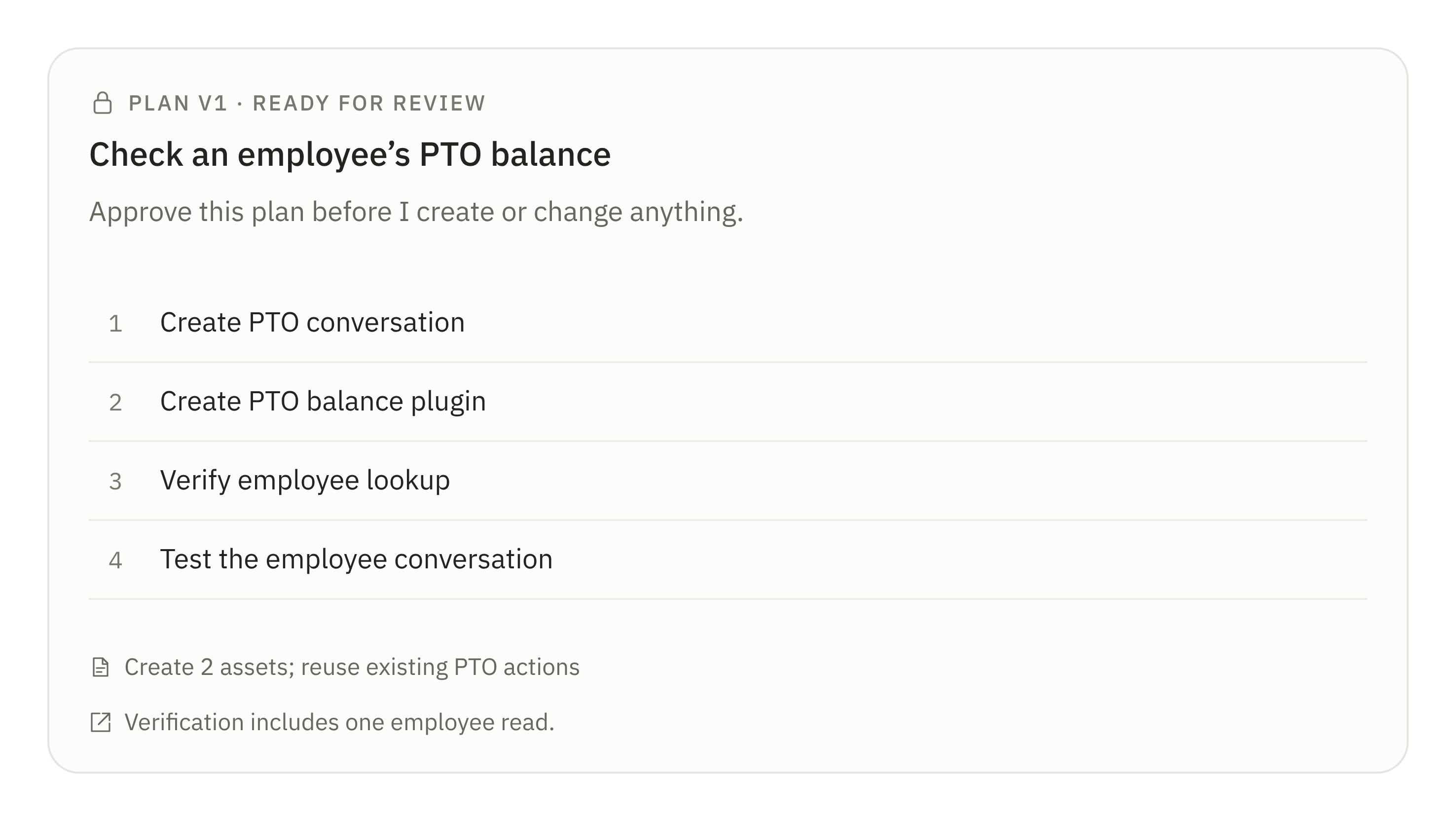
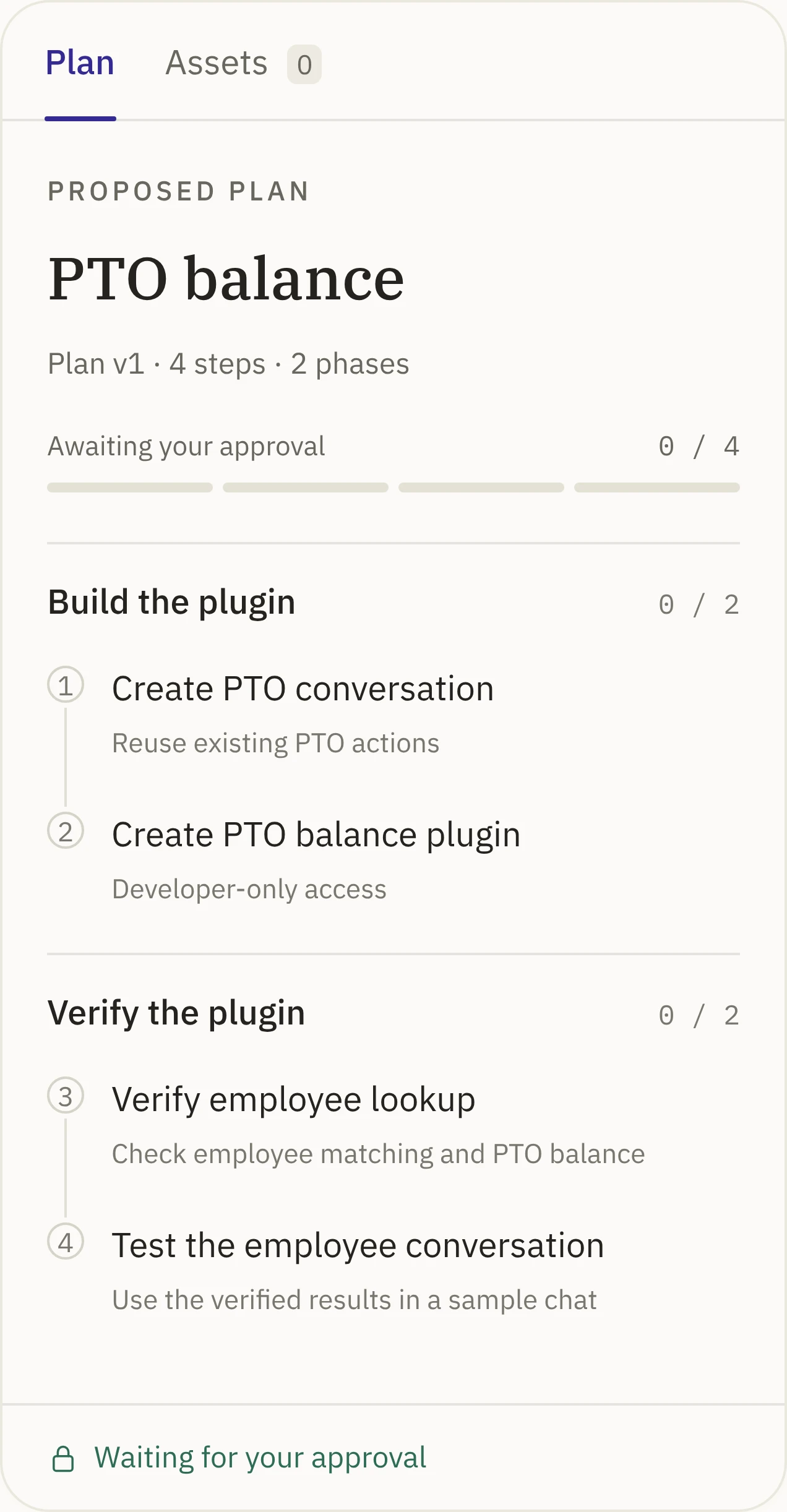
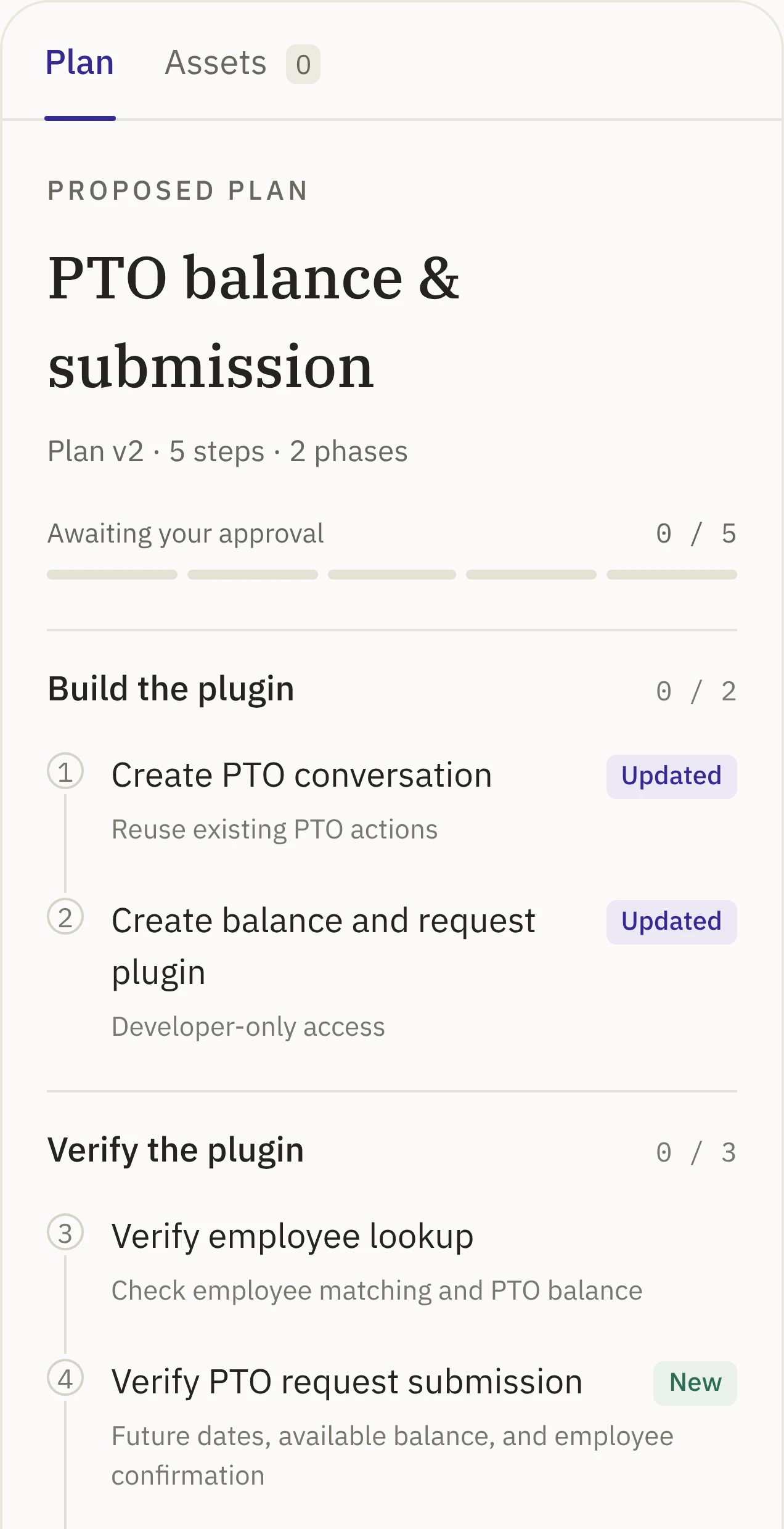
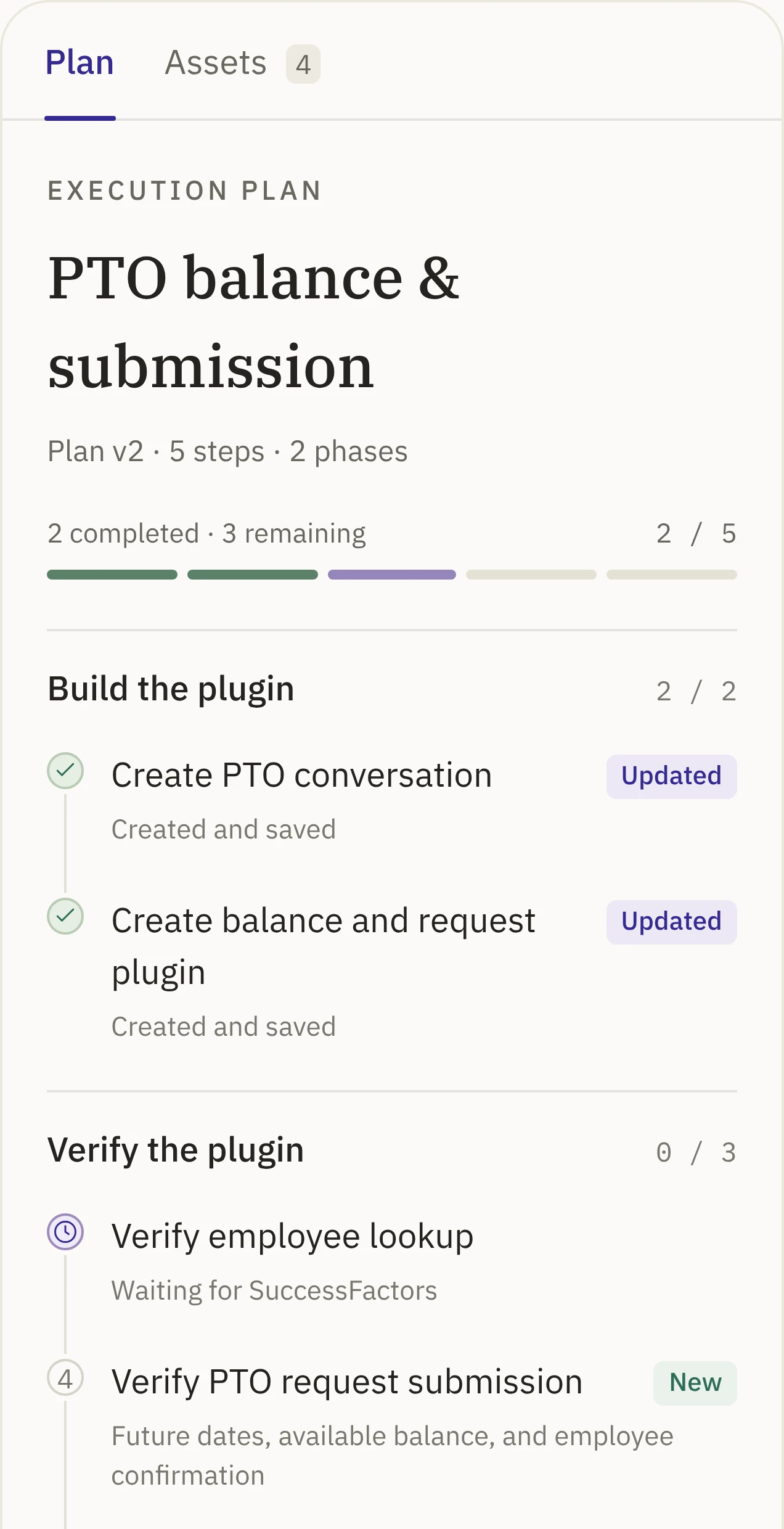
Four principles keep the builder in control, one for each moment in a run: watching it, being asked, stepping in and checking the result. I built them into one complete use case: creating a PTO plugin, from the first request to testing it in chat.
01WatchingPlanning and Running
Know where the run is.
Live stepsShow what it’s doing right now
Status bubble with a timerShows how long it’s taken
Clear statesWorking, stalled or failed, at a glance
Plan beside the chatFills in as the run goes
Answers Is it alive or stuck?
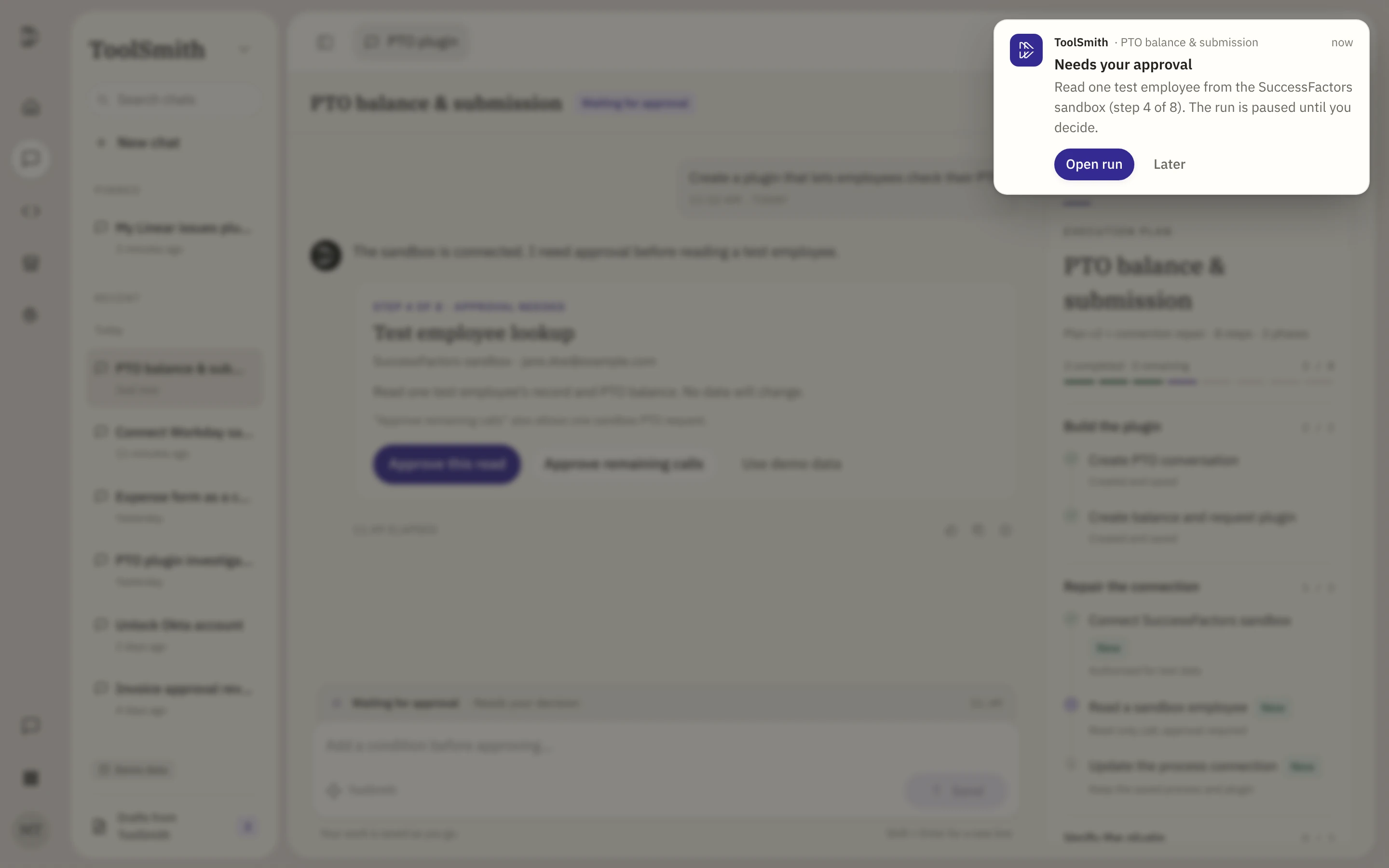
02Being askedInput, review and approval
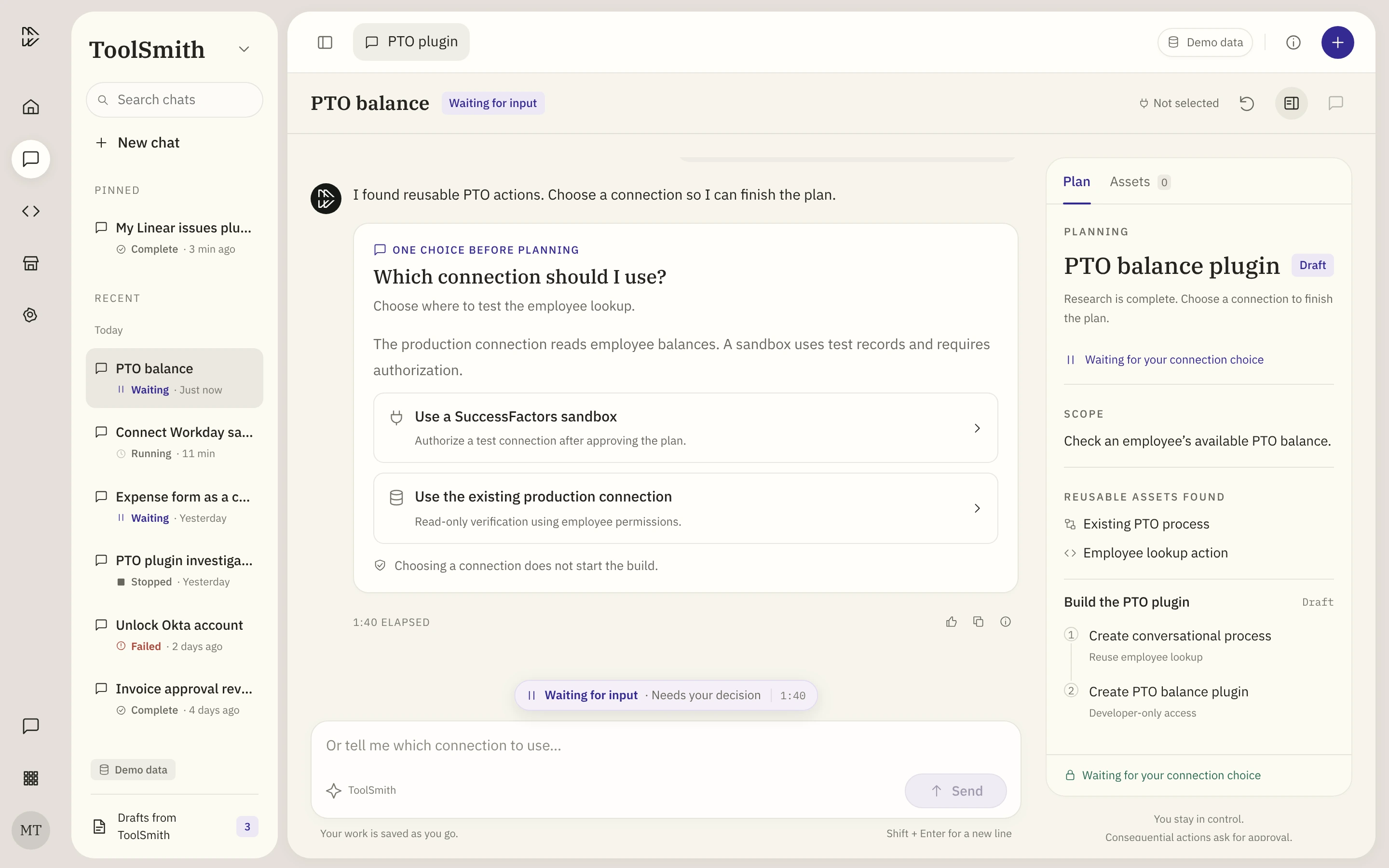
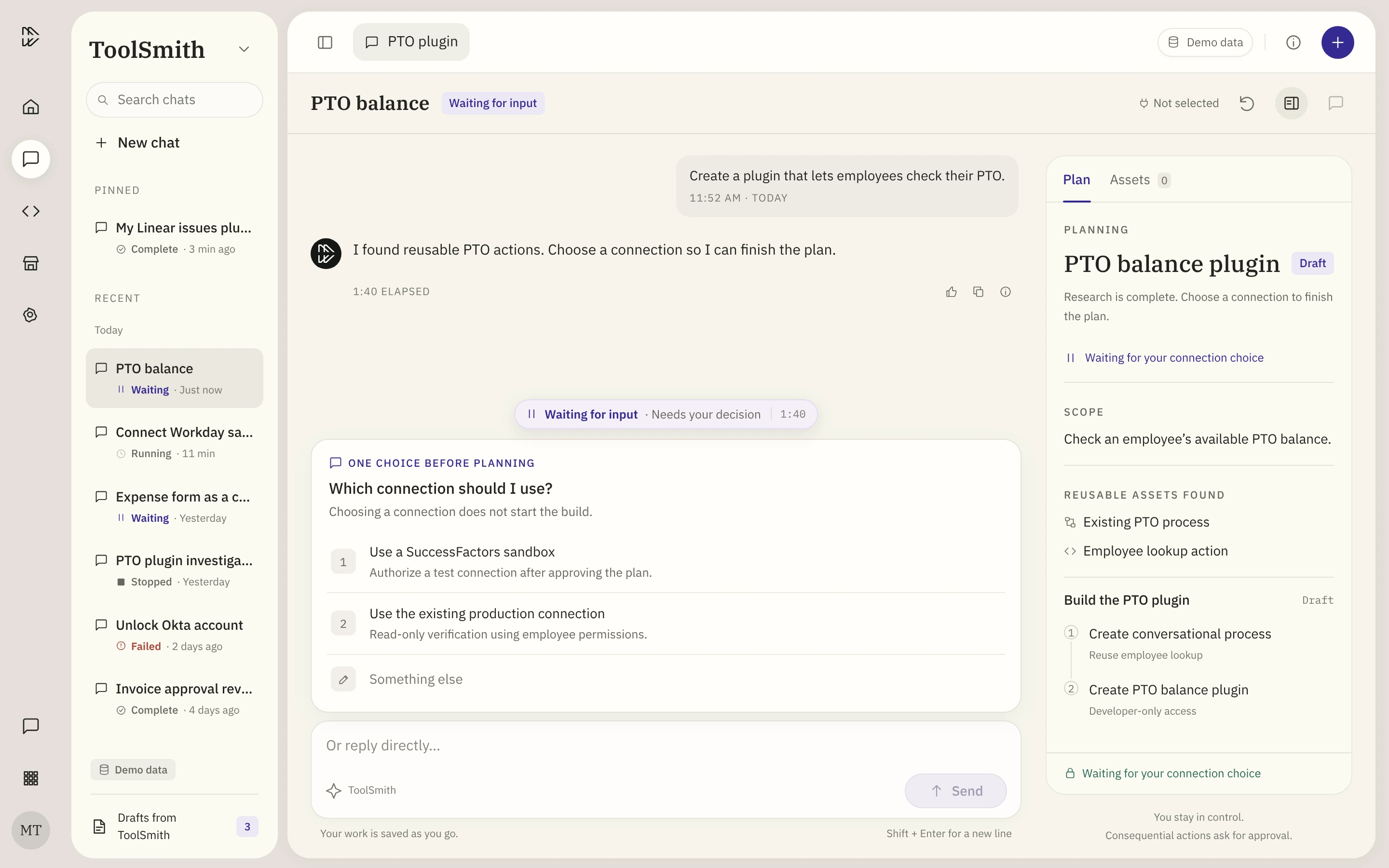
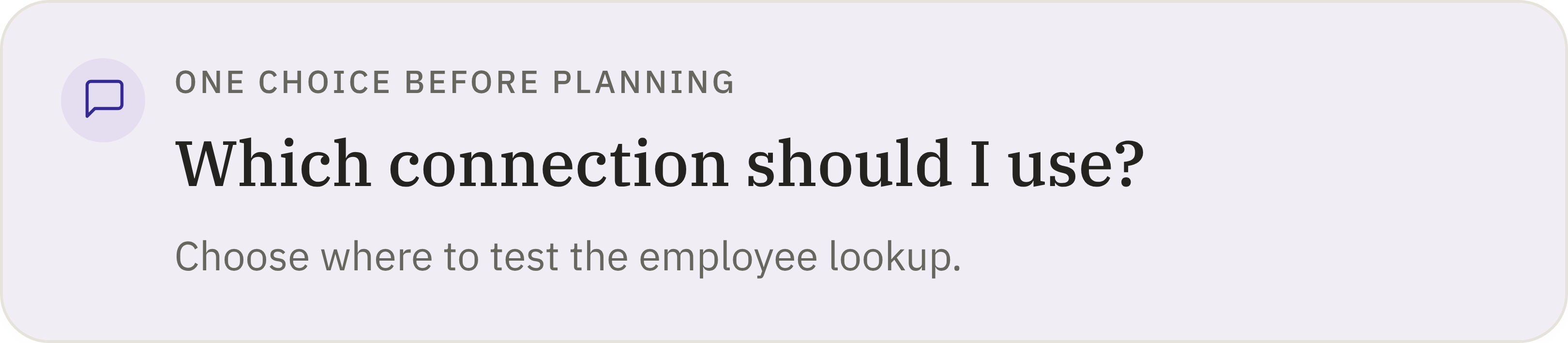
Know when it needs you.
Questions above the input boxRight where you look when a run pauses
Answers on recordStay in the chat after you reply
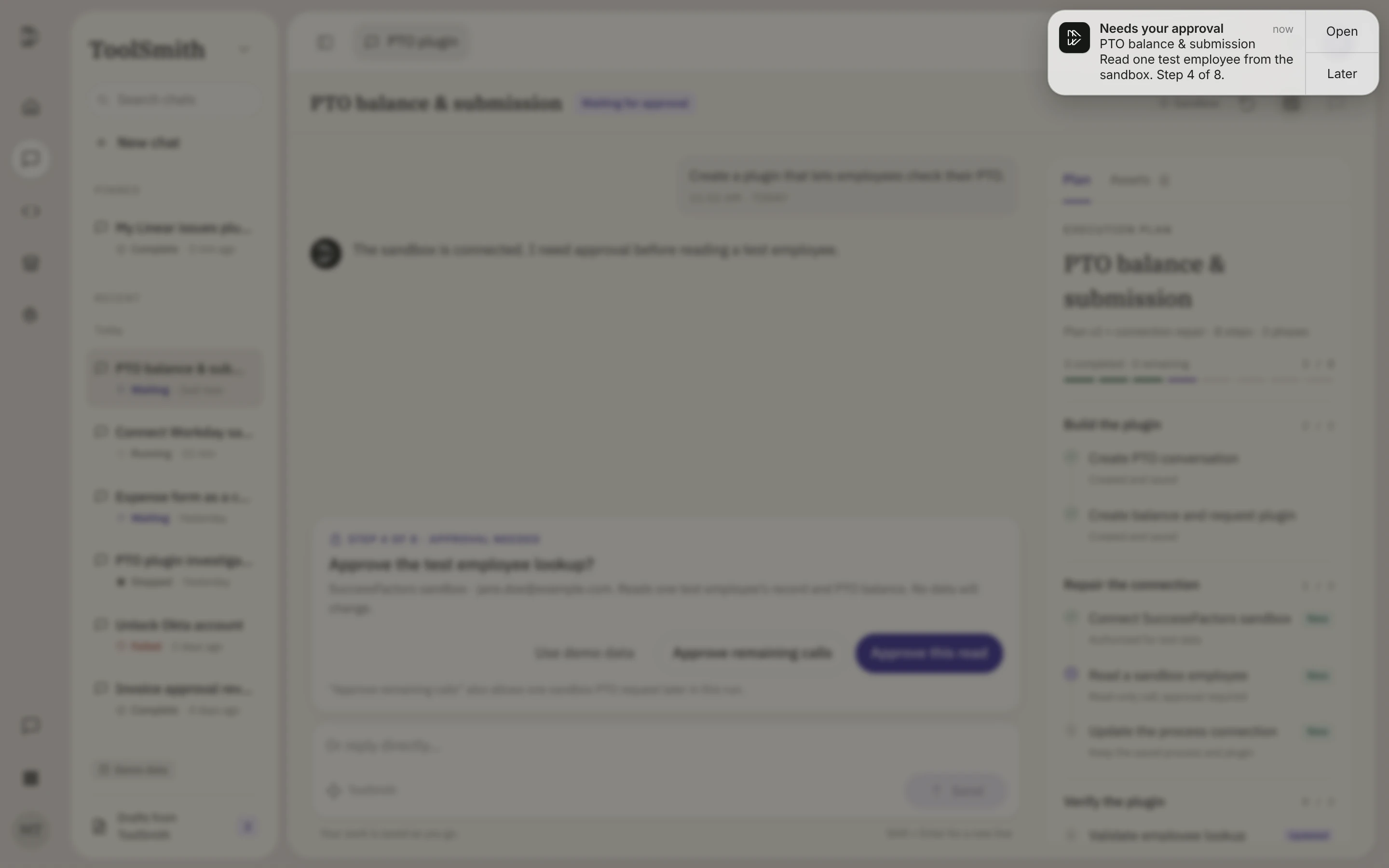
Mac notificationBrings you back when you step away
I iterated the high-fidelity prototype nine times, testing every round through dogfooding and hallway tests. Each round fixed whatever made one thing harder: knowing where the run is, what happens next and what you can do.
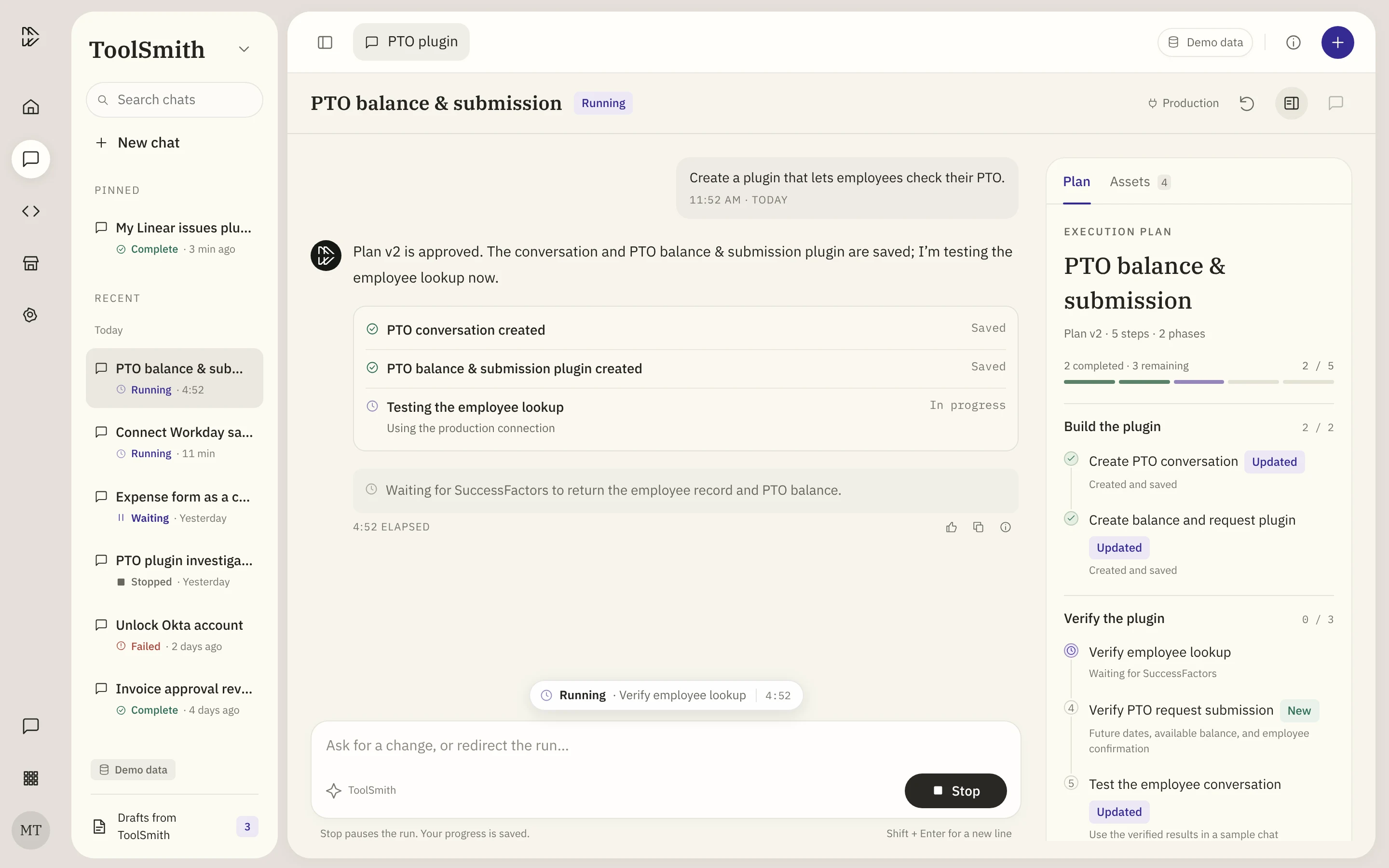
Before · ToolSmith todayAfter · The redesign
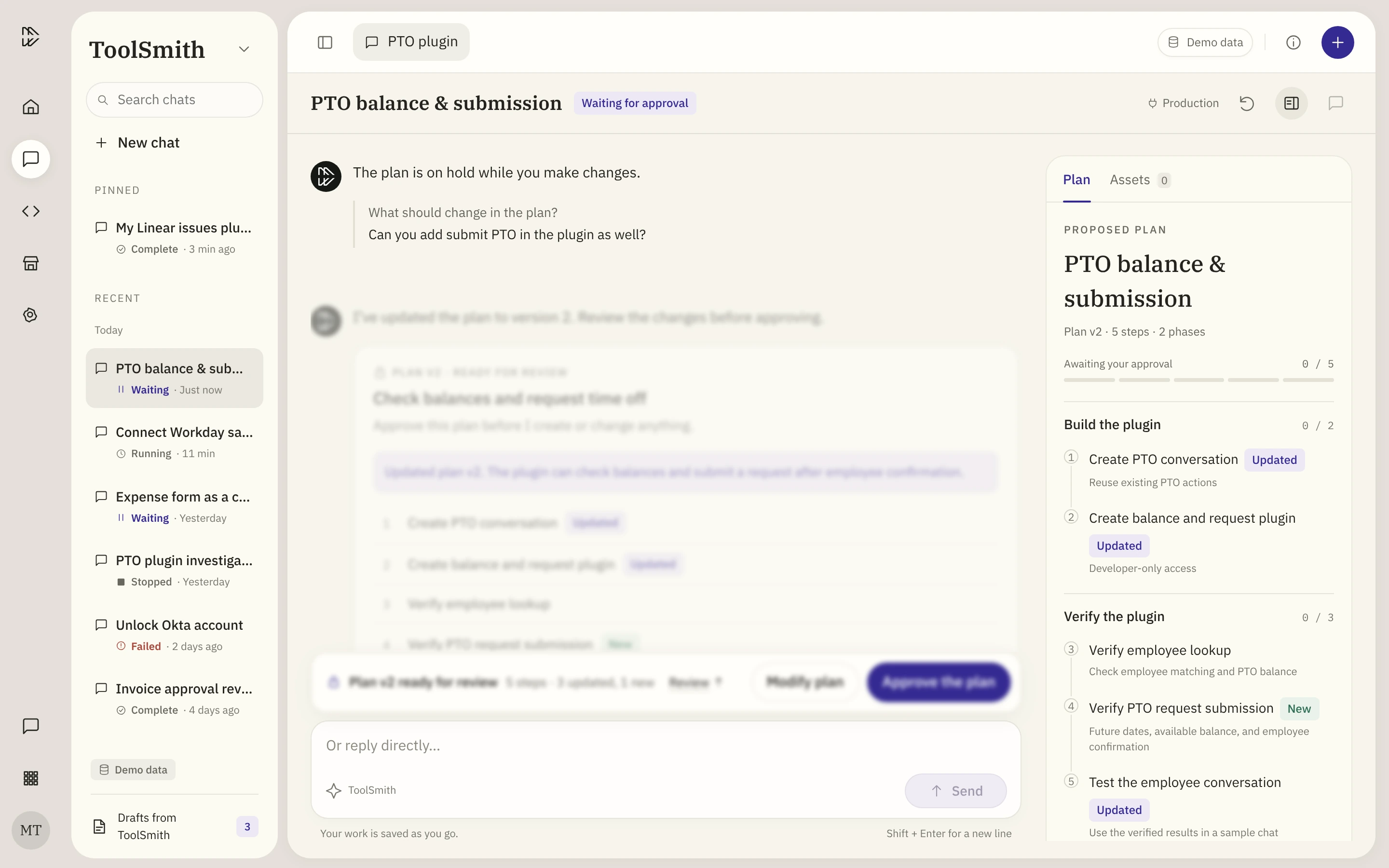
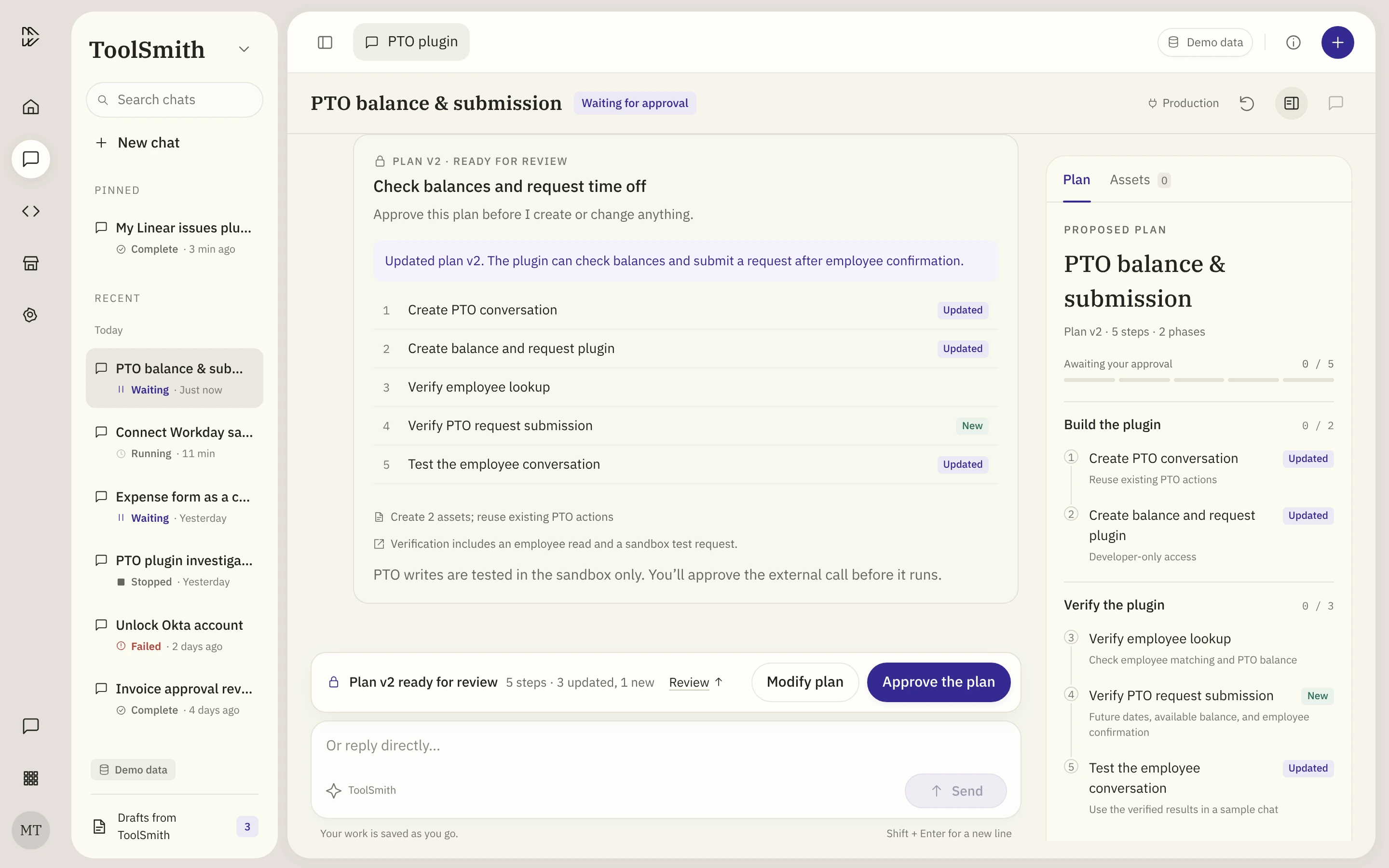
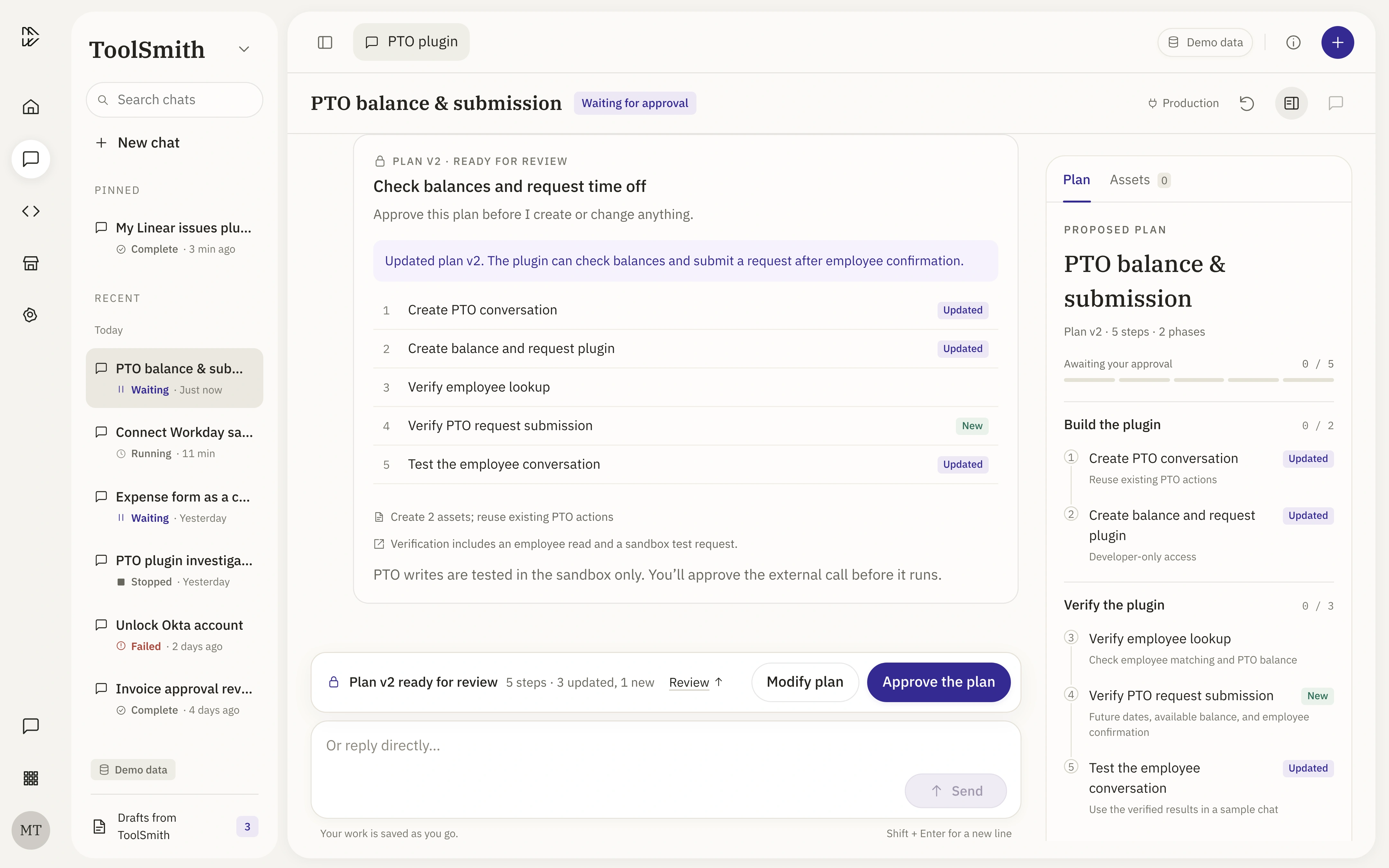
The same moment, plan review, today and after the redesign. Drag to compare.ThemeVisibility
Status at a glance, in fewer colors.
What changed: A floating bubble in two colors, shown wherever you look.
Why: Status was easy to miss, and too many colors blurred together.
Status bubble
BeforeEvery status, its own color
AfterPurple needs you, red is wrong
Left nav
BeforeFour colors
AfterPurple and red only
Top badge
BeforeEvery status, its own color
AfterPurple needs you, red is wrong
ThemeReach
Questions reach you when you step away.
What changed: A Mac notification takes you straight to the decision.
Why: People step away during long runs.
ThemeAttention
Make it obvious when you need to act.
What changed: Quieter cards, with decisions right above the input box.
Why: Color should mean “act now”, where you’re already looking.
Know when it needs you: the run state model
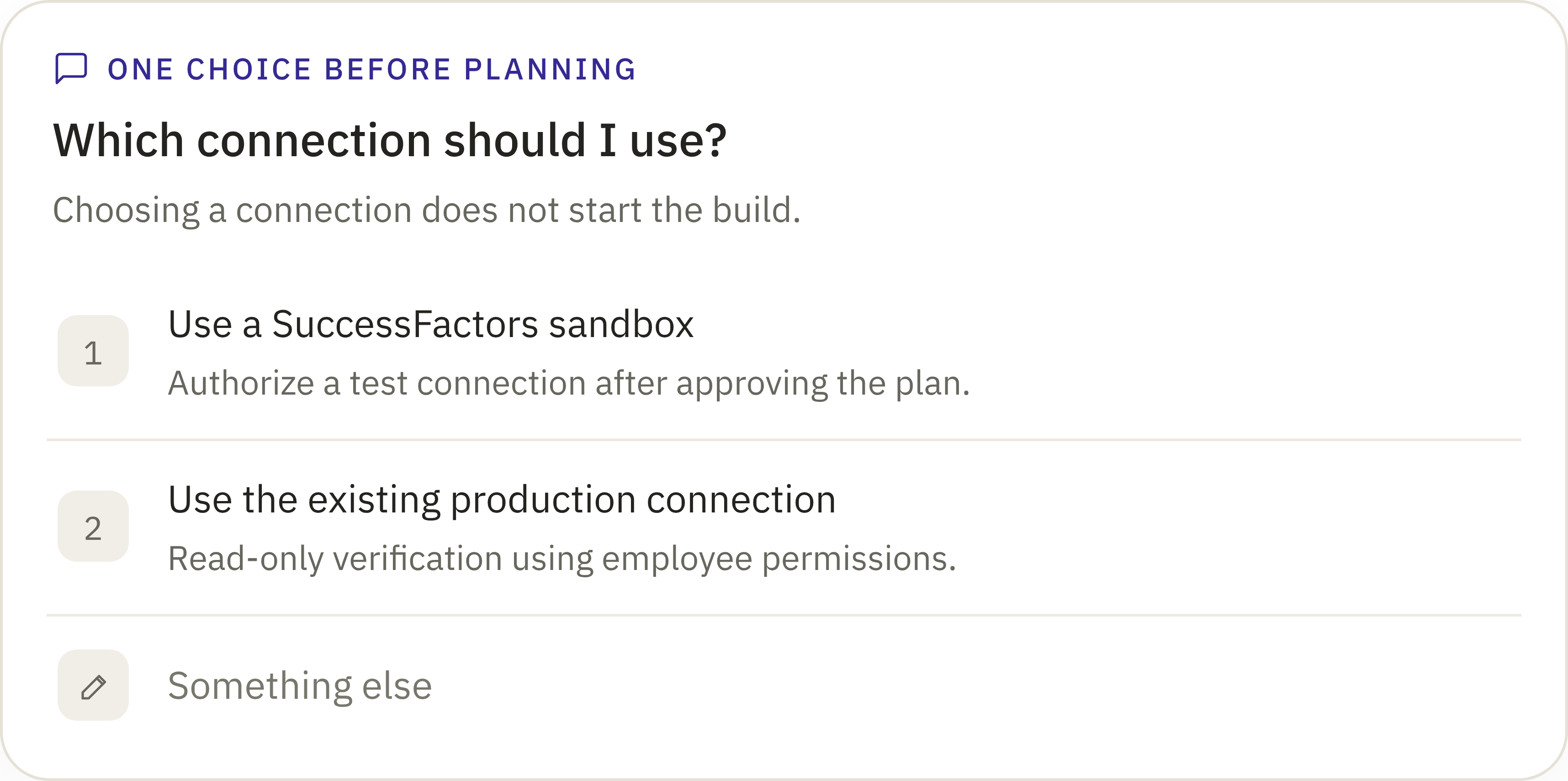
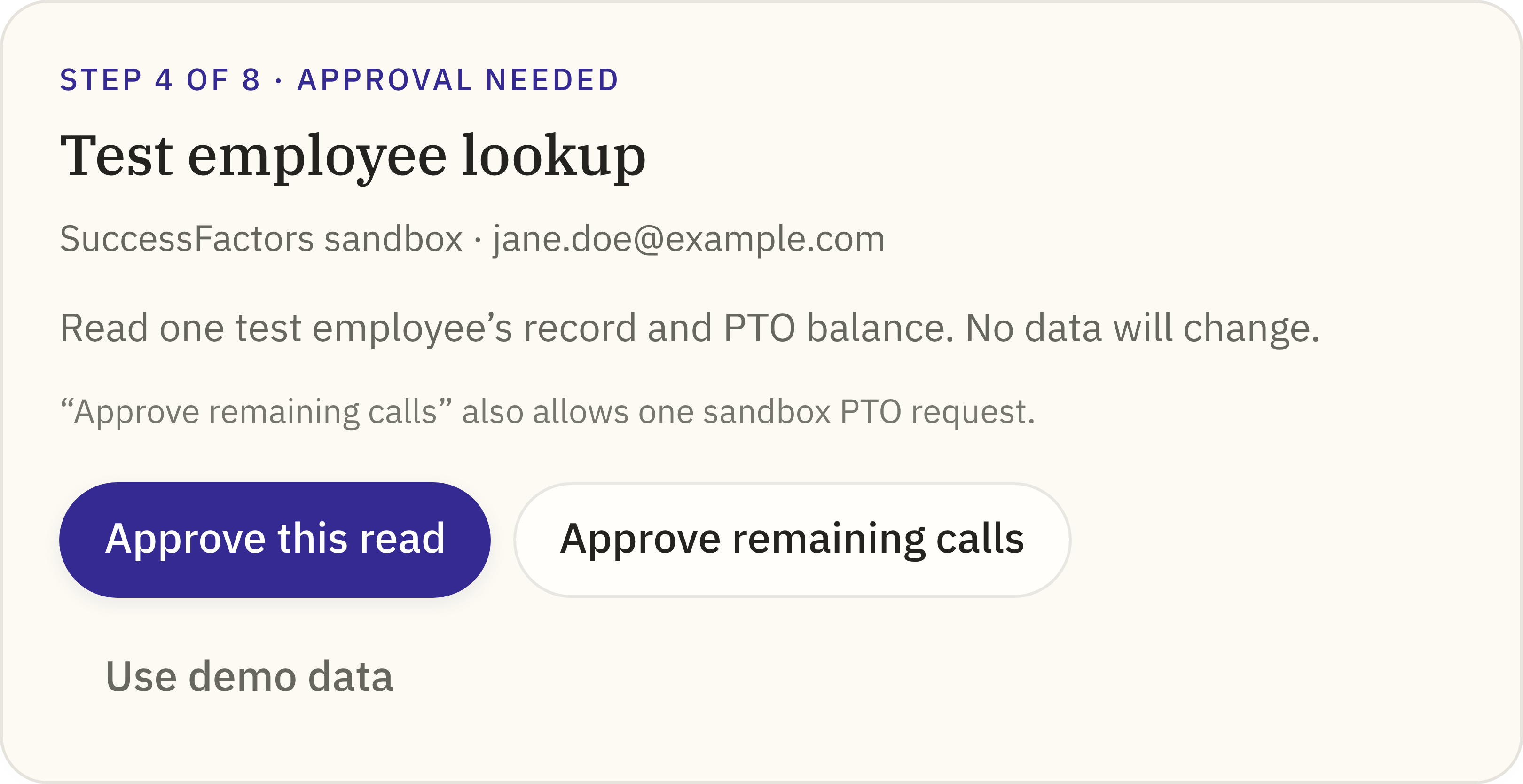
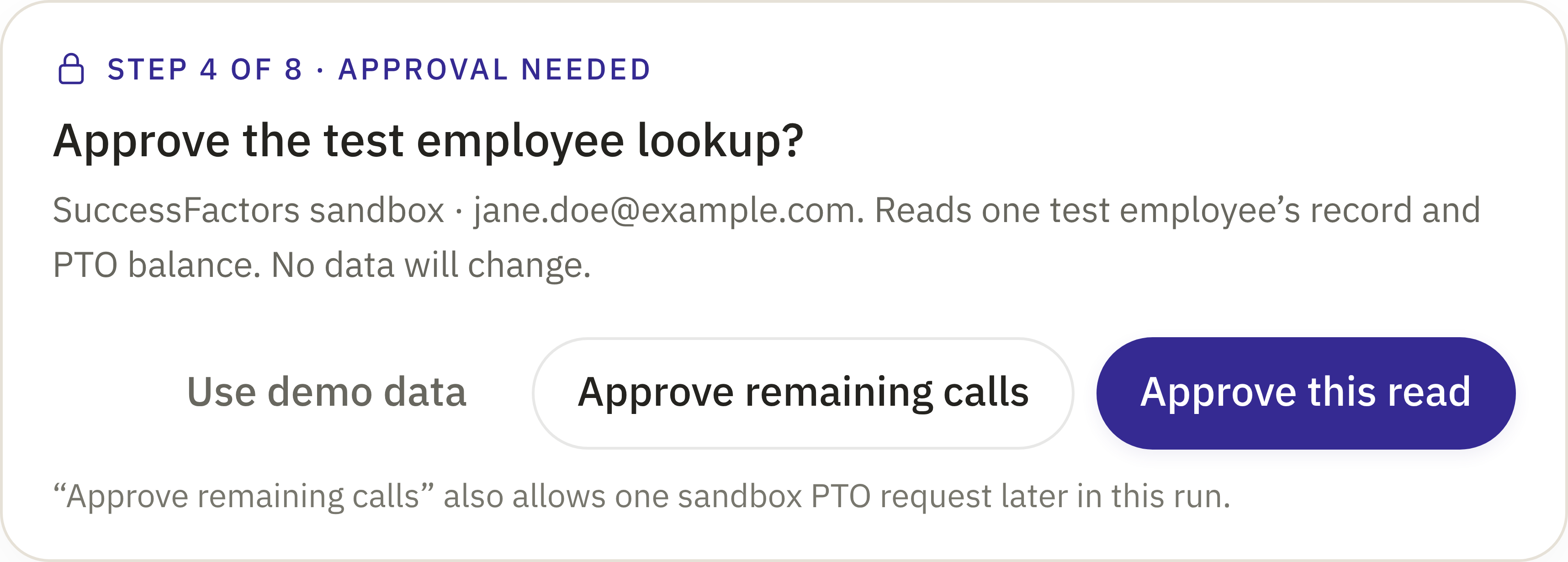
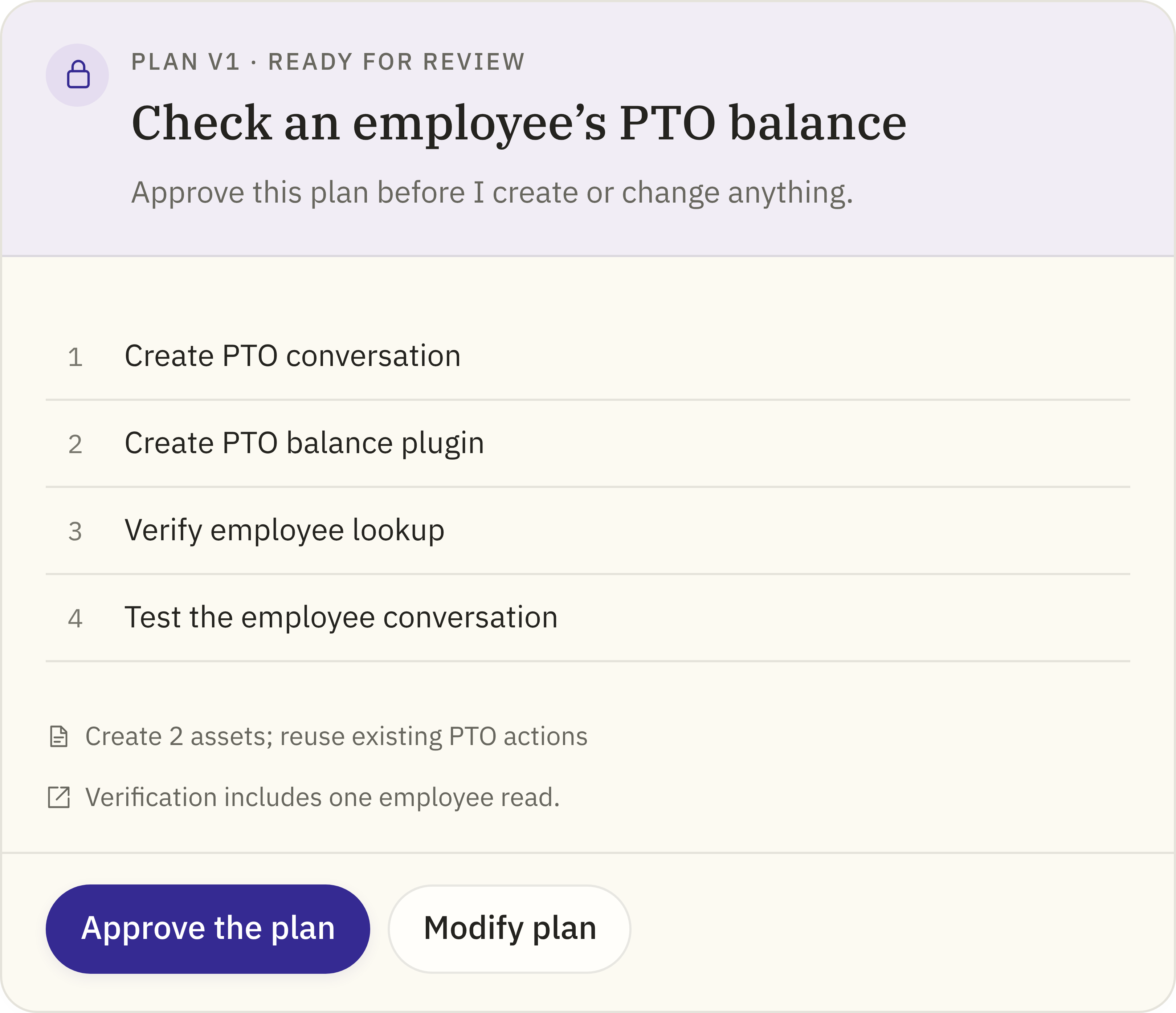
Every state shows a status badge, a card and one clear next action. Click a card to see it up close.
Happy pathfrom request to a working plugin
PlanningStop anytimeWaiting for inputChoose an optionPlan reviewApprove or modifyRunningStop or redirectWaiting for approvalApprove the callCompleteTest in chat
Off trackThe run stops, stalls or fails. Completed work is kept.
StoppedResumeStalledRetry or keep waitingFailedRepair and continue
BeforeEvery state tints the whole headerAfterColor only on the label
BeforeActions inside the card, in the chat
AfterAbove the input box, color only on the label
BeforeActions inside the card, in the chat
AfterAbove the input box, color only on the label
BeforeActions inside the card, in the chat
AfterA quiet card, with actions above the input boxIn the chatAbove the input box
BeforeActions inside the card, in the chat
AfterA quiet card, with actions above the input boxIn the chatAbove the input box
BeforeActions inside the card, in the chat
AfterA quiet card, with actions above the input boxIn the chatAbove the input box
BeforeActions inside the card, in the chat
AfterA quiet card, color only on the label
BeforeActions inside the card, in the chat
AfterA quiet card, color only on the label
ThemeClarity
Messages that stay quiet and clear.
What changed: Your answer became a short quote under the question.
Why: The chat should show exactly what you chose.
ThemeCalm
A brighter, calmer surface.
What changed: Lighter, brighter surfaces and a cleaner input box.
Why: The screen felt dim and yellow.
07Handoff
From concept to build in two weeks.
The prototype answered what to build. The next question was how to get it built, fast.
01The challenge02The method · two tracks at once03The turning point04The outcome
No design systemNothing to build from
No tokens and no shared components when I joined.
PrototypeMy track
A clickable prototype I built with Claude, refined over nine rounds of dogfooding and hallway tests.
StorybookAnother team
Components started in parallel, while I was still prototyping.
Tokens + componentsMeet engineering in Storybook
A design systems designer set up the tokens. I rebuilt my designs as components there.
5 coded componentsComponents, not screens
Handed off in code. Concept to build in two weeks.
6 components
Status bubble
Every run state, floating above the input box.
Input box
One button that switches between Send, Stop and Resume.
Card
One card per state, with color only on the label.
Reasoning card
Steps that show the work as it happens, and collapse when you’re done.
Input card
Questions, approvals, plan changes and recovery, right above the input box.
Plan panel
The plan beside the chat, from proposal to a finished build.
08Measuring trust
One north star, three signals.
One number says whether ToolSmith works. Three signals show why, each tied to a design decision. Targets are the goals I set; results fill in as launch data comes in.
North star
Runs that reach a tested plugin
Builders get to a working result. Every signal below feeds this one.
70%Target
Result74%, up from 48%
01
Time to answer a question
Decisions get noticed, even when you’re away
<10secTarget
in the app, under 1 min via a notification
Result8 sec, 45 sec
02
Interrupted runs resumed, not restarted
Control saves work
80%Target
of stopped or failed runs pick up where they left off
Result83%, up from 35%
03
Post-run trust score
Builders trust the run
4.0+Target
out of 5, asked after each run
Result4.3
09What I learned
Design is code, and trust is earned.
01
Trust is designed in the uncertain moments.
Trust isn’t won when things go right. It’s won in the pause, the failure and the reach for real data, so that’s where I started.
02
Think like a builder.
The line between designing and building is fading. Nine rounds of building, breaking and fixing taught me more than any mockup.
03
Design is code.
The medium matters less than the momentum. Here, design was a working prototype and components built straight in Storybook.
04
Design de-risks the launch.
Every option carries risk. Design is where you weigh it and choose, so engineering builds a decision, not a guess.
Next time: I'd measure how widespread each problem is, not just that it recurs, test the prototypes with 3 to 5 builders before handoff, and agree on the low-risk rule with engineering and security earlier.
Incident recovery with AI agents · Vision work · Intuit, 2026
AI agents for incident recovery. 35% faster to resolve.
When a P1 hit Intuit's developer platform, it took 79 minutes on average to recover. I showed the problem wasn't missing data, it was people coordinating under pressure, and led the shift to AI agents that page the owner, rank likely causes and recommend fixes. People approve every change.
Measured on [n] P1/P2 incidents, [period] vs. [baseline]. The FY26 target is a 70% reduction in time to resolution.
01The stakes
When Intuit is down, money stops moving.
104Functions at risk
Across QuickBooks, Payments, Payroll and TurboTax. Downtime here is a financial disruption for customers and small businesses.
79 minAverage time to resolve
Every minute affects people who rely on Intuit to get paid, pay others and file taxes.
40–50%Engineering time lost
Spent on operational overhead instead of building.
02The problem
The data wasn't missing. Help was.
What we were asked forWe need better incident dashboards.
Metrics slipping without clear causes
Time to resolve stuck above target
No real-time view of scope and impact
→
The real problem
People were forced to coordinate, interpret and decide under extreme pressure.
Unclear impactHard to tell if it matteredFragmented contextScattered across toolsNo durable contextUpdates got lostSlow decisionsValidation delayed action
A responder, in research: "I'm navigating a maze of alerts, dashboards, logs and Slack threads, and none of them connect."
03The insight
Engineers, managers and leaders each needed a different answer.
Recovery didn't fail because people lacked skill. Each role needed a different truth at the same moment, and every tool showed them the same view.
01Engineers
Technical responder
What broke?
Needs
Logs, traces and causal signals
Today
Context scattered across tools, correlated by hand
Optimizes for
Depth
02Coordinators
Incident manager
Who owns what? What's next?
Needs
Clear ownership and real-time status
Today
Manual paging, chasing people on Slack, hunting for status
Optimizes for
Coordination
03Executives
Accountable leader
What's the customer impact?
Needs
Revenue, user impact and ETA
Today
No business-impact signal they could trust
Optimizes for
Impact
04Alignment
I got 35 leaders to agree on one recovery experience.
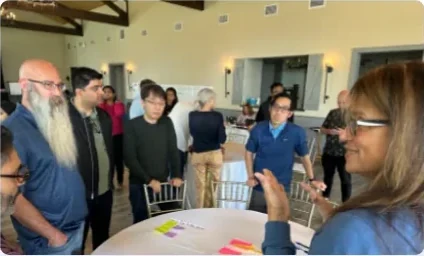
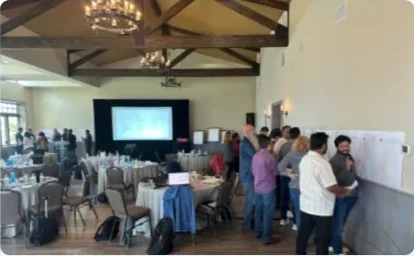
I led a service-blueprint workshop with 35+ leaders. We mapped where coordination lag cost time and money, and aligned on one recovery framework instead of team-by-team fixes.
Problem spaceSolution space
01Discover12+research sessionsAcross all three roles, plus 10+ parallel products studied.
02Define35+leaders in one workshopFour journeys mapped into a single service blueprint.
03Ideate12+stakeholders co-creatingA research readout, then a co-creation workshop.
04Deliver8+validation sessionsThen a future-vision share-out.
05The blueprint
Recovery breaks at six stages. An agent can take on each one.
Service blueprintPick a stage
Responders todayPain point
01 Detection · TodaySlow mobilizationAlert pages the wrong person; downstream teams are never told.
02 Triage · TodayImpact is invisibleLeaders ask "Is checkout down?" Logs have no impact context.
06 Communication · TodayHigh-friction updatesSlack chaos, late joiners interrupt, nobody knows the status.
Line of handoffAI agentWhat it takes on
With an agentOwnershipFinds the impacted services and pages the right teams.
With an agentBusiness impactShows affected workflows, users and revenue at risk.
With an agentHypothesisCorrelates changes, logs and metrics into ranked causes.
With an agentRecoveryRecommends a fix while the investigation continues.
With an agentPreventionSpots patterns and suggests what would prevent a repeat.
With an agentCommunicationKeeps one live summary and pushes role-specific updates.
My call
Six named agents tested as "too many concepts to remember." I folded them into one recovery view: the agents work in the background, and responders see one summary and one recommendation.
06The shift
From tools to agents.
Recovery broke down at human coordination under pressure, so we pivoted the whole approach, not just the dashboard.
Old approach
Reactive
You search for data
You analyze it
You act
New approach
Proactive
Agents surface what matters
The system suggests a fix
You approve
The agentic recovery workflow
Instead of a passive dashboard, an active system that takes part in the incident.
Where the agent stops and a person decides
Agents act on their own
Paging the owner
Ranking likely causes
Drafting status updates
People approve
Any production change
Declaring the incident resolved
Customer messages
A wrong page costs minutes. A wrong rollback can cause a second incident.
07Design evolution
Four prototype rounds took AI from bolted on to built in.
Round 1 · Prototype V2 · Information architecture
AI felt bolted on.
Research said help showed up too late and asking agents felt manual. I made the experience AI-first: shared context, then AI-guided recovery, then manual investigation only when needed.
Round 2 · Prototype V4 · Layout
Key facts sat below the fold.
Responders scrolled past the context they needed. I moved to a left-to-right scan: status, impact, context, then actions, the order people read urgency.
Round 3 · Prototype V8 · Personalization
One view couldn't serve three roles.
Three columns: incident details everyone shares, insights for your role (charts for engineers, status for managers), and a live stream of updates and agent reasoning.
Round 4 · Prototype V11 · Interaction
Deep dives meant switching tools.
A collapsible timeline keeps focus, and conversational deep dives happen in context, so insight lives where the work happens.
08Results
On average, incidents now end 28 minutes sooner.
Measured on [n] P1/P2 incidents, [period] vs. [baseline].
Shipped
Recovery agent
Root-cause agent
Incident overview with AI summary
Prototyped
Role-adaptive workspace
Conversational deep dives
Slack and mobile flows
Next
70% faster resolution by FY26
Double the scope of automated fixes
Half as many manual interventions
09What I learned
Build AI into the workflow, and keep people in control.
01
Design AI-native systems, not AI add-ons.
Round 1 failed because the agents sat on top of the old workflow.
02
Personalize by role and moment.
Three people, one incident, three different questions.
03
Keep people in control.
Agents earn autonomy one decision at a time, starting with recommendations.
GenAI search for developers. 20% → 80% first-page success.
Search was the most-used feature on Intuit's developer portal, and it kept missing. I had an LLM read 200,000 real queries: developers search by intent, but the portal was built by type. I rebuilt search around intent, and first-page success went from 20% to 80%.
Search 1.0 FY22
Search 2.0 FY23
Search 3.0 shipped 2025
My role
Lead product designer
Team
PM, UX research, tech lead, content design
Timeline
2024–2025 · shipped 2025
Evidence
~200k unique queries from ~6,000 developers
80%First-page search successup from 20%
45%Filter useup from 10%
−60%Zero-result searchesafter launch
6kMonthly search usersup from 3k
01The stakes
Search was the most-used feature, and it kept failing developers.
10.5kMonthly users
90kQueries a month
#1Most-used feature
Search had become work, not a shortcut.
High engagement didn't mean high efficiency. Search returned results, not confidence, so engineers looped: guess a keyword, scan, open, back out, try again.
01Searchguess a term
02Scana long, mixed list
03Opencheck by hand
04Backnot the one
05Rephrasetry a variation
06Repeatuntil it works
Thekeyword-mashingloop
02Two redesigns, two misses
Two redesigns shipped. Neither fixed search.
Search 1.0High abandonment. Many queries ended without a single click.
Search 2.0Filters added, but only ~10% of searchers used them. People paged through results instead.
Were we about to fail a third time?
03My call
I stopped redesigning and had an LLM read 200,000 real queries.
A third redesign would have been another guess, so I went back to the evidence. Usage data showed the symptom. Interviews, benchmarks and past research showed the cause.
Monthly searches and searches with a click, thousands
Month
Searches
With a click
Jul 2023
226.9K
52.3K
Aug 2023
274.7K
63.7K
Sep 2023
244.4K
60.3K
Oct 2023
274.5K
66.8K
Nov 2023
228.6K
56.4K
Dec 2023
209.1K
52.8K
Jan 2024
300.0K
69.6K
Feb 2024
323.6K
74.7K
Mar 2024
347.6K
79.0K
Apr 2024
353.9K
79.0K
May 2024
387.8K
87.7K
Searches grew 1.7× in eleven months, but the share that led to a click stayed near 23%. I used an LLM to categorize every query from ~6,000 developers over a year (Jun 2023 – Jun 2024).
Search felt like homework. New hires, who hadn't learned to live with the friction yet, also had to guess internal names to find anything.Other developer portals, plus best-in-class consumer search in travel, real estate and entertainment.Cross-checked every finding against the DevX survey, an IA study and earlier discovery research.
What the research found
Four gaps between the query and the answer
Each one became an opportunity in the next section, shown in the same color.
01Problem
Too many results
Search returned a long, mixed list, so people opened link after link to find the right one.
Leads to Precision
02Problem
Wrong words
New hires searched "deployment" and got nothing, because content used internal product names.
Leads to Education
03Problem
Hidden content
Even long-time engineers didn't know what the portal offered.
Leads to Visibility
04Problem
Same for everyone
Results ignored your team and projects, so people asked on Slack instead.
Leads to Personalization
04From insights to goals
Four opportunities. We shipped the two quick wins first.
Quick winsHigh impact, low effort
Big betsHigh impact, high effort
Fill-insLow impact, low effort
DeprioritizeLow impact, high effort
ImpactEffort
1Precision
2Education
3Visibility
4Personalization
1
PrecisionSearch 3.0
How might we cut the noise and return high-confidence results?
2
EducationSearch 3.0
How might we show developers what the portal offers, in the words they already use?
3
VisibilityNext
How might we turn a hidden destination into a daily habit?
4
PersonalizationNext
How might we make the portal feel built for each developer?
05The insight
Developers search by intent. The portal was built by type.
9 type categories: how the system thinks
Assets
Projects
Documentation
CityMap capabilities
APIs
Widgets
Team ownership
Performance & incidents
Storybooks
≠
14 intent categories: how people search
API & integration
Cloud management
Security
Platform
Web development
Mobile development
Service development
Testing & QA
UI/UX tools
Data management
AI/ML
Observability & analytics
Performance & optimization
Education & support
From ~200k unique queries by ~6,000 developers, Jun 2023 to Jun 2024, categorized with an LLM.
06The strategy
AI understands the question. Metadata and tabs make the answer clear.
Developers search in their own words, but the portal is organized by type. Instead of forcing one to match the other, I split the work into three layers.
A developer asks
how do I process payments
GenAI understands the question
It finds the right APIs and docs, even when no keyword matches.
Payments APIPayments guide
Metadata shows what each result is
Is it live, is it up to date, which tech stack it uses.
LiveUpdated this weekJava
Tabs sort results by type
APIs, docs and widgets each get a tab with their own filters.
All 24APIs 6Docs 12Widgets 3
The owning teams agreed on the metadata fields together in card sorting.
07How the UI evolved
I tested three layouts, then bet on showing intent in the UI.
Round 1, lo-fi
Three layouts for filters and results.
Each option traded something away. I tested all three before committing to a direction.
01Option 1Filters got long and overwhelming.
02Option 2Secondary filters were too hidden.
03Option 3Fastest to relevance, but each tab behaved differently.
Round 2, mid-fi, my bet
Intent chips across the top, cards grouped by type.
If people search by intent, the UI should show it. I put intent chips above the results so developers could steer directly.
08Round 3: hi-fi testing
Testing killed my own idea: intent belongs in the engine.
"Why are there two searches on the page?"
That's what developers asked in follow-me-home sessions. They missed the real filters, so I took intent out of the UI and kept it in the engine. The cost: no visible "browse by intent" entry point.
Intent chips sat above the results, so the page read as two searches and people missed the real filters.One search box, with filters people recognize. Type "Dev" to find a filter value fast, or open All filters to see every option in one drawer.
09Refinement
One list and stronger filters made refining beat scrolling.
Visual density
From cards to one list.
Cards gave more whitespace, but testing showed a single list made technical metadata much easier to parse, and it matched every other tab.
Breaking scroll fatigue
Primary filters got more weight.
Making the primary filters visually stronger broke the habit of paging through results, and turned passive browsers into active refiners.
Consistency
One filter pattern on every tab.
Different patterns per tab felt disjointed. One pattern everywhere made filtering predictable and cut the cost of switching tabs.
10GenAI answer
GenAI answers only when someone asks a question.
Questions get an answer
Keywords just get results. Answers cost tokens, and keyword searches are usually navigation.
Results stay in view
The answer starts collapsed, cites its sources and asks "Was this helpful?"
11A detail that matters
Each result shows enough to decide without clicking.
Actionability
Lifecycle and trust badges rule out assets that aren't ready.
Scannability
An icon per type, so an API and a doc look different.
Trust
When it was last updated, and a one-line description, up front.
Intuit's financial APIs, like account verification and bank connectivity, only powered its own products. The bet was to sell them to other companies: sell the engine, not just the car. I led design for the developer platform that made that possible.
My role
Design lead, platform. Led a cross-team design group of 4
40 → 60NPS on the go-live flow. Portal overall: NPS 60, SUS 80
Alignment
Three roadmaps, one developer journey
Three orgs each owned a piece of the developer experience, with their own priorities. I ran North Star workshops to agree on one five-phase journey, then built an end-to-end prototype of the ideal state. Leaders bought into it, and it shaped the FY24 roadmap.
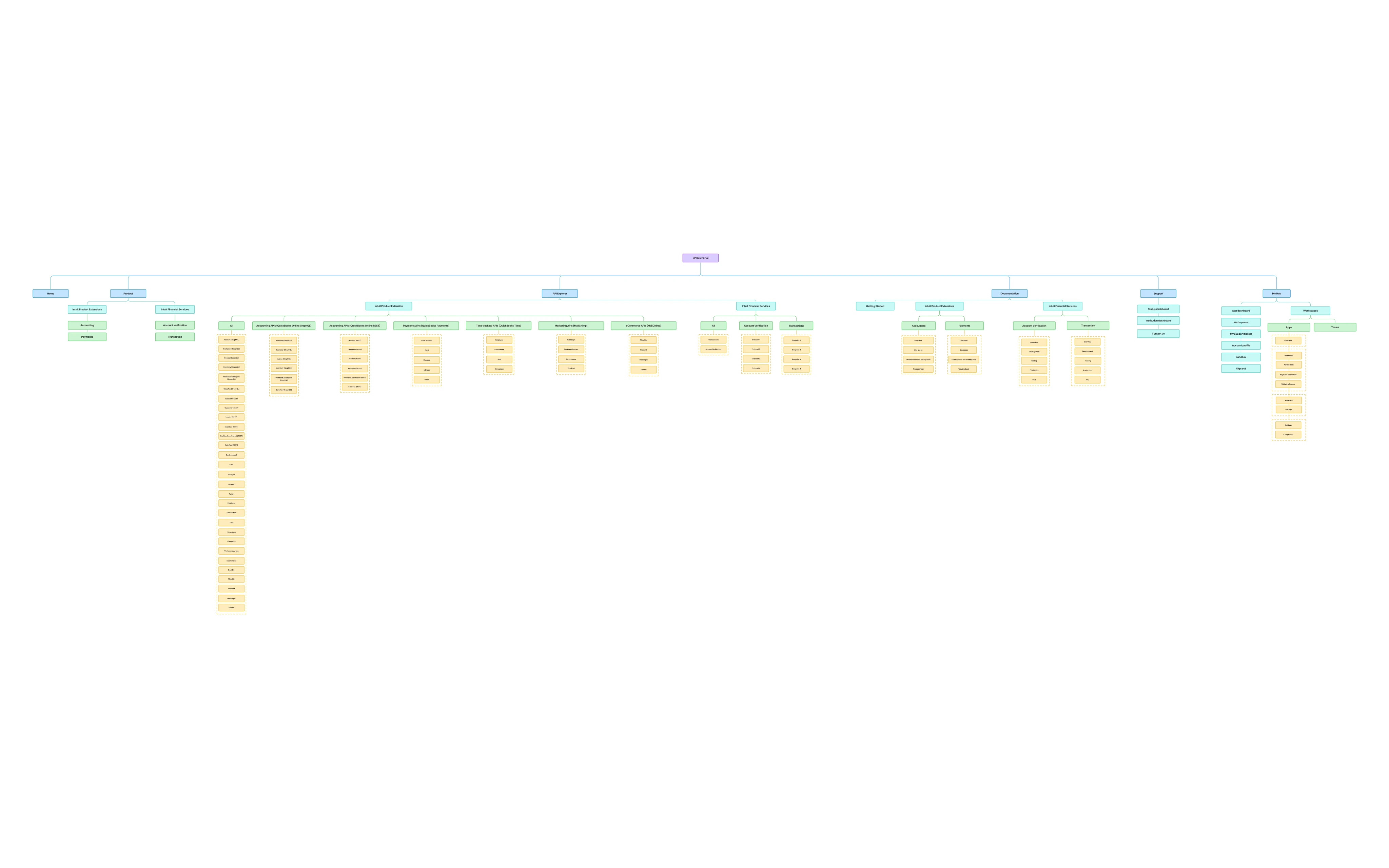
[The hardest disagreement, e.g. product-named vs. task-based navigation, and how the tree test settled it]
The work
Five pieces of one platform
Information architecture
Navigation developers can predict
The old portal only fit QuickBooks APIs. I tested three structures with 70 developers in a tree test, then 29 more in usability studies.
Structure tested
Accuracy
Directness
Avg. time
By domain (chosen)
51%
58%
4:44
By API product
49%
41%
6:33
Existing internal model
27%
42%
7:11
Domain-based navigation was fastest and most direct, so we went with it. At 51%, half of developers still missed, so I kept iterating on labels. In the final usability round, accuracy reached 86–88%.
Go-live
The problem wasn't the form, it was the door
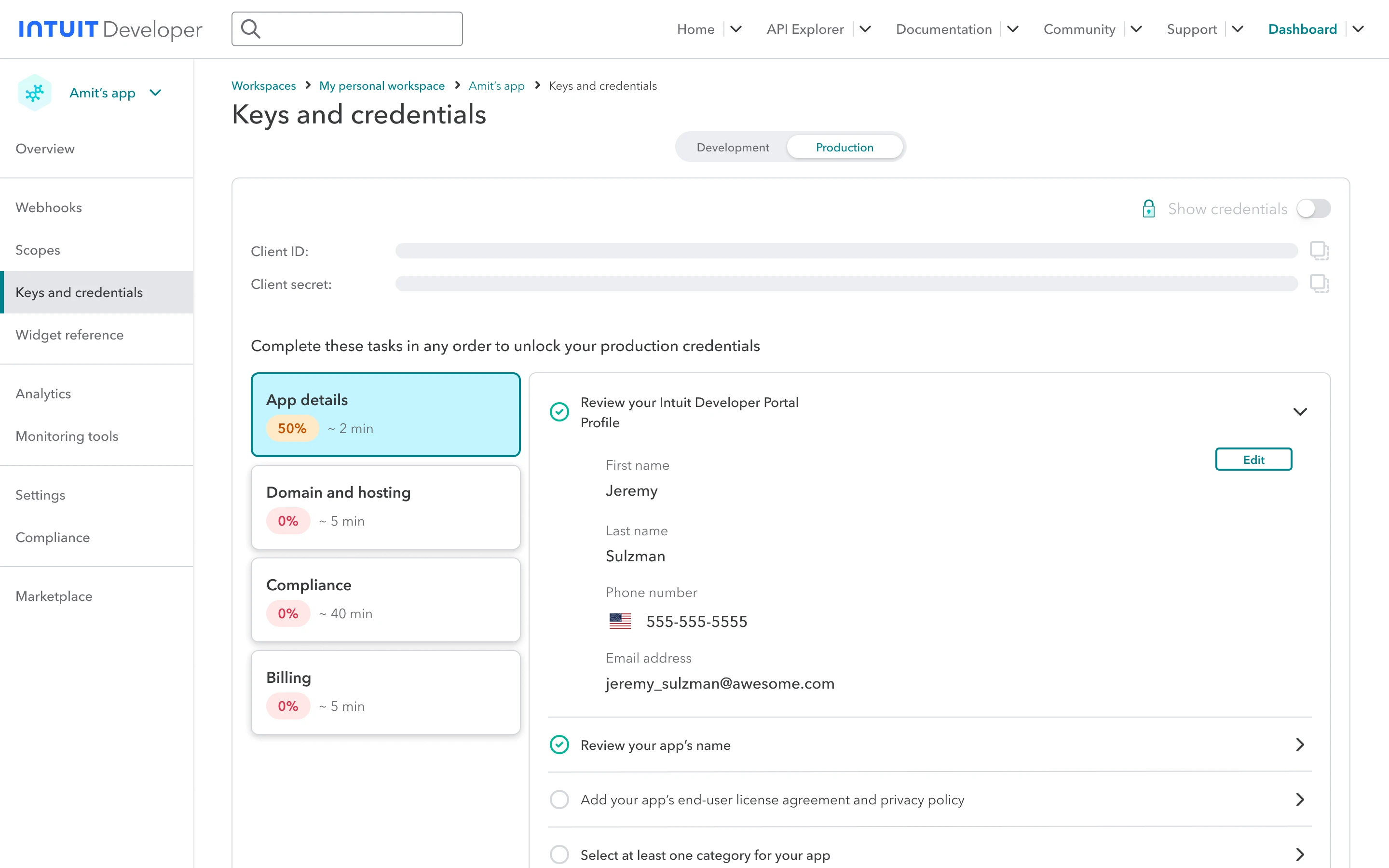
Getting production keys took five steps by email and PDF, across three siloed teams, with up to a week of silence. I turned that wall of questions into a "gate": five short steps (profile, scopes, compliance, billing, hosting), each with progress and a time estimate, plus autosave and inline edits.
Compliance broken into short steps, each with progress and a time estimate.
User testing result
The reality check
41%Task completion7 of 12 developers didn't reach production.
4.3/5Satisfaction"Looks great." "Very clean UI."
Developers liked the form. They just never looked for keys there. So I moved the entry point to where they already were.
A "Get production key" entry on the app overview, where developers already land. Production keys now take 2 hours instead of 7 days, and go-live NPS rose from 40 to 60.
Widgets
Browse and customize 1,000+ widgets
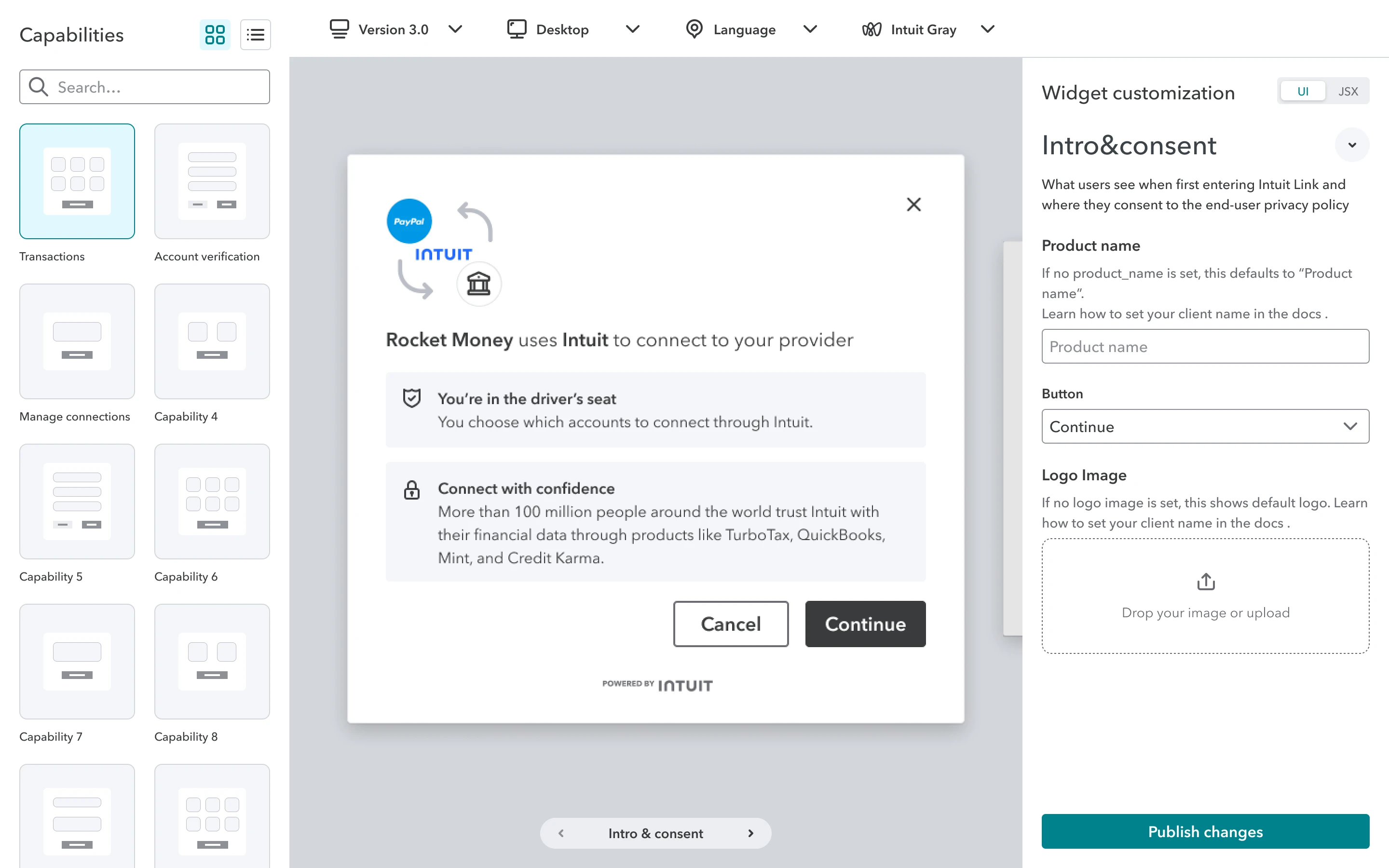
We started with Storybook, then moved away from it: it couldn't show multi-screen flows or real customization. I designed a framework that could. With 12 fintech developers, we learned they expected to edit inside the widget itself. Renaming "capability" to "transaction" raised the success rate for switching products from 16% to 66%.
Analytics
Real-time API health
Partners debugged with delayed Splunk logs. I designed real-time usage, error, and latency views (P50, P75, P99). Research with 14 developers showed error data was split across tabs and easy to miss, so I added one-click selection for each API and clearer hover details on the charts.
Design system
A visual identity and component library
A new look for Intuit Financial Services, with design tokens and a component library. Every team on the platform adopted it as the standard.
What I learned
Two lessons I still use
Usability isn't discoverabilityA form people like still fails if they can't find it.
New ideas need diplomacyIn a large org, a platform shift can look like rebellion. Shared prototypes made it feel like a plan.
A GenAI path from idea to code. +43% development velocity.
To find docs, set up assets and get to working code, Intuit engineers relied on tribal knowledge and had to seek help from others. Over two program generations I designed a self-serve path through all of it: first one step at a time, then end to end with a GenAI guide.
Developer platform · Intuit
My role
Senior, then Staff Product Designer
Users
Intuit engineers
Surface
Intuit Development Portal
Timeline
1.0 Nov 2021 – Sep 2024 · 2.0 Sep 2024 on
+43%Development velocity and self-serve maturityacross the program
2Program generations1.0 one step at a time · 2.0 end to end
5Journey stages mappeddiscover to monitor
01The problem
Engineers relied on tribal knowledge and help from others.
Docs looked different for every capability, API quality was hard to judge, and setting up an asset took manual steps, so engineers asked whoever knew. We measured progress on a five-level self-serve maturity scale, from manual processes to a platform that lets developers focus on their own code.
1Initial
Manual work and heavy support for basic tasks.
2Managed
Standard requests, still some manual steps.
3Defined
Automated provisioning; most needs are self-serve.
4Measured
Self-serve is monitored and improved continuously.
5Optimizing
Developers focus on their own code.
Manual, needs helpAutomated, fully self-serve
02The shift
From asking around to a path anyone can follow.
Ask around
Tribal knowledge
Docs, different for every capability
API quality, hard to judge
Asset setup, manual steps
The self-serve path
Guided
Discover & learn
Set up & configure
Develop & test
Ops & performance
Monitor & optimize
The question changed
From "Who knows how to do this?" to "What do you want to build?"
03The plan
I mapped five stages of a developer's journey, then automated them in two passes.
1.0 made each step predictable on its own. 2.0 connected the steps, with GenAI guiding developers from discovery into development.
Pick a stage to see which tools cover it.
Discover & learn Docs, tutorials and onboarding.
1.0Nov 2021 – Sep 2024Separate tools, one step at a time
Autura documentation: Discover & learn
Doc analyzer & API scorecard: Discover & learn
API Explorer: Discover & learn
Asset creation paved road: Set up & configure
Asset configuration: Set up & configure
2.0Sep 2024 onOne connected path, guided by GenAI
Autura JourneyStart from a goal. Every step shows its status.: Discover & learn to Set up & configure
Solution-based paved pathGenAIDescribe what to build. GenAI plans it and sets up the workspace.: Discover & learn to Develop & test
041.0 · Discover & learn
One doc template and one quality score for every capability.
Autura documentation
Every capability documented the same way.
A landing page and content page template: intro, what's new, demos, getting started and concepts, so developers always know where to look.
Doc analyzer
A score owners can act on.
One documentation quality score built from a checklist, writing quality, working links and customer feedback. Missing required docs are flagged, and scores turn red below 60%, amber below 80%.
API scorecard
Every API's maturity, on its own page.
Each API shows which maturity criteria it meets, from self-serve to reusable across capabilities to ready for external developers, so owners know exactly what to fix next.
052.0 · Autura Journey
Journeys bundle the capabilities a solution needs, with progress you can track.
Discover to set up
"What do you need to work on today?"
Developers start from a journey, like importing tax data from uploaded documents, instead of hunting for each widget and API. Every step shows its status, from not started to done.
062.0 · Solution-based paved path
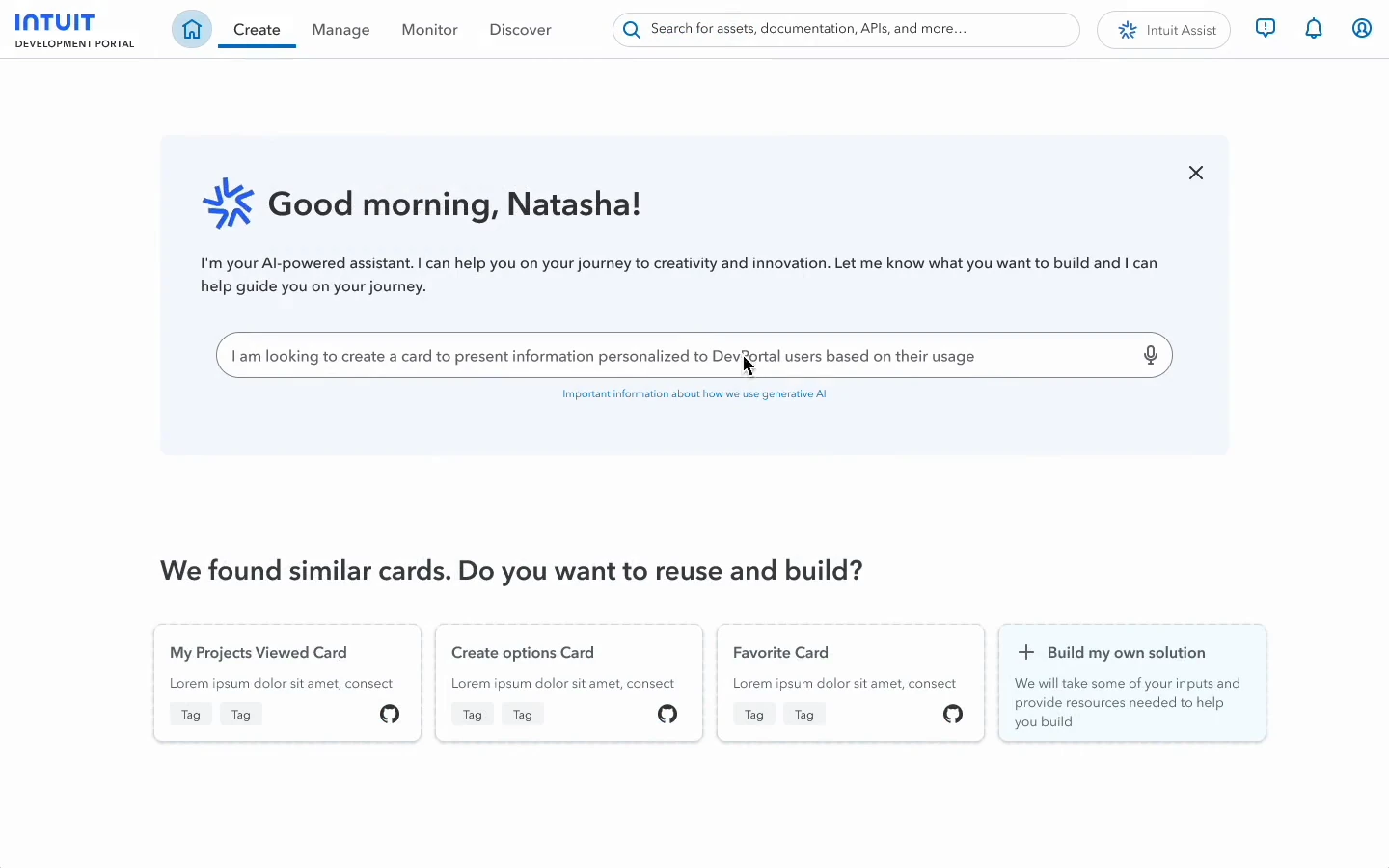
GenAI turns "what I want to build" into a plan and a workspace.
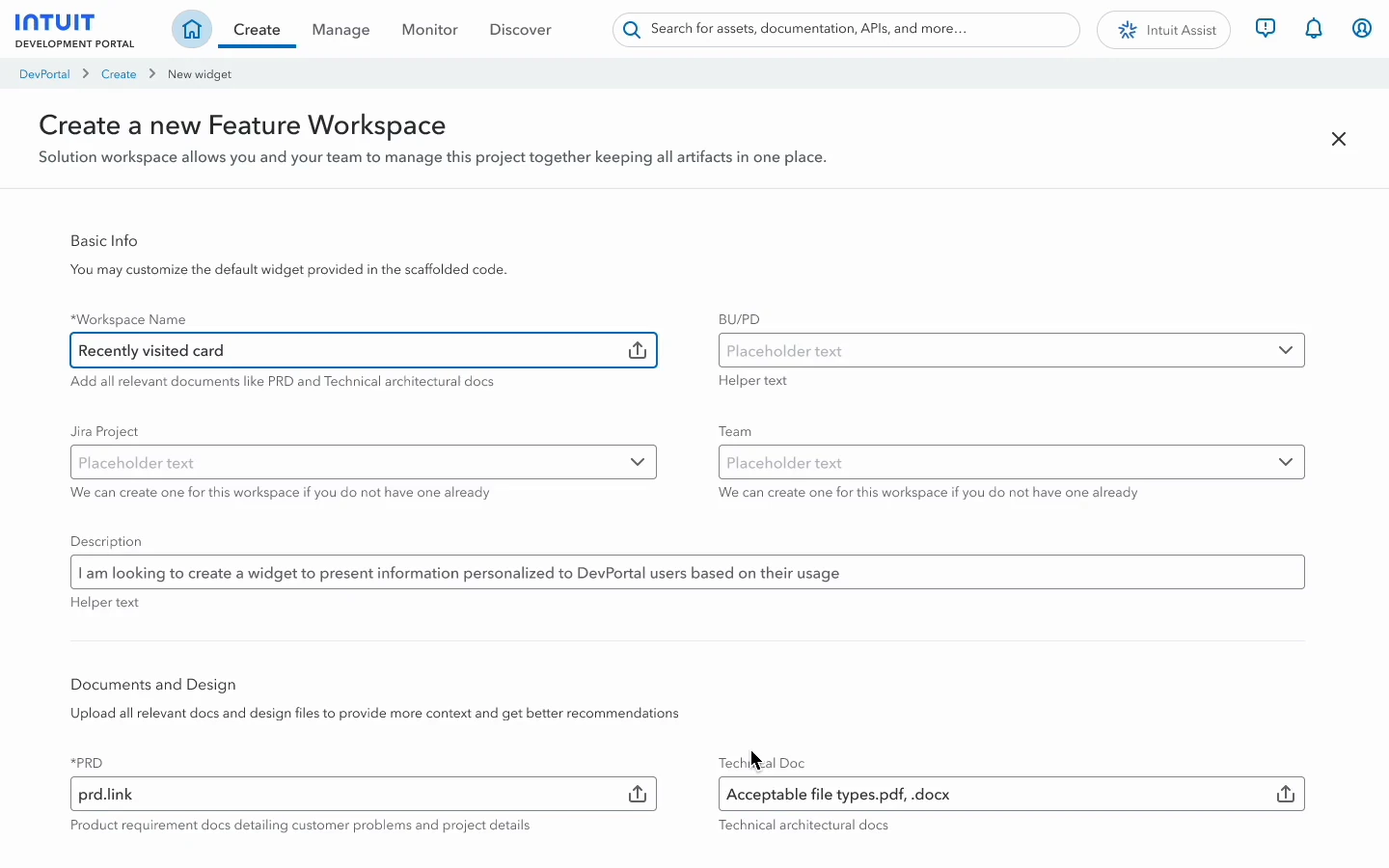
From discovery into development, in five steps. The prototype at the top of this page plays the whole flow.
Say what you want to build.The assistant starts from intent and shows similar solutions to reuse.
Add context.Attach the PRD, tech doc and Figma file.
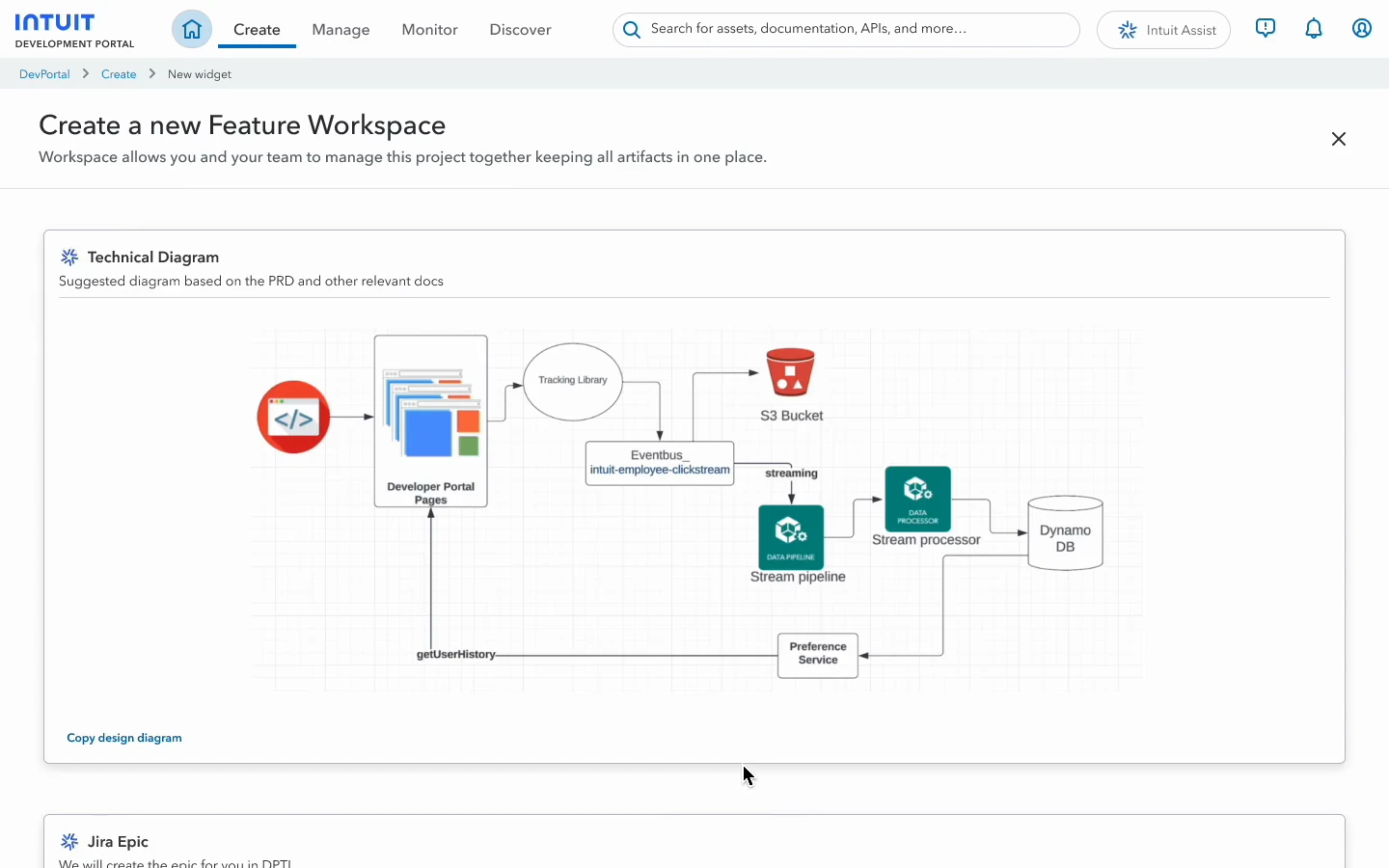
Get a plan.It drafts a technical diagram and creates the Jira epic.
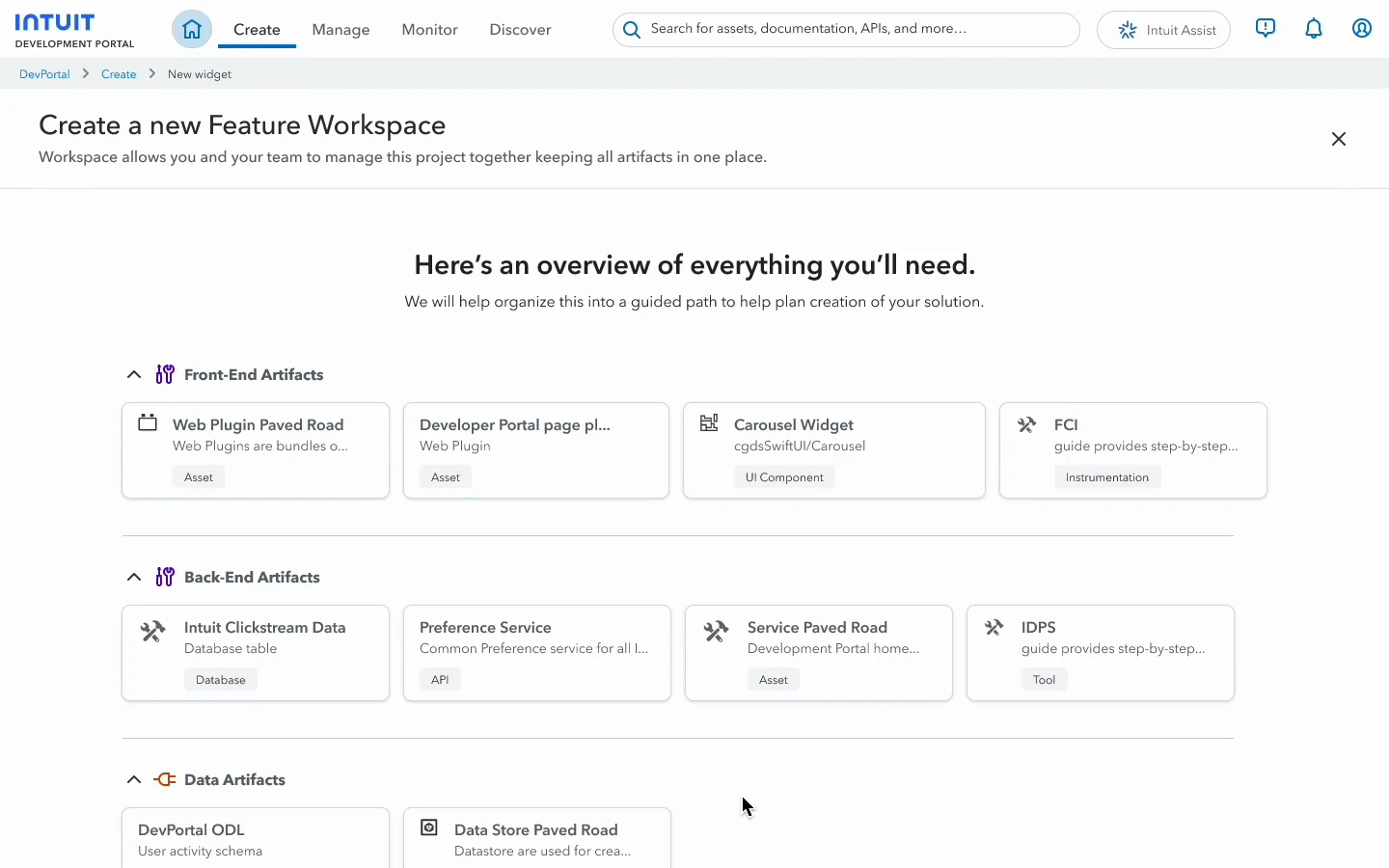
See everything you need.Front-end, back-end and data pieces, each with its paved road.
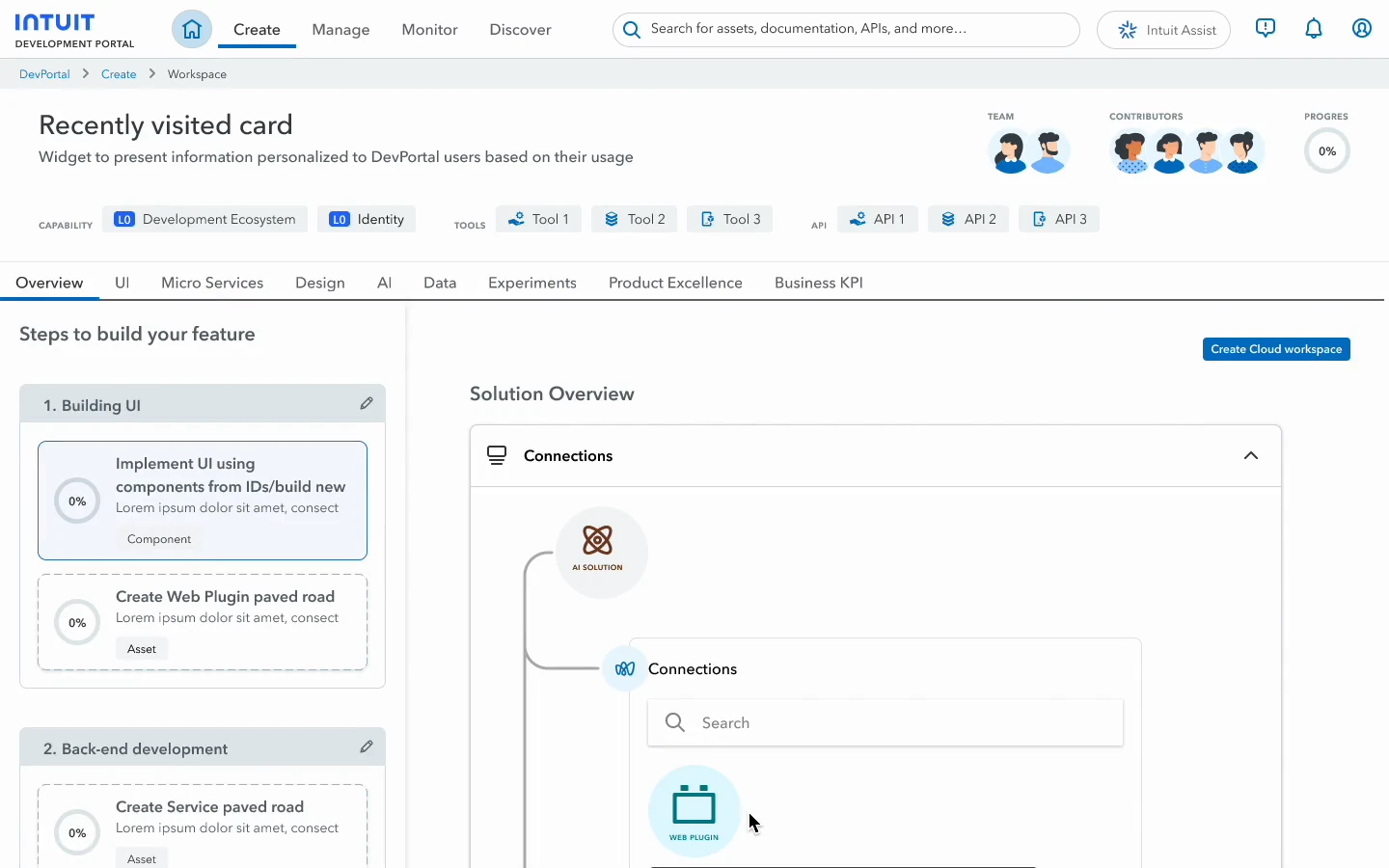
Follow the steps.Workspace, UI components from the Figma file, integrations, then monitoring.
07Impact
Development velocity and self-serve maturity rose 43%.
+43% across the program
Engineers found, set up and shipped more on their own.
A shared quality bar
One doc template and one maturity score gave every team the same target.
From one step to the whole path
The 1.0 building blocks became the steps GenAI could plan with.
08What I learned
Standardize each step before you automate the journey.
GenAI could only plan a path because 1.0 had already made docs, scores and paved roads consistent. An assistant is only as good as the pieces it connects.
One explorer for 1,000+ widgets. Find, preview, customize.
Intuit had hundreds of reusable web widgets, but using one meant tracking down its author. I designed an explorer to publish, find and customize them, for internal (1P) and external (3P) developers.
Inside the IFS platform · chapter 1 of 6
Users
Intuit web developers (1P) and external web developers (3P)
Surfaces
Internal and external developer portals
Research
12 fintech 3P developers, moderated usability
Vision
FY24 self-service API ecosystem
1,000+Widgets in one explorerFY24 vision
83%Copied a widget's configurationusability testing
4×More found another product16% → 66%, one label change
68SUS scorefive new workflows
01The problem
To use a widget, you first had to find its author.
Hundreds of useful web widgets existed across Intuit: flows like connecting a bank account, often spanning several screens. None of them were explorable, so reuse depended on who you knew.
Intuit web developer (1P)
Builds widgets on AppFabric or uses them in plugins and apps. Wants a self-serve way to publish them.
External web developer (3P)
Uses widgets inside their own apps. Wants an easy way to find one and make it match their brand.
What both said
"I want to customize the Add Connection widget, but I can't find or use widgets easily, so I don't feel in control."
02The framework
Storybook couldn't show multi-screen flows, so I designed a framework.
Concept
Browse, set the look once, tune each screen.
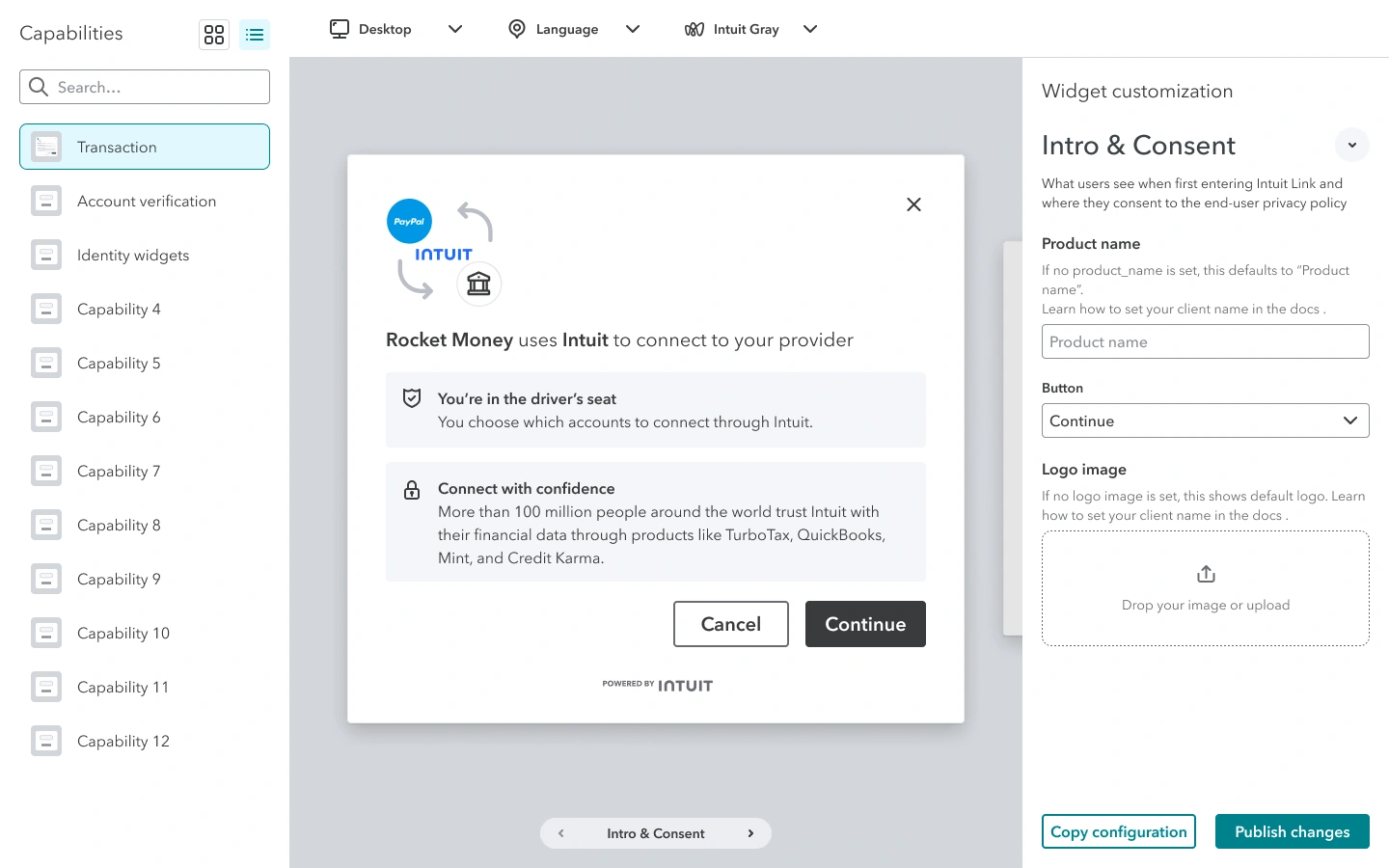
A left panel to browse and switch widgets, a toolbar for global settings like language and theme, and a right panel for each screen. The rule: what you see is what you get, with every change previewed live in the widget.
03Design evolution
I cut the ideal explorer down to an MVP we could ship.
Ideal state
Everything, previewed live.
Customize every screen, check it on desktop and mobile, then copy the configuration straight into your code.
MVP
Cut to what we could preview.
Three issues shaped the MVP: preview screens had to be technically feasible, browsing showed too few widgets, and per-screen customization was too hidden.
3P portal
For external developers, it lives in the app.
Outside Intuit, you customize a widget after creating an app, right in the app dashboard. Two widgets were available at launch.
Phase II
One theme, applied to every widget.
Global or per-screen styling with drill-down sections, plus customization of the bank selection screen.
04Testing
Testing showed people expected to edit inside the widget.
Study12 fintech 3P developers30-minute moderated sessions3 daysSUS 68 across 5 new workflows
Customize a widgetThe task that mattered most33%
Copy the configuration83%
Preview on other devices83%
Switch to another product"Capability" label, then "Transaction"66%from 16%
What we sawSuggested direction
01
Sequential screens weren't obvious.
Most read the preview as static, and many never found the bank selection screen.
→
Show the flow.
A screen stepper on the preview, from Intro and consent to Success, with back and next.
02
It wasn't clear what changed.
The bank list or the screen title? People couldn't tell.
→
Name controls after what they change.
Header text, body text, primary button, with Global and Per screen kept apart.
03
People wanted to edit in place.
They expected to customize by editing the widget itself.
→
Make the preview the editor.
Select a part of the widget to edit it, with the panel as a backup.
04
"Capability" meant nothing to developers.
Only 16% found and switched to another product.
→
Use the product's name.
"Transaction" instead of "Capability". Tested with half the participants: 66%.
05One small fix
One label change took discovery from 16% to 66%.
Old vs. new
From "capability" to "transaction."
Developers expected a clear way to switch products. Naming each product, starting with Transaction, made other products easy to find and switch to.
Capability→Transaction
Found another product: 16% → 66%
06Impact
One explorer now serves internal and external developers.
Bridged 1P and 3P
The same explorer and customization model in both portals.
Built to scale
A framework that works for any capability, not one widget at a time.
Self-serve reuse
Find, preview and configure a widget without contacting its author.
Before any app went live, Intuit reviewed it against security, privacy and sanctions policies, through PDFs, email threads and about a week of waiting. I redesigned go-live as one self-serve flow inside the developer portal.
Inside the IFS platform · chapter 2 of 6
Users
External (3P) developers taking an app to production
Surface
App dashboard in the 3P developer portal
Research
12 fintech 3P developers, moderated usability
Partners
Legal, compliance, product and engineering
2 hrsTo get production keysdown from 7 days
+20NPS for the go-live flow40 → 60
$25MIn contracts4 US financial institutions
01The deep dive
Launch was where developers dropped off, so that's where I went deepest.
Across the developer journey, the step that stopped people wasn't code. It was getting production keys, because every app first had to pass security, privacy and sanctions checks.
01DiscoverUnified API catalog
02Learn & evaluateInteractive docs and auth guides
03Develop & testSandbox with mock financial data
04LaunchProduction keys and complianceDrop-off point
05Monitor & optimizeLogs, latency and error metrics
02The compliance wall
Going live took 5 email steps, 3 review teams and a week of silence.
The developer acted twice. Everything else happened out of sight, and one rejection sent them back to the start.
Developer01Emails to startAn intake email
Intuit support02Sends PDFs back4+ PDF forms
Developer03Fills in and emails backCompleted forms
Security · Privacy · Legal04Review in silenceNo status for about a week
Intuit support05Rejects by emailThe cycle starts again
03The challenge
Developers were anxious that one paperwork mistake could stall their launch.
I am
A fintech developer, under pressure to ship.
I'm trying to
Get my production credentials, so my app can go live.
But
I'm stuck at a compliance wall: offline PDFs, long email threads, and a portal that never shows my status.
Because
The legal review is a black box, disconnected from where I actually work.
Which makes me feel
Anxious that one paperwork mistake will stall my launch indefinitely.
04The approach
How might we turn a legal review into a self-serve, transparent product?
I set three principles for the team, so every decision in the go-live flow could be checked against them.
01
Always show status.
A developer should never have to guess where things stand: progress and a time estimate on every step.
02
Keep every step in the same context.
No offline PDFs or email threads, even for the legal steps. Forms, billing and documents all live in the portal.
03
Ask once.
Company details once, app details per app, so nothing is typed twice.
05Principle 1 · Always show status
A gate you can see through: "Unlock your credentials."
The gate
Short steps, not one wall of questions.
Compliance became a few short task groups: profile and hosting, scopes, compliance and billing, so developers never face one long form.
The gate
Compliance broken into short task groups instead of one wall of questions.
The locked state
Production keys visible from day one, locked, so there's a clear goal to work toward.
The time estimate
Every task shows how long it takes, and each group shows the time left.
06Principle 2 · Same context
Every step in one place, finished in any order.
Any-order flow
Steps on the left, the form on the right.
Insurance questions, like $1M general liability or $5M cyber coverage, often need someone else in the company, so the order can't be forced.
The safety net
Autosave and smart defaults.
Every field saves as you go, and fields are prefilled from sandbox activity, so developers confirm instead of retyping.
07Principle 3 · Ask once
Billing, review and documents in one flow, and a second app reuses it all.
The final gate
Pick a plan without leaving the page.
Pay-as-you-go with a 60-day trial, or a custom plan, as the last step of the same flow.
The receipt
Know exactly what's under review.
After submitting, a read-only summary shows everything that was sent, and when to expect a reply.
The grace period
Paperwork doesn't block launch.
Keys arrive during the trial. Insurance certificates upload into the portal later, with the deadline always on screen.
The returning user
A second app starts half done.
Company details carry over, so developers only add what's new.
08Reality check
Testers liked it, but 7 of 12 still couldn't go live.
4.3/5SatisfactionLooks great. Very clean UI.
What worked
A clear progress bar
Logical tabs
No confusion inside the form
42%Task completionOnly 5 of 12 reached production keys.
What failed
Keys & credentials was buried
It sat outside the main path
Developers read it as settings
The form worked. Nobody could find it.
09The fix
I put "Get production key" where developers already land.
Dashboard tile
The way to production, first thing you see.
The tile sits on the app overview, where developers land every day.
App card shortcut
Go live from the app list.
Developers managing several apps can start without opening each one.
10Impact
Go-live went from 7 days to 2 hours, and NPS rose 20 points.
2 hours to production keys
Down from about a week of reviews, emails and waiting.
+20 NPS for go-live
From 40 to 60, as the legal steps became a product experience.
$25M in contracts
With 4 US financial institutions on the platform.
11What I learned
Usability isn't discoverability. Design the path, not just the destination.
A flawless go-live flow means nothing if no one finds it. The biggest win came from the entrance, not the form. And in infrastructure products, trust signals are the experience: don't hide complexity, explain it.
Live API analytics for partners. Debug in real time.
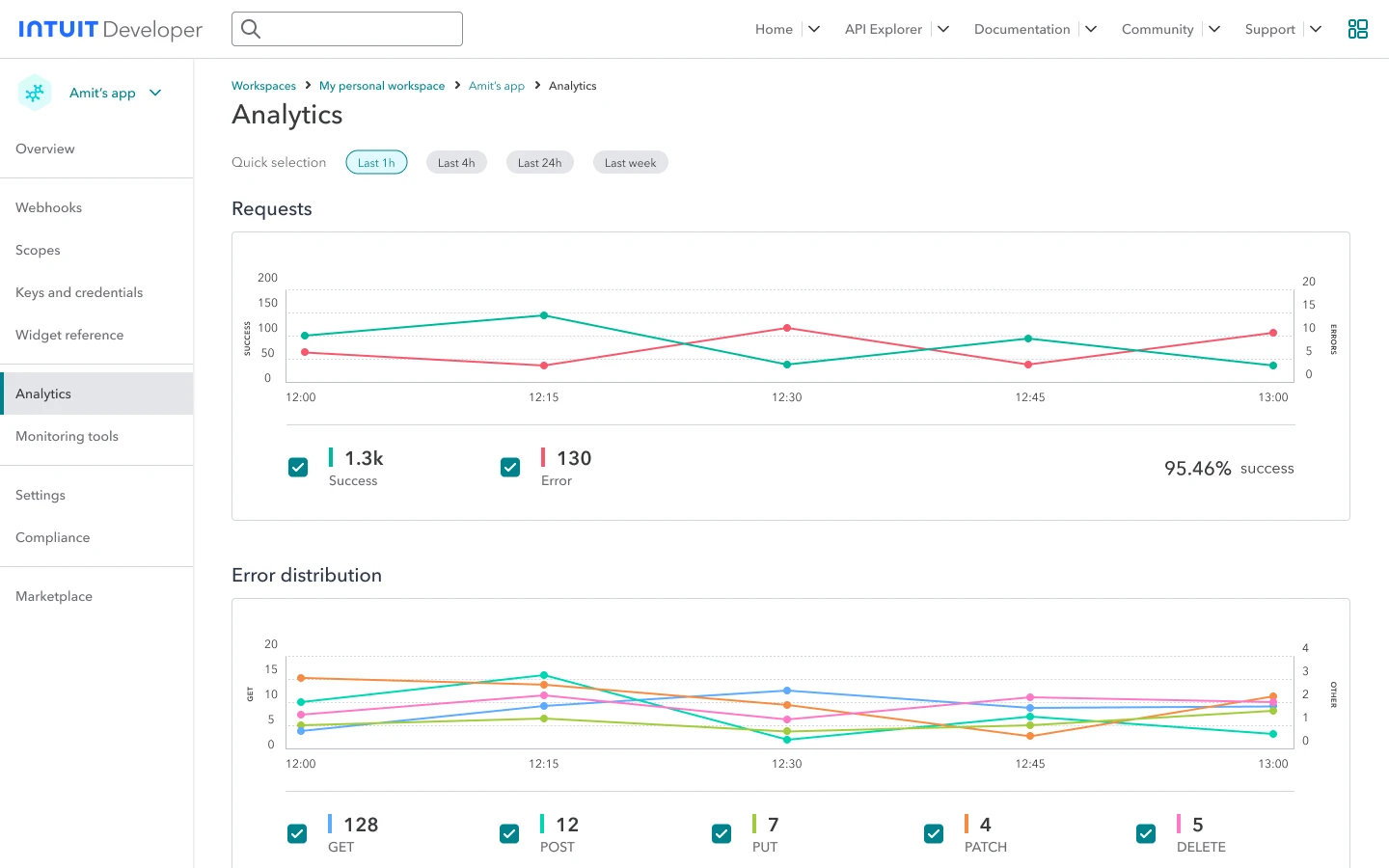
Developers building on Intuit's financial APIs waited minutes for usage charts and logs, so they couldn't troubleshoot their own integrations. I designed an analytics page that answers three questions at a glance: is it working, what's failing, and is it fast.
Inside the IFS platform · chapter 3 of 6
Users
Third-party developers and product managers
APIs
Account verification and transactions
Research
14 participants, moderated usability
Launch
IDX beta, FY23
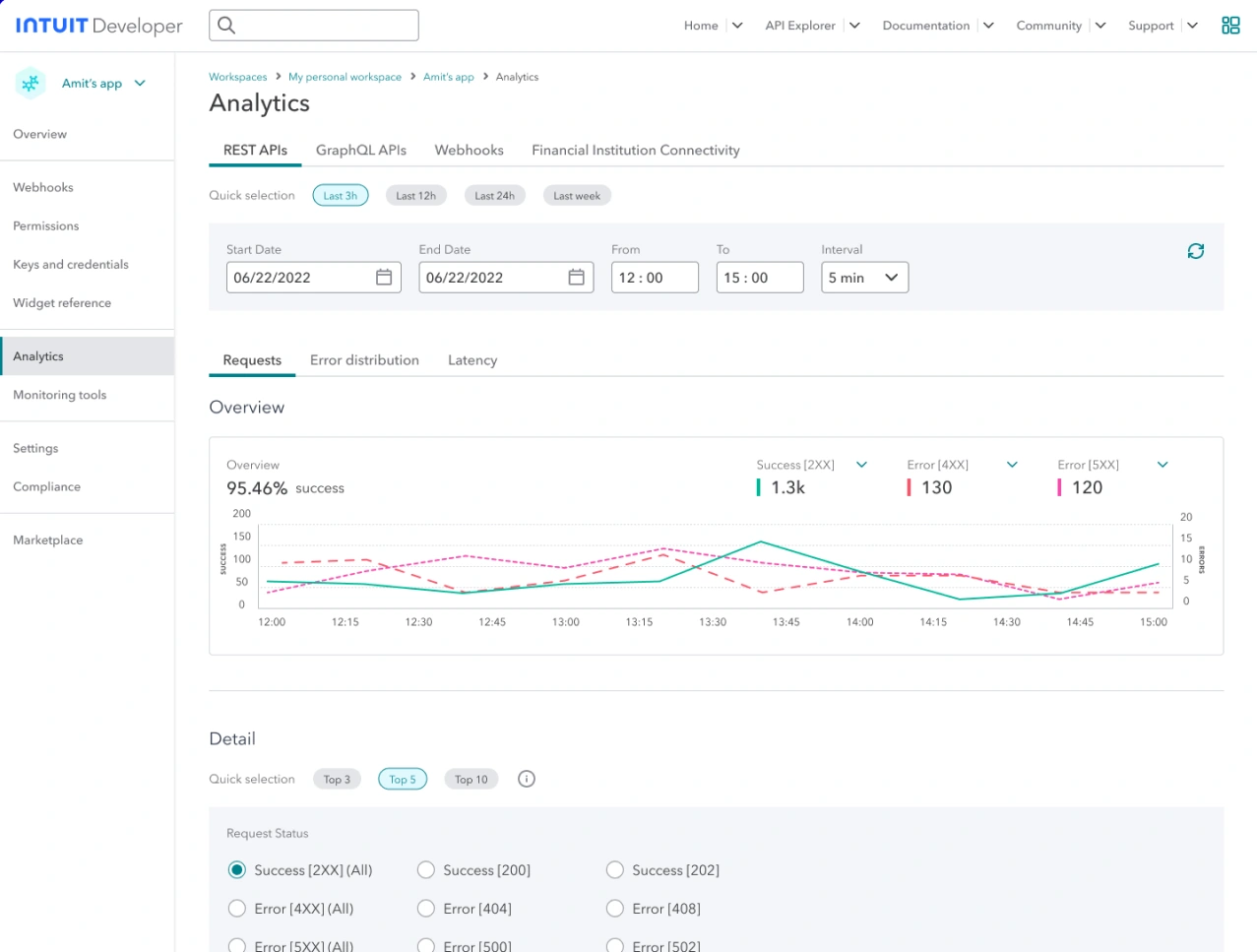
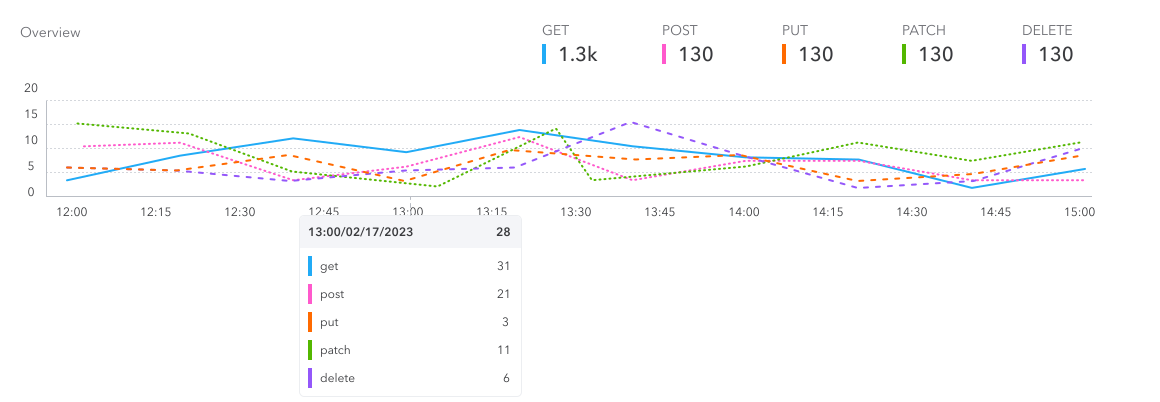
01RequestsIs it working?
Successful (2XX) and failed (4XX, 5XX) requests for any window up to a week.
02ErrorsWhat's failing?
Errors broken down by status code and HTTP method, with logs you can filter.
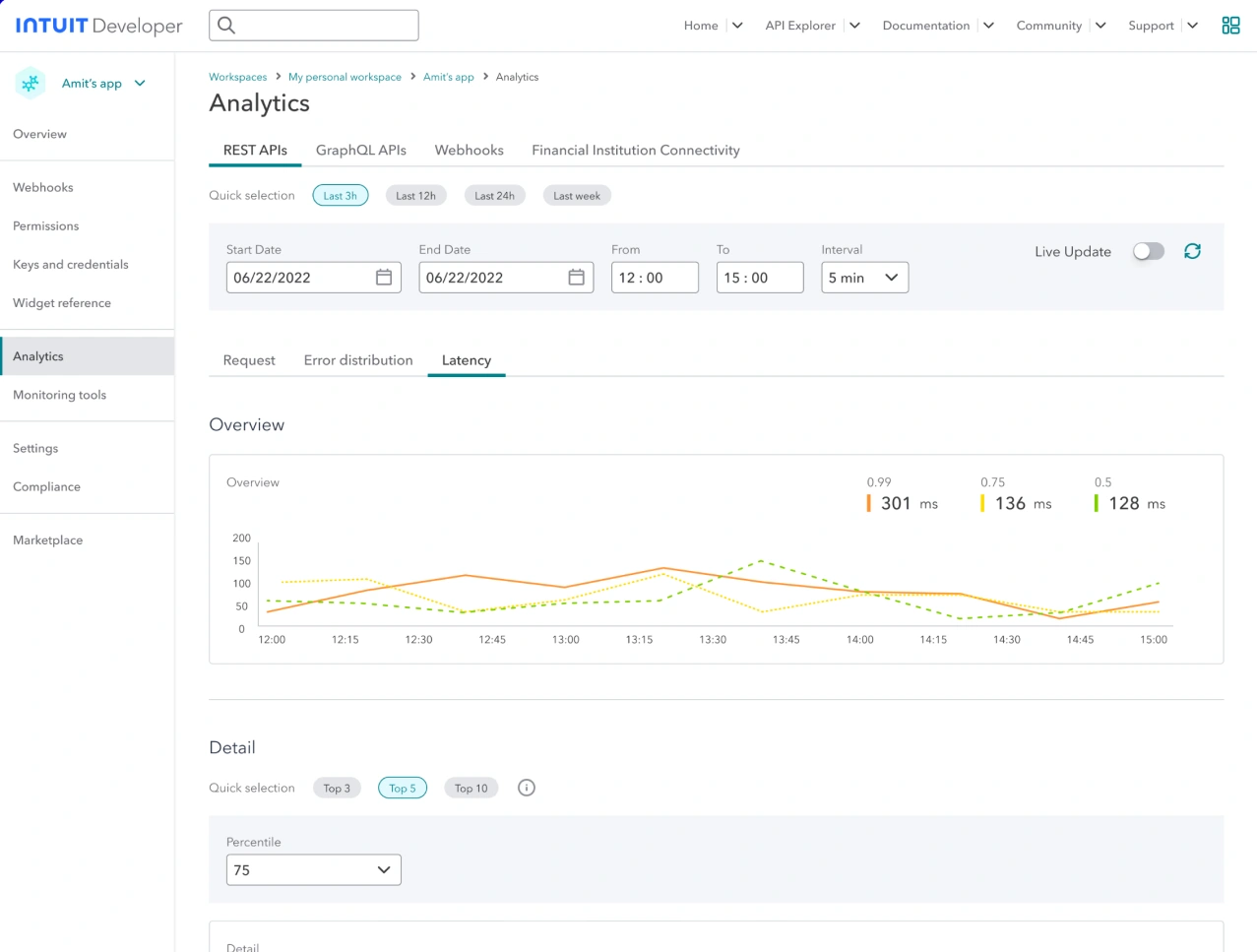
03LatencyIs it fast?
Response time trends at P50, P75 and P99.
01The problem
Usage data arrived minutes late, so partners couldn't debug.
Partners building on the Account Verification and Transactions APIs needed requests, failures and logs while troubleshooting. Charts relied on slow Splunk logs, so they always lagged.
Proposed design
Requests, errors and latency in one page.
Preset windows of 1 hour, 4 hours, 1 day and 1 week, charts that rescale to the range, logs filtered by HTTP method, and a way to send feedback from the page.
02Testing
The data was there, but people couldn't read it.
Study14 participantsFirst impressions of the API chartsFinding webhook analytics
9 of 14Not supported
Couldn't monitor error distribution and latency.
5 of 14Slowed down
Got there, but only after hunting for the right chart.
Five findings, from the research readout
Errors were split across two tabs.To count POST errors, people reached for the error filters on the Requests tab A and overlooked the Error distribution tab B.
BA
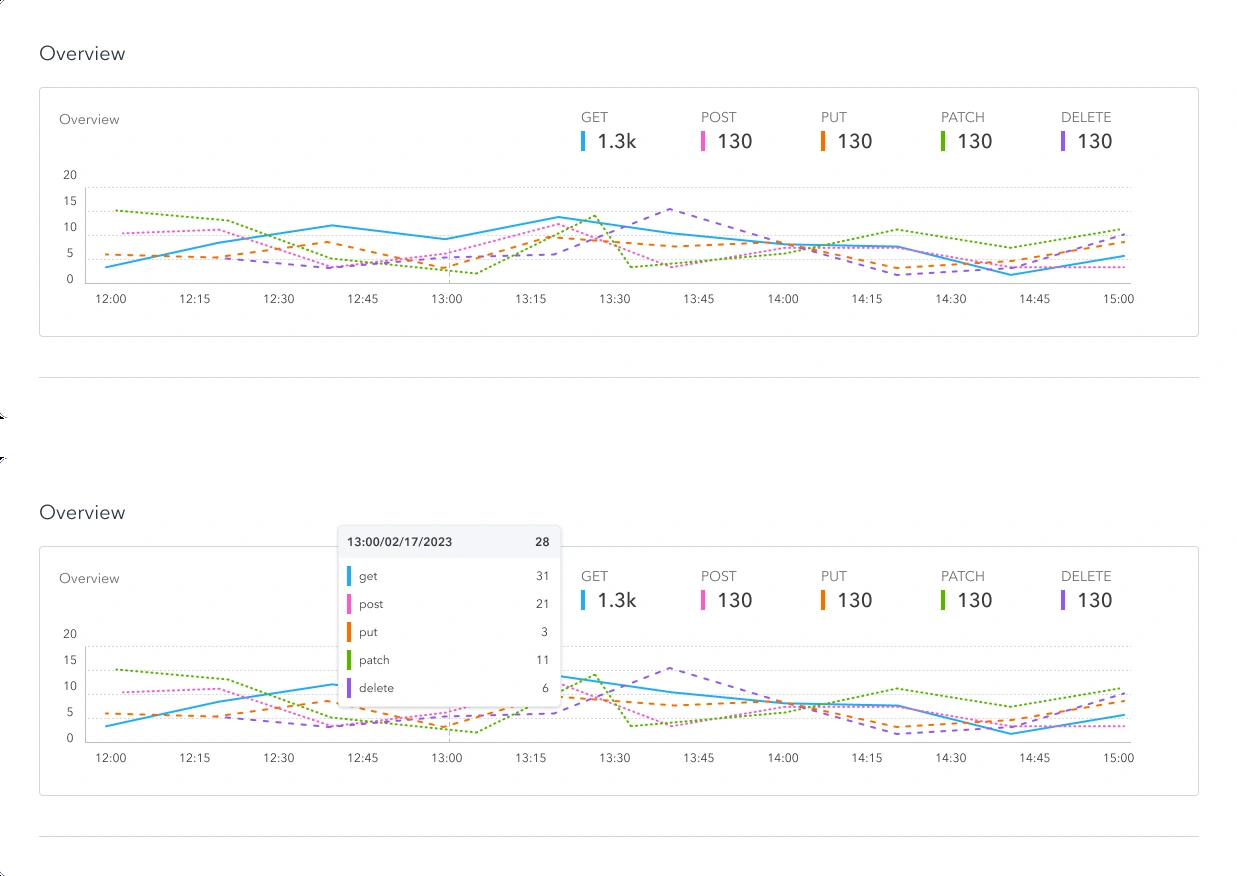
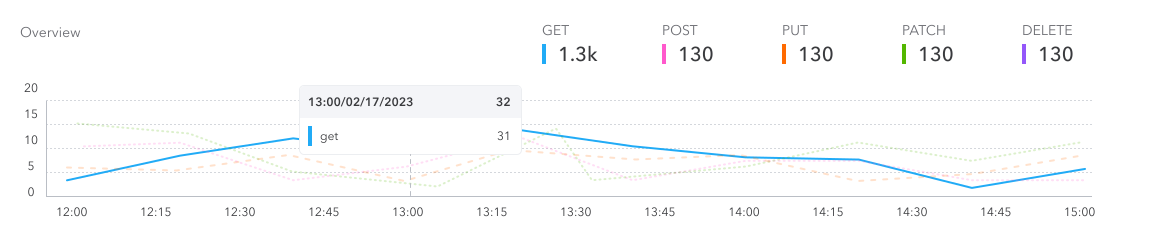
Per-method data hid behind hover.Nothing hinted that hovering a time shows each method's count, and the totals A had no description, so people misread them.
A
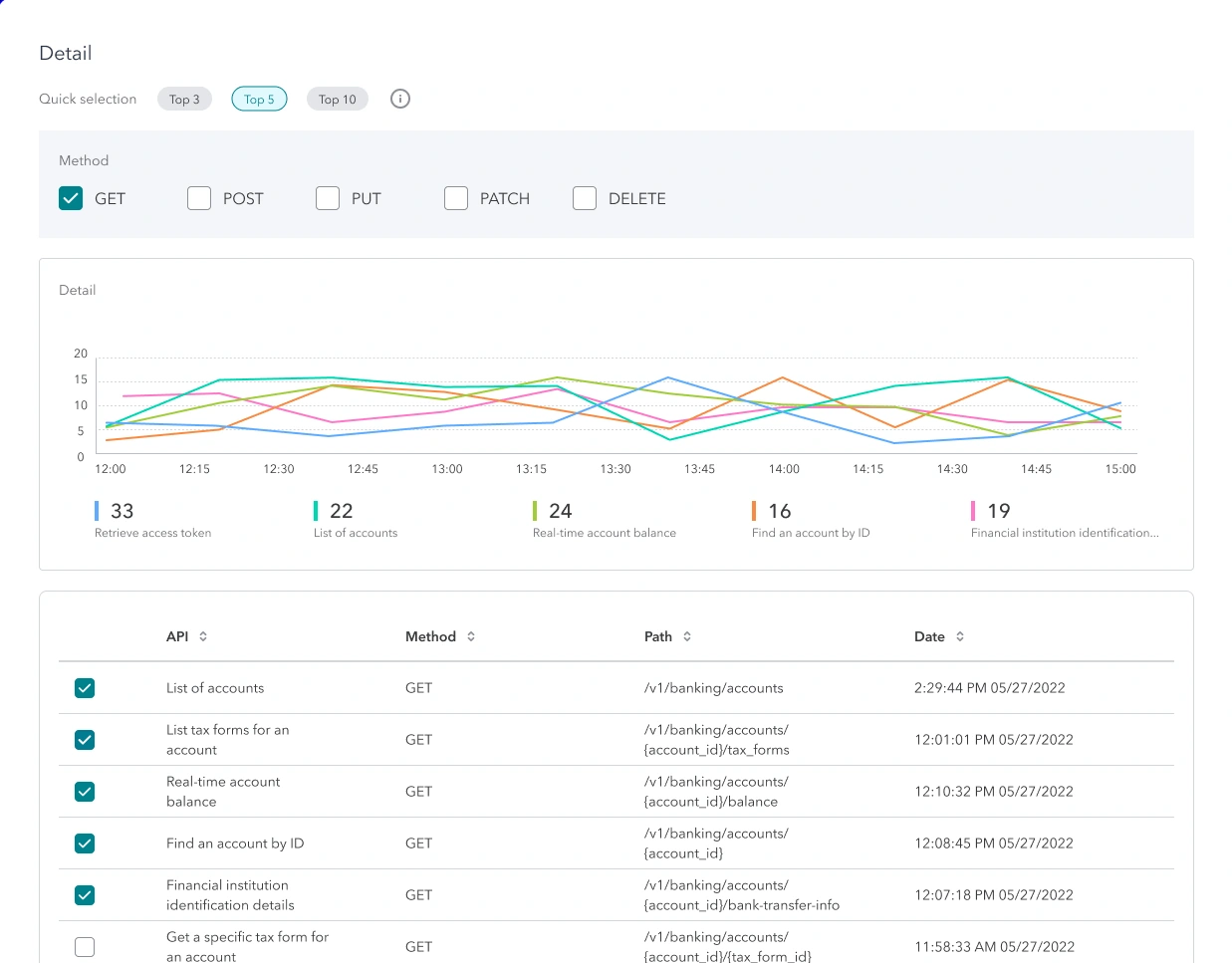
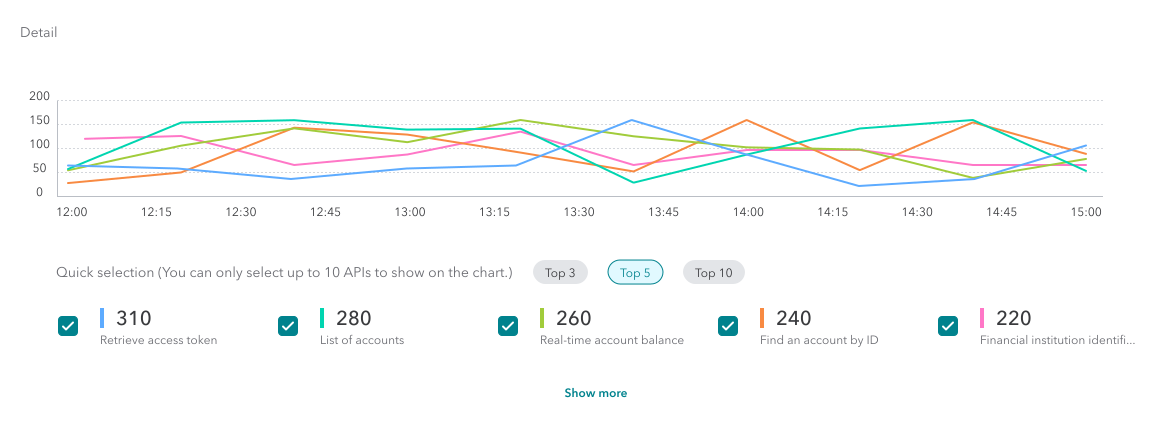
Filtering meant unchecking rows.To chart one API, people had to uncheck every other row A. There were no filter controls and no tooltips to explain it.
A
The Latency tab was easy to miss.It sat mid-page A, under the API type tabs B, so it never stood out.
AB
The overview hid the detail.The Latency overview A looked complete, so few people scrolled to the Detail chart below the fold.
AThe fold
03Design updates
Quick selection and clear hover states made the data findable.
FindingDesign change
Errors were split across two tabs→Requests, errors and latency on one view
Per-method data hid behind hover→A highlighted time with each method's count in place
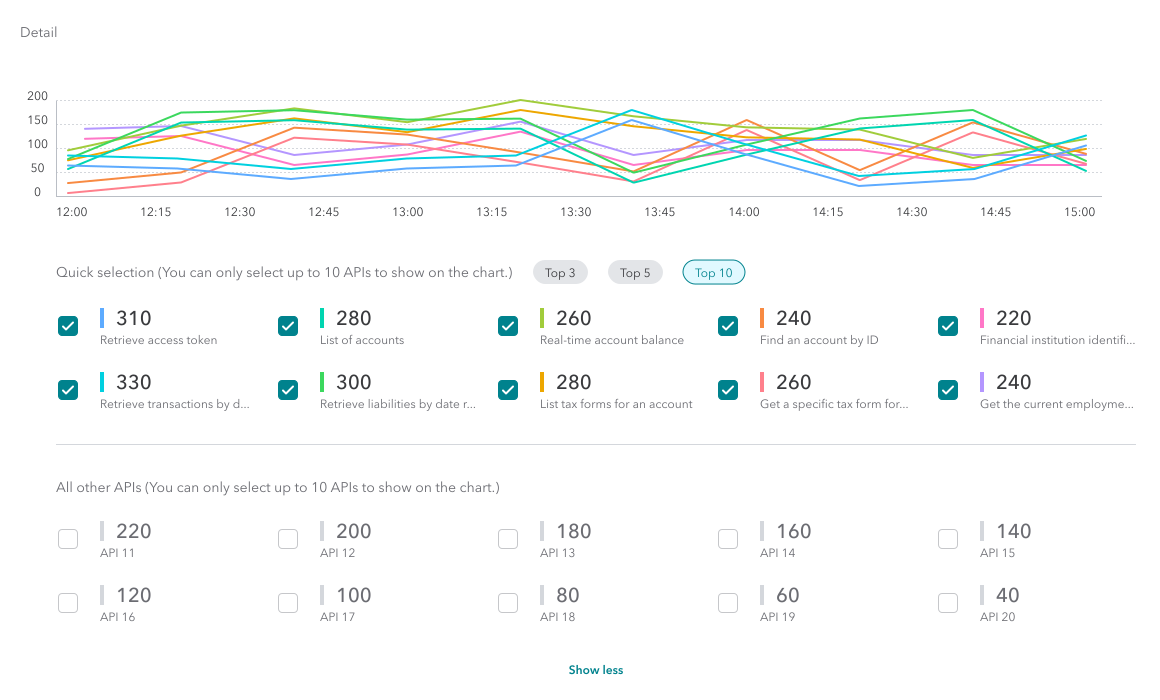
Filtering meant unchecking rows→Quick selection of the top 3, 5 or 10 APIs
Latency was easy to miss, and the overview hid the detail→P50, P75 and P99 latency visible at a glance
MVP
Simpler metrics, better affordance.
Requests and errors on one view, quick time presets, and a highlighted time when you hover for detail.
Ideal state
Pick the APIs that matter, in one click.
Quick selection of the top 5 or top 10 APIs, instead of unchecking rows in a table.
04Chart system
One chart system, so every view reads the same way.
I specced the analytics charts as a small system: color with clear rules, and the same interactions on every chart.
Color
Every hue has one job.
Status Semantic
Teal for success. Red and magenta for errors.
200#00B797
202#00B3C2
4XX#F7576C
5XX#F54BAC
Method Categorical
Each method keeps its hue on every chart.
GET#5DABFF
POST#00D5B0
PUT#A1CC3B
PATCH#F88A42
DELETE#FF77C7
Latency Sequential
Warmer as responses get slower.
P50#7FD000
P75#FFDC00
P99#FF9331
APIs Extended
Ten distinct hues, so a Top 10 never repeats.
API 1#5DABFF
API 2#00D0E0
API 3#00D5B0
API 4#3BD85E
API 5#A1CC3B
API 6#D99001
API 7#F88A42
API 8#FF808C
API 9#FF77C7
API 10#B496FF
Interaction
The same behaviors on every chart.
05Impact
Partners can see their API health while they debug.
Near-real-time visibility
Requests, failures and latency for each API, up to a week back.
Errors and latency in one place
No more hunting across tabs to explain a spike.
Built for the IDX beta
Version 1 targeted the FY23 external launch of Intuit's financial APIs.
One developer journey, three orgs. It shaped the FY24 roadmap.
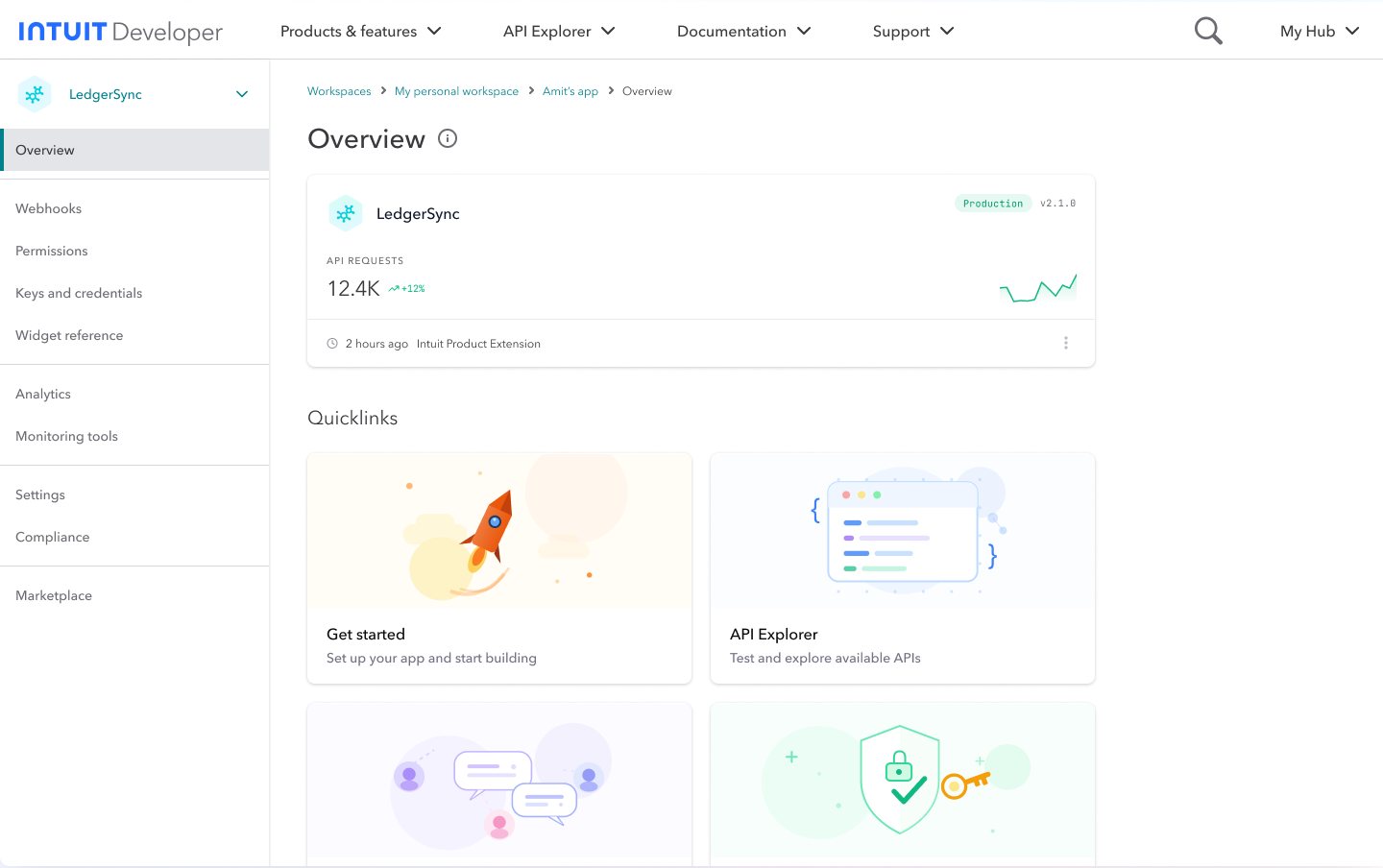
Intuit's developer experience mirrored its org chart, so every team built its own piece. I ran workshops across three orgs to map the external developer's journey end to end, then prototyped the ideal state, and that prototype shaped the FY24 roadmap.
Inside the IFS platform · chapter 4 of 6
Orgs
Three, across design, product and architecture
Method
North Star workshops, participatory design
Persona
A 3P developer at a consumer fintech
Output
A five-phase journey and a clickable FY24 vision
3Orgs aligned on one journeydesign, PM and architecture
5Phases, one shared languagediscover to post launch
FY24Roadmap shaped by the prototypestakeholder buy-in
01The problem
The developer experience mirrored our org chart.
Product APIs, service APIs and platform infrastructure each had their own tools, docs and roadmap. Every team asked "What can we build?", and developers got fragmented toolsets and isolated repos.
Before
The feature list
Product APIsOwn toolsOwn docsOwn roadmap
Service APIsOwn toolsOwn docsOwn roadmap
Platform infraOwn toolsOwn docsOwn roadmap
What can we build?Fragmented toolsets and isolated repos.
What must the developer experience?One platform mindset.
02Alignment
North Star workshops turned three roadmaps into one direction.
I hosted design workshops with designers, PMs and architects from three orgs. Mapping the journey together showed each team where its work sat in a developer's day, and gave everyone one person to design for.
Persona
Amit, a developer at a consumer fintech.
He wants his web app to let users connect their banks and fetch transactions. We also agreed on shared terms: workspace, 3P app, widget, sandbox, credentials and production.
03The journey
One five-phase journey became the shared language for every team.
Pick a phase to see its prototype.01 / 05
Phase 1 · Discover
Unified API catalog
Browse API endpoints
See what each capability does
Explore integrations
Marketing siteDev portalEmail
Phase 2 · Learn & evaluate
Interactive docs and auth guides
Step-by-step tutorials
Authentication flows
Code examples
DocsDev portalGitHub
Phase 3 · Develop & test
Sandbox with mock financial data
A test environment
Mock responses
Debug tools
IDECLIDashboardSlack
Phase 4 · Launch
Production keys and compliance
Production credentials
Security review
Compliance checks
Dev portalMarketplaceEmail
Phase 5 · Post launch
Logs, latency and error metrics
Real-time monitoring
Performance tracking
Error alerts
DashboardMarketplaceSupport portal
04Impact
A clickable vision that won leadership buy-in.
Buy-in across three orgs
The ideal-state prototype gave leaders something concrete to agree on.
Shaped the FY24 roadmap
The vision set the strategic direction for the next year.
A platform mindset
Teams built against one journey, cutting design and communication cost.
05What I learned
Influence starts with a shared map.
Three orgs didn't need another proposal. They needed to see the same developer, moving through the same five phases, before they could agree on what to build.
A new IA for the 3P developer portal · Intuit, FY23
Task-based navigation for the portal. Discovery 27% → 51%.
The external portal was organized by Intuit's products and teams, and it couldn't fit the new financial services APIs. I led a new information architecture, tree-tested three structures with 70 developers, and shipped navigation organized by what developers want to do.
Inside the IFS platform · chapter 5 of 6
Users
External (3P) developers
Scope
Top nav, mega menu and left nav for API Explorer and docs
Research
Tree test (70), interviews (12), usability (29)
Tools
Optimal Workshop, UserTesting
27% → 51%Discovery success in tree testingtask-based IA vs. CityMap IA
−34%Time to complete a task7:11 → 4:44 per task
70Developers in the tree testplus 12 interviews, 29 usability testers
01The problem
The portal was organized like our org chart, not the developer's goals.
Navigation mirrored our org chart
Developers had to learn Intuit's corporate structure to find an API.
Built for QuickBooks only
The IA couldn't take in the new City Map financial services without breaking.
Every API worked differently
With no shared language, moving between APIs felt like switching operating systems.
02The hypothesis
Developers will find things faster by task than by product.
Brand, visual language & components · Intuit, FY23
A design system for two portals. One look, one set of tokens.
Intuit was opening its financial APIs to outside developers, but both developer portals still wore the classic corporate blue. I set the visual direction for the external (3P) and internal (1P) portals: a new primary color, an illustration system, and tokens that let one component library theme both.
Inside the IFS platform · chapter 6 of 6
My role
Design lead, developer platform
Surfaces
External (3P) and internal (1P) developer portals
Foundation
Intuit Design System (IDS) 2.0
Started
FY23, with the City Map externalization
01EstablishBrand
Agave-80 as the primary color, and the case for it.
02ConstructVisual language
Principles, color roles, illustration and icons.
03BuildComponent library
Tokens and Figma libraries for the 1P and 3P portals.
01The problem
The portal felt legacy, not like modern fintech infrastructure.
Intuit's engineering had moved fast, but its developer look stayed anchored to the classic blue. That gap started to matter in FY23, when we opened internal City Map capabilities to external developers.
External (3P) portal, beforeA QuickBooks-blue banner and generic cards.
Internal (1P) portal, beforeSame blue, different patterns, no shared system.
02The benchmark
Stripe, Plaid, Shopify and Square each look unmistakably like themselves.
From color, type and interaction patterns to illustration, each has a point of view its developers recognize. To compete, Intuit's developer platform needed one too.
03Visual direction
Approachable but highly functional, expressed in Agave-80, not corporate blue.
1The personality
TechnicalApproachable
FunctionalHuman
FamiliarTrendsetting
01Beautiful and simple
Light, uncluttered pages that put key information first.
02Purposeful flexibility
The right tools for the right people at the right time.
03Seamless guidance
Clear, concise steps through complex tasks.
2The colorEvery Intuit brand owns a color.TurboTax, Credit Karma, QuickBooks and Mailchimp each stand apart while staying unmistakably Intuit. The developer platform needed the same.
Standard corporate blueIDS blue#0077C5
→
Primary colorAgave-80#00828D
01Fresh and modern
Feels digital-native, apart from legacy banking.
02Growth and prosperity
The green hue signals money and financial data.
03Unmistakably Intuit
Drawn straight from IDS 2.0, so it keeps the parent brand's trust.
3Color roles
agave-10Background#E1F9FF
agave-20On click#C2F5FF
agave-80Primary#00828D
agave-90Focus#006771
agave-100Active#005056
gray-100Primary text#393A3D
gray-200Secondary text#6B6C72
04Illustration
Every illustration follows one recipe: scene, character, shape.
SceneBackground environment
Sets the context of the story.
+
CharacterThe right person
Chosen to match the moment.
+
ShapeBackground shape
Ties the pieces into one image.
=
ResultOne illustration
Simple enough for content-heavy pages. Agave on clothing and assets, blue tints for scenes.
Fairskin-100 · 110 #FBE4CA · #F8D4AB
Lightskin-120 · 130 #F9DCB2 · #F5CD91
Tanskin-140 · 150 #E1A373 · #D2854A
Mediumskin-160 · 170 #A15F3C · #7A3F20
Darkskin-180 · 190 #5F3927 · #4A2411
Use of color
Agave on clothing, blue tints for scenes.
Scenes and shapes use soft blue tints, clothing and assets use Agave-60 and Agave-80, and outlines use one neutral gray, so illustrations sit quietly next to the product.
05Components
One token, swapped per theme, styles both portals from one library.
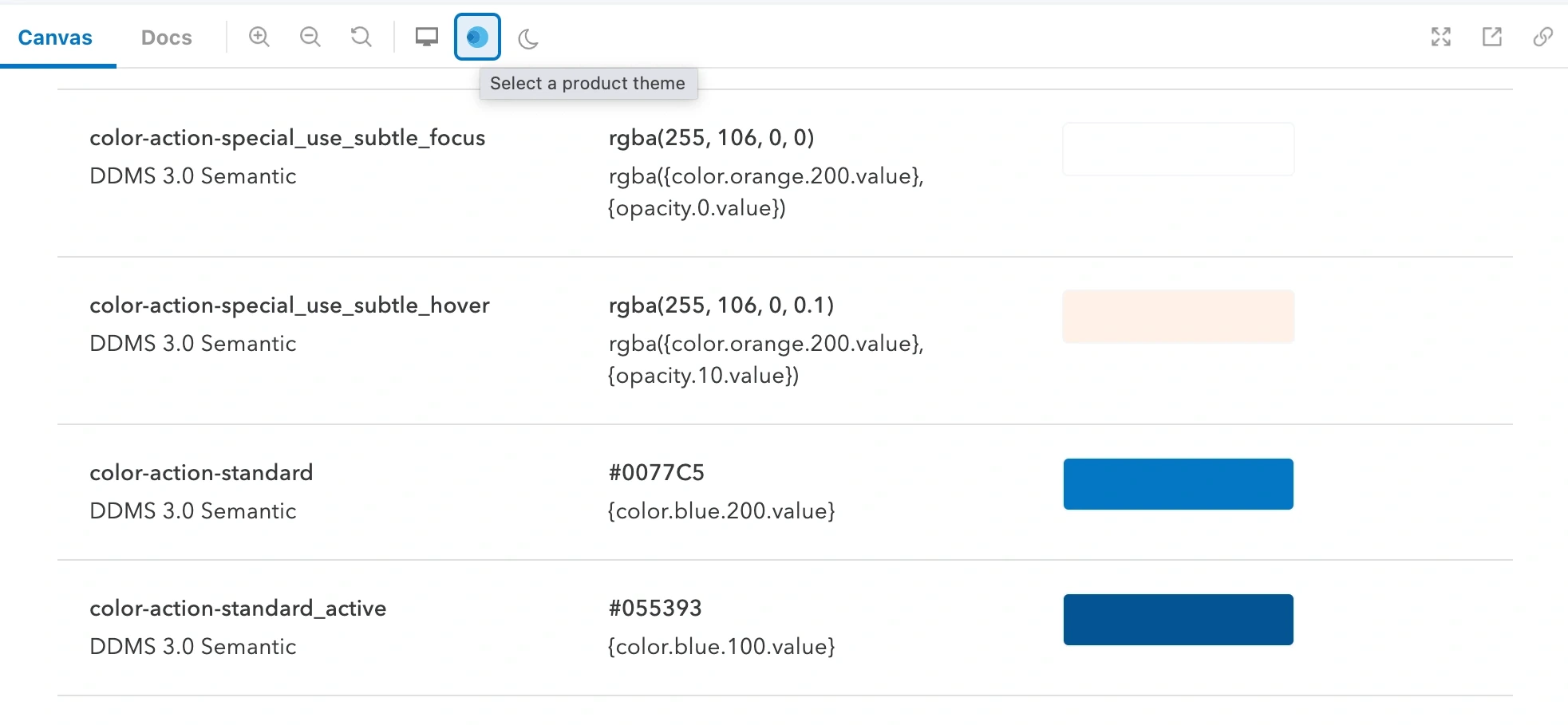
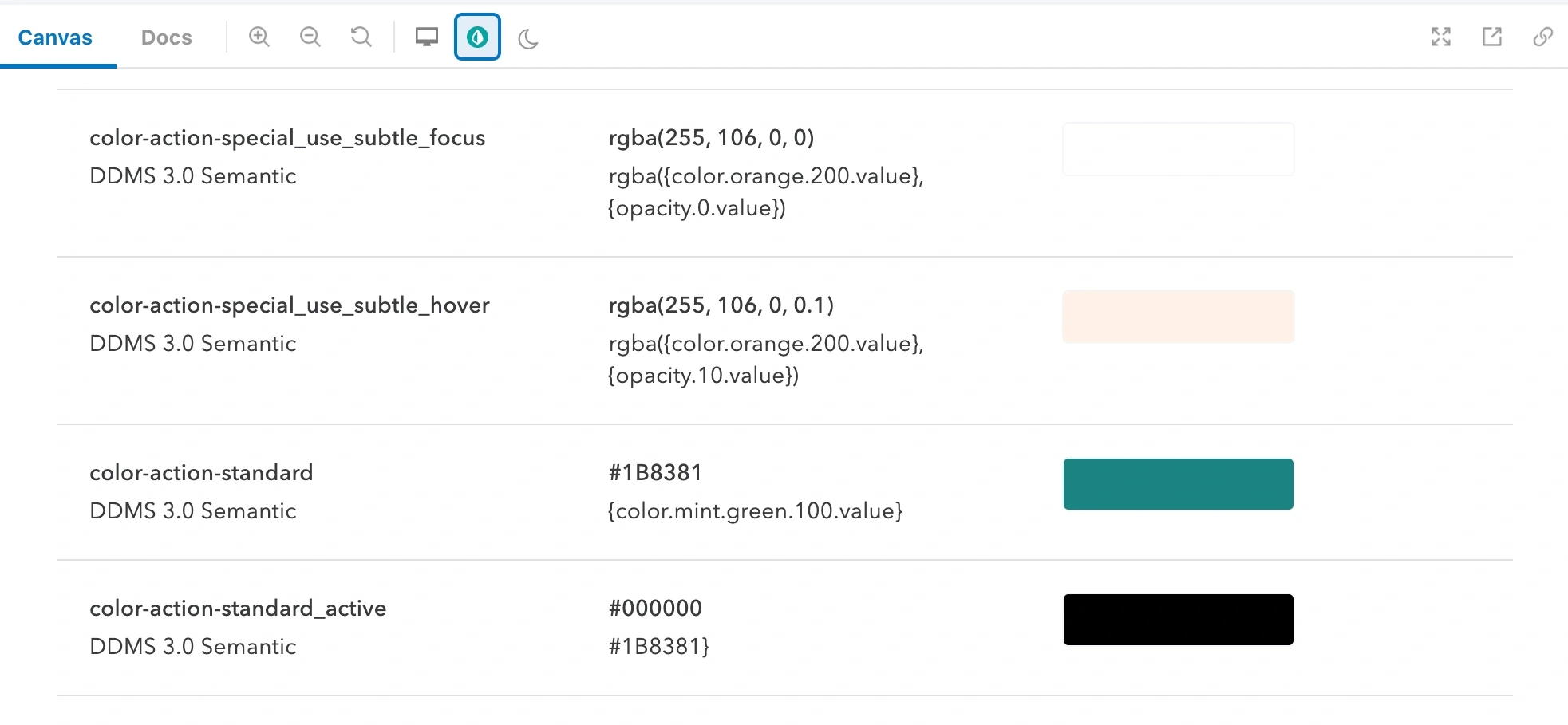
I mapped Intuit Design System tokens to QuickBooks tokens, with Agave as the new primary. Components point to tokens, not hex values, so one library themes both portals.
IDS tokens · Intuit design system
QB tokens · QuickBooks
One token, swapped per themecolor-action-standard
IDS#0077C5→QuickBooks#1B8381
06Impact
One look across both portals, and one system behind it.
BeforeAfter
External (3P) portal home. Drag to compare before and after.
One experience for 1P and 3P
Internal and external developers now see the same visual language.
A dedicated portal design system
Built on IDS, with design tokens that scale to new products and themes.
Shared components, not one-offs
Teams build from the Agave library instead of fragmented, per-page UI.
07What I learned
New ideas look like rebellion in large orgs. Anchor change in shared values.
Agave won because it came from IDS 2.0, not because of taste. The argument was about keeping the parent brand's trust while signaling money and speed.
I turn new technology into designthat solves real problemsand moves the business.
I'm a product design leader with 9+ years of experience.
NowServiceNow / Moveworks
I own design for the employee AI assistant across Slack, Teams and the web, and for creating AI agents and workflows conversationally. I shape intent-driven flows that carry across surfaces, and the patterns that keep AI output reliable even when it isn't deterministic.
BeforeIntuit
Led the 0→1 launch of Intuit Financial Services, $25M in revenue in 18 months, and a GenAI developer platform that cut discovery-to-deployment time by 43%.
What I love doing
At work
01Framing the right problemI question the brief to find the real need before designing.
02Selling ideas through prototypesHigh-fidelity prototypes make strategy tangible and win buy-in.
03Making complexity feel simpleI distill complex, cross-team workflows into experiences that feel intuitive.
04Building with AI-native toolsI prototype in code with AI to validate ideas at production fidelity.
05Designing AI people trustI design the guardrails and controls that let people rely on AI.
Outside work
A free spirit at heart, I'm endlessly curious and creative. I love to understand how things work, build things and solve problems.





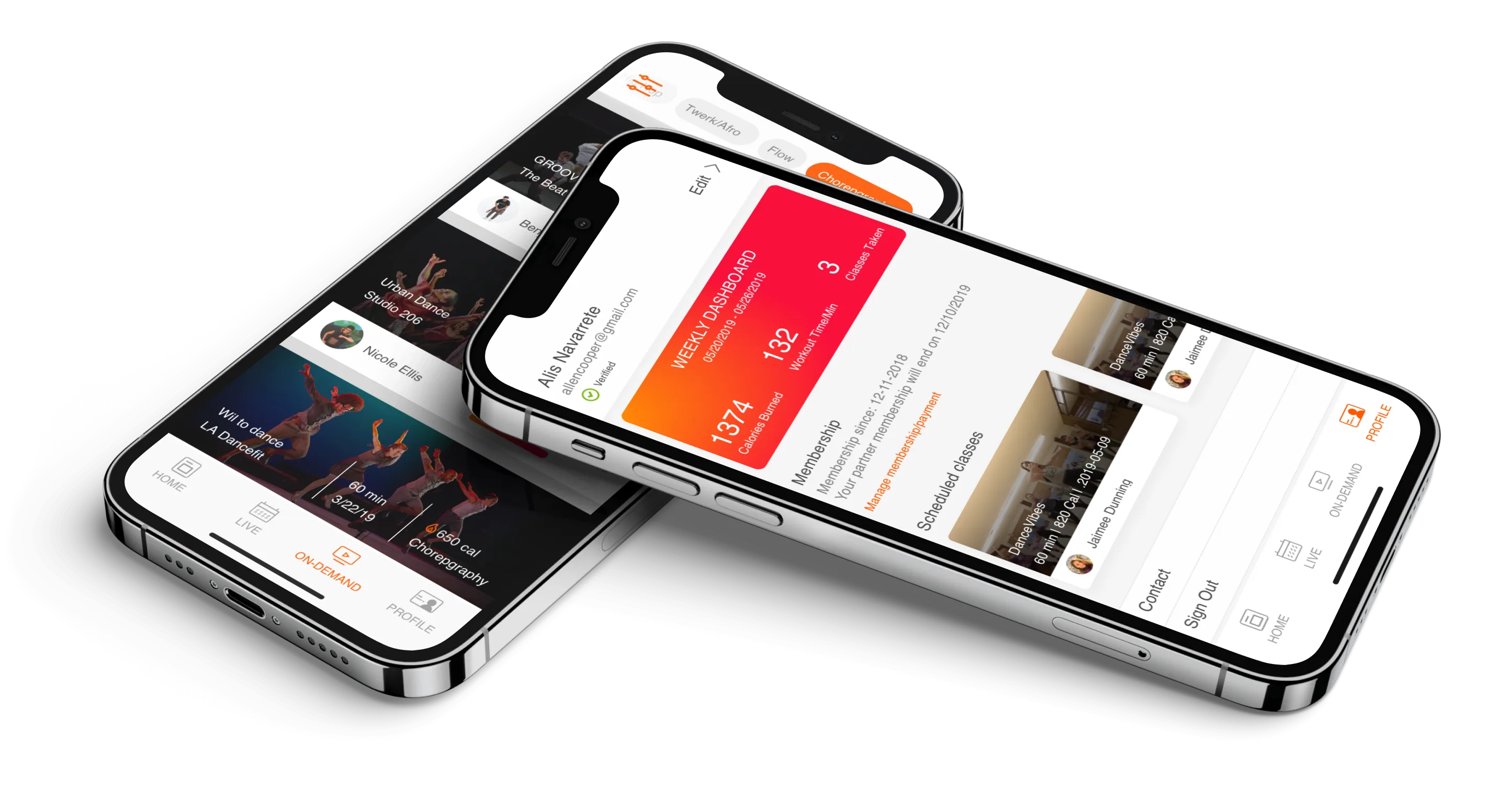
 Microsoft Teams
 Slack
Slack Google Chat











































 Intuit Certified Service
 Temporary
 Archived
 Deleted



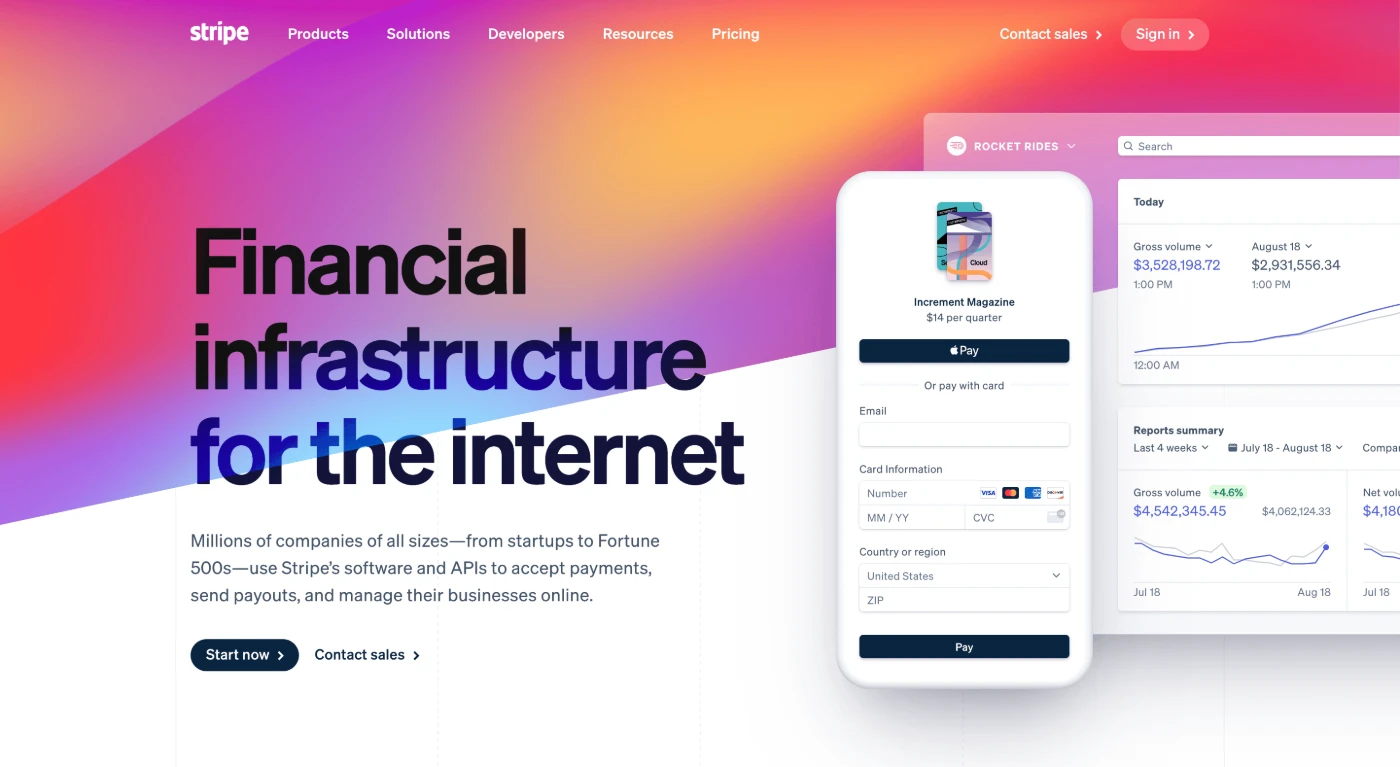 Website
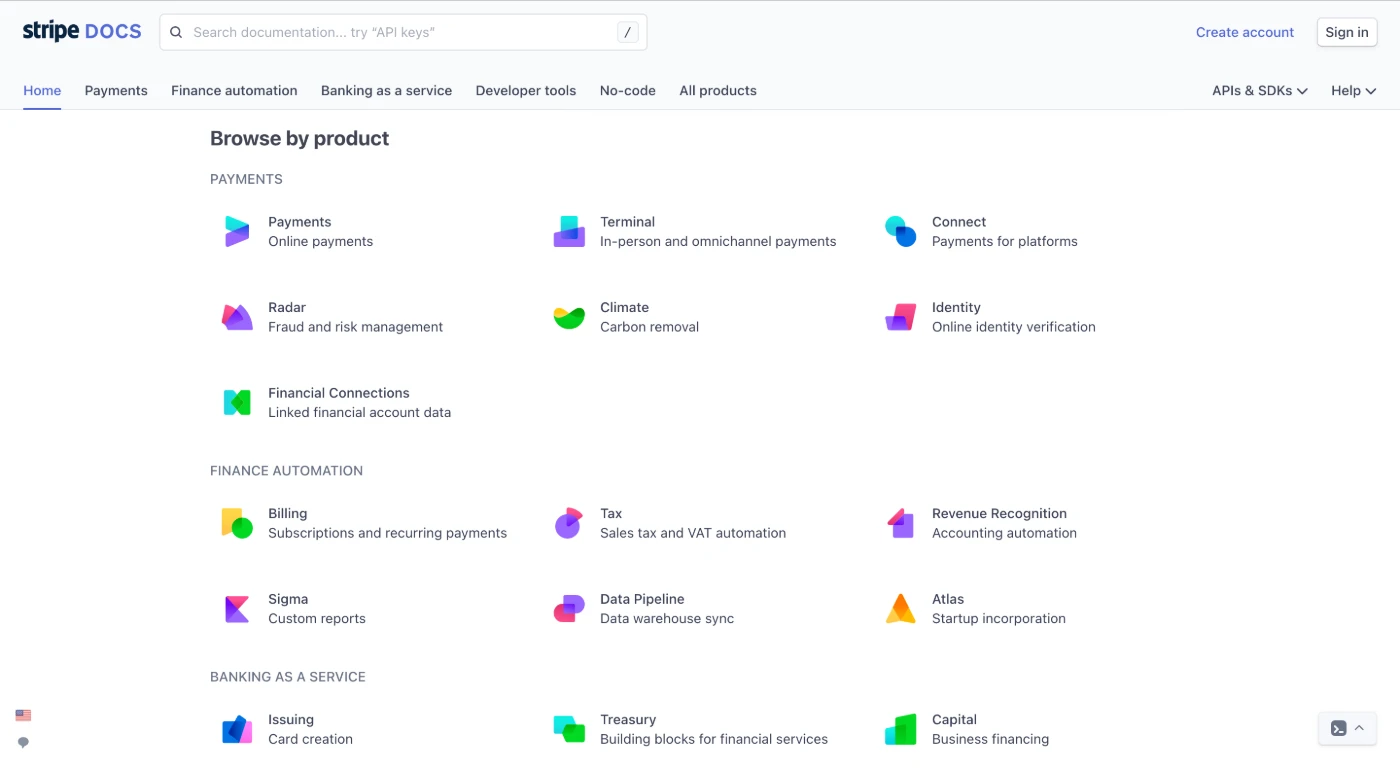 Developer docs
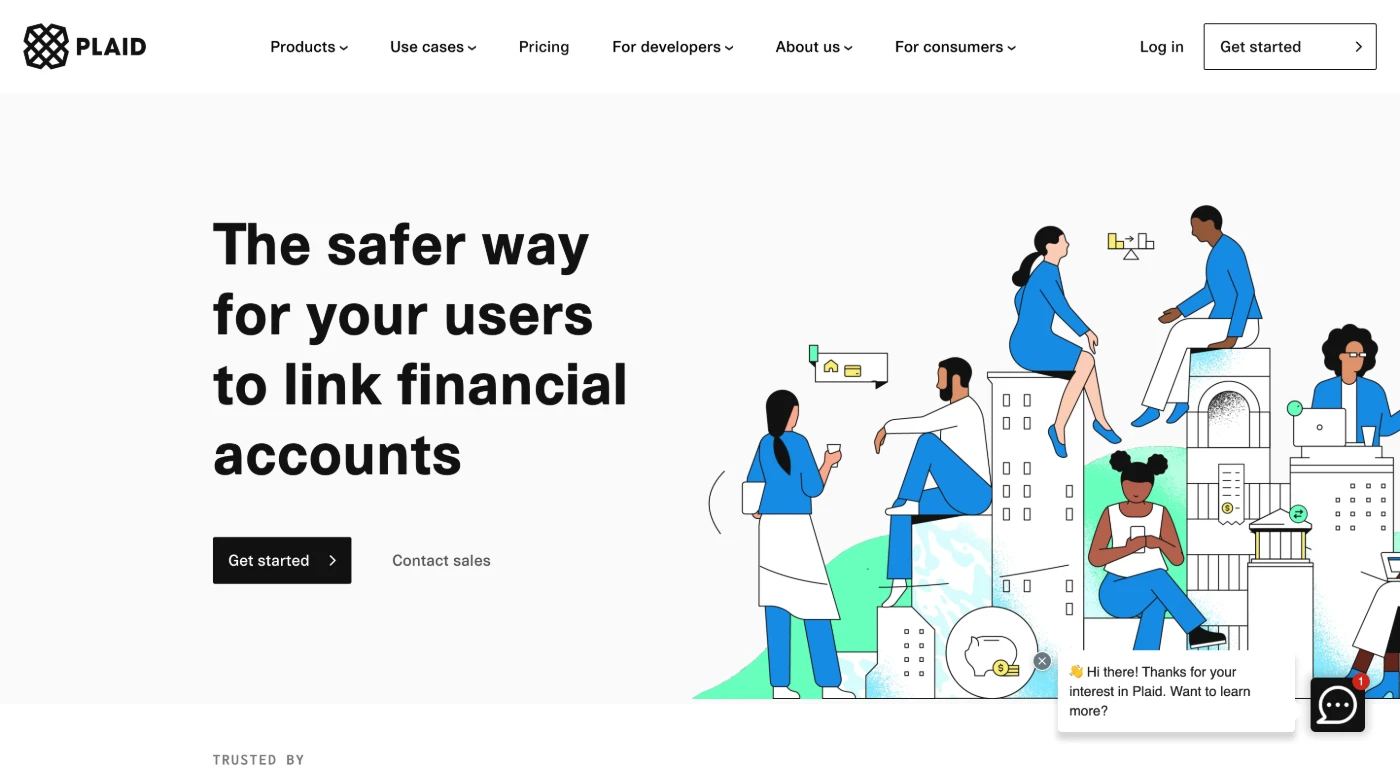 Website
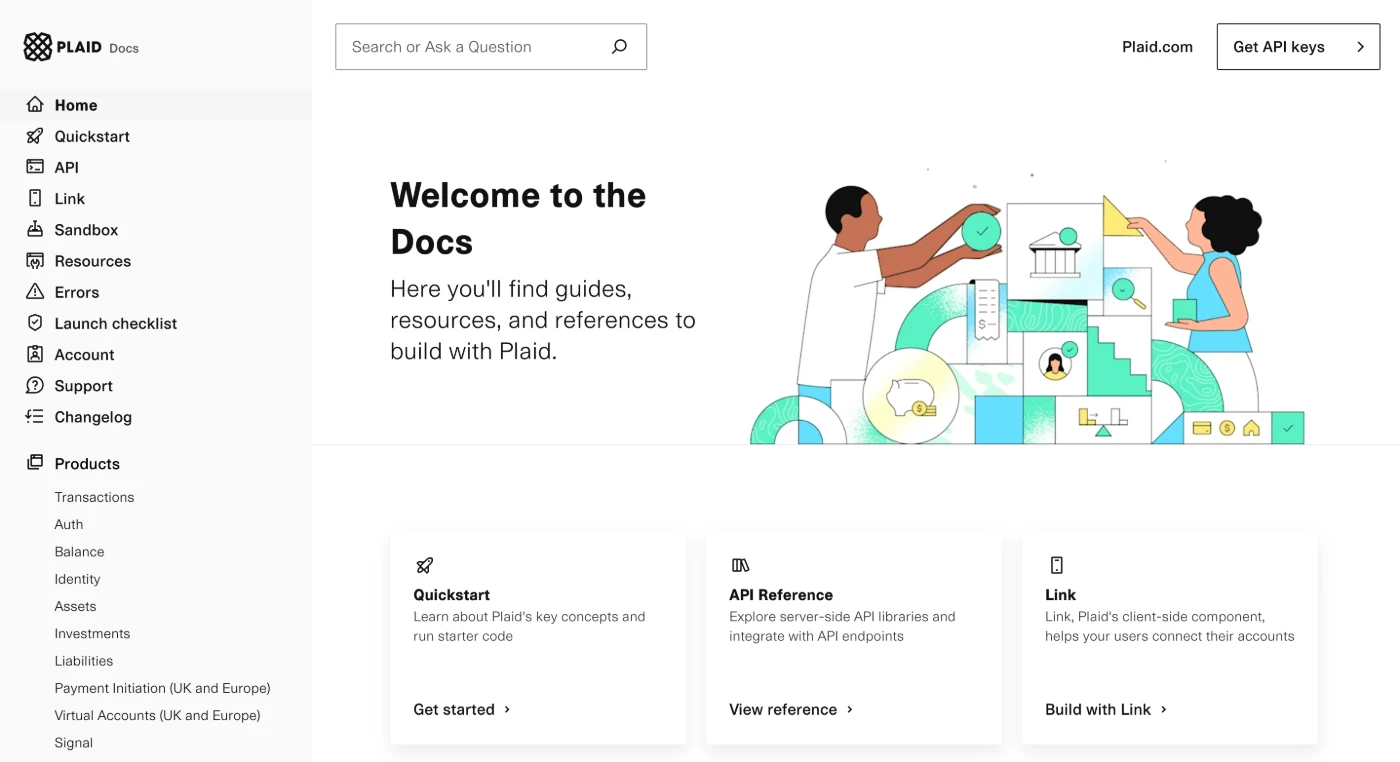 Developer docs
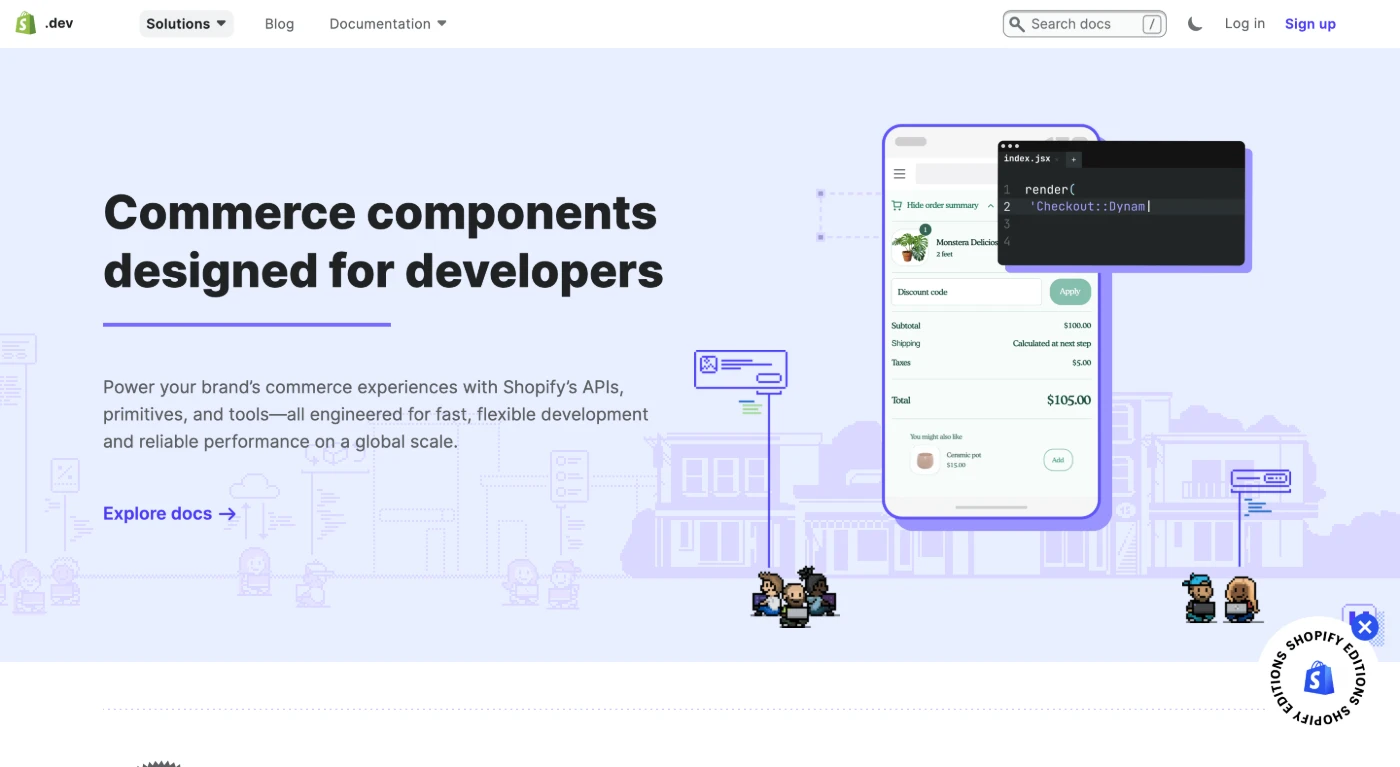 Website
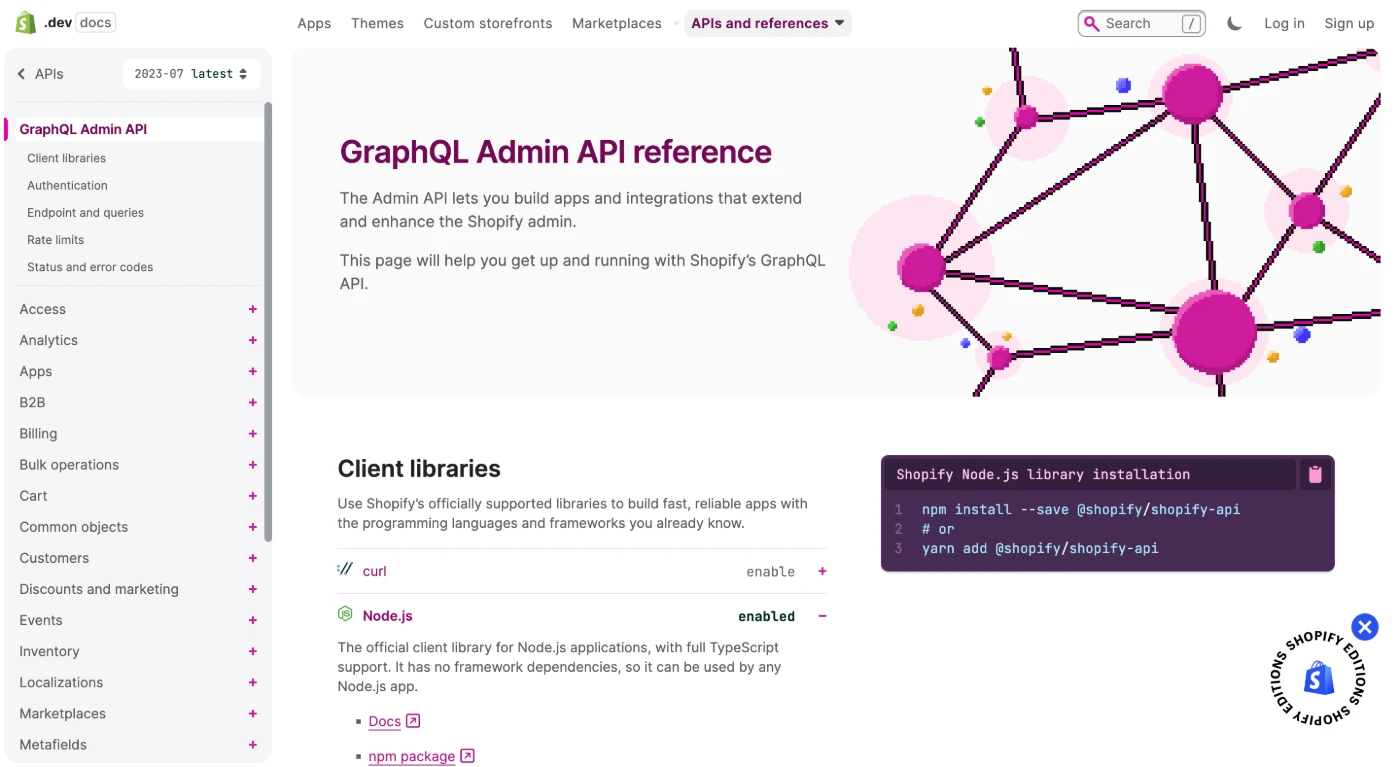 Developer docs
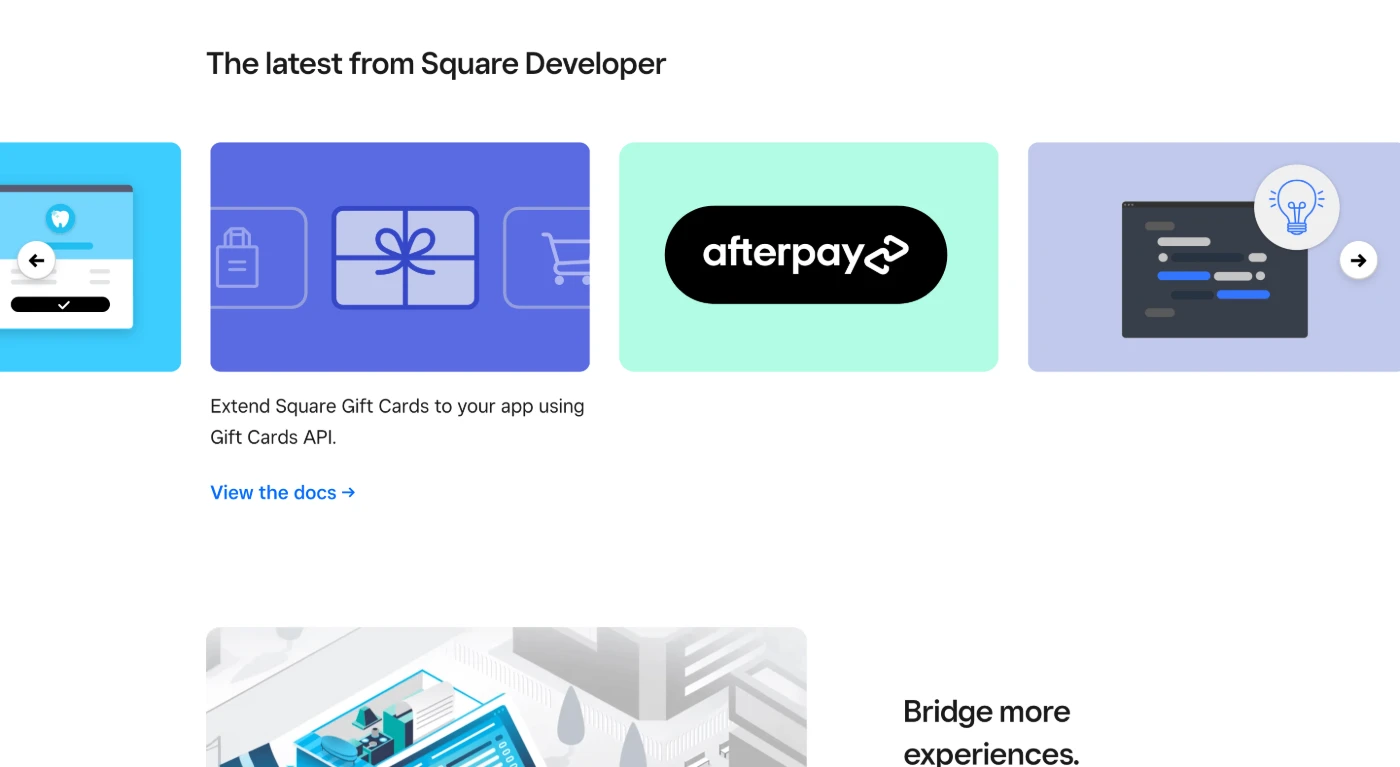 Website
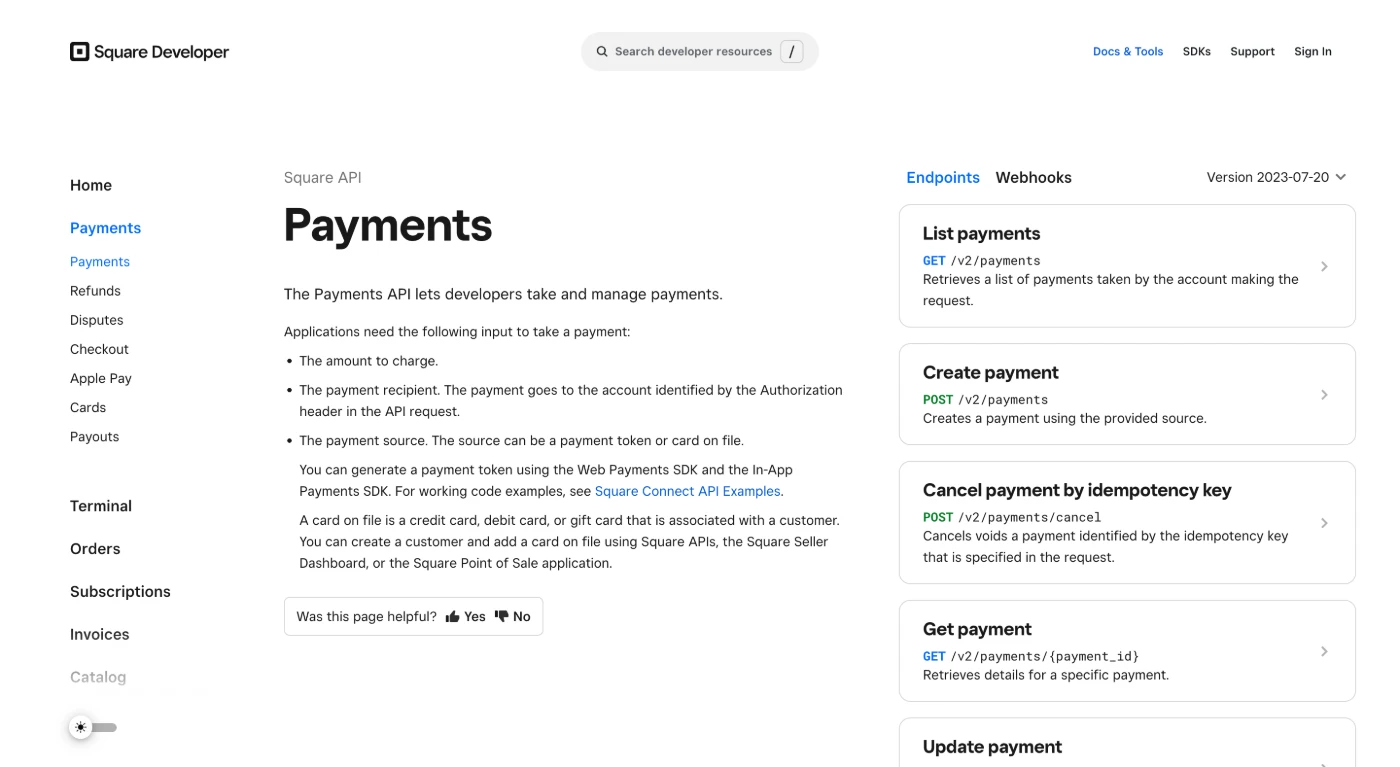 Developer docs